 15 min read
 Published
Landing page design for small businesses means building a focused page around one offer and one useful next step, such as requesting a quote, booking a consultation or buying a product. Start with the customer’s question, explain the offer, support it with honest evidence and make the action easy to complete.
You do not need a large marketing team to do this well. You need an offer you can explain, a page you can maintain and a reliable way to handle the inquiries it produces. A beautiful form that nobody monitors is a broken customer journey.
This guide helps owners and solopreneurs plan a first campaign page, decide what belongs on it and choose a sensible build scope. It also covers the operational details that a gallery screenshot cannot show: response ownership, confirmation messages and lead quality.
By Maniruzzaman Jubayer, Wolfpixel’s Co-founder & COO and Product Design Specialist, whose role is listed on our team page. Wolfpixel offers the design services discussed here. Examples are labelled as illustrative or drawn from published portfolio work.
2027 planning note: prepared in October 2026 using currently available guidance. The year refers to planning your next page, not to future research, prices or guaranteed conversion results.
When Does a Small Business Need a Landing Page?
A focused page is useful when you can name the audience, offer and next action. For example, a home-cleaning business might promote a recurring service to households in its genuine service area. A consultant might invite a defined type of founder to request a consultation.
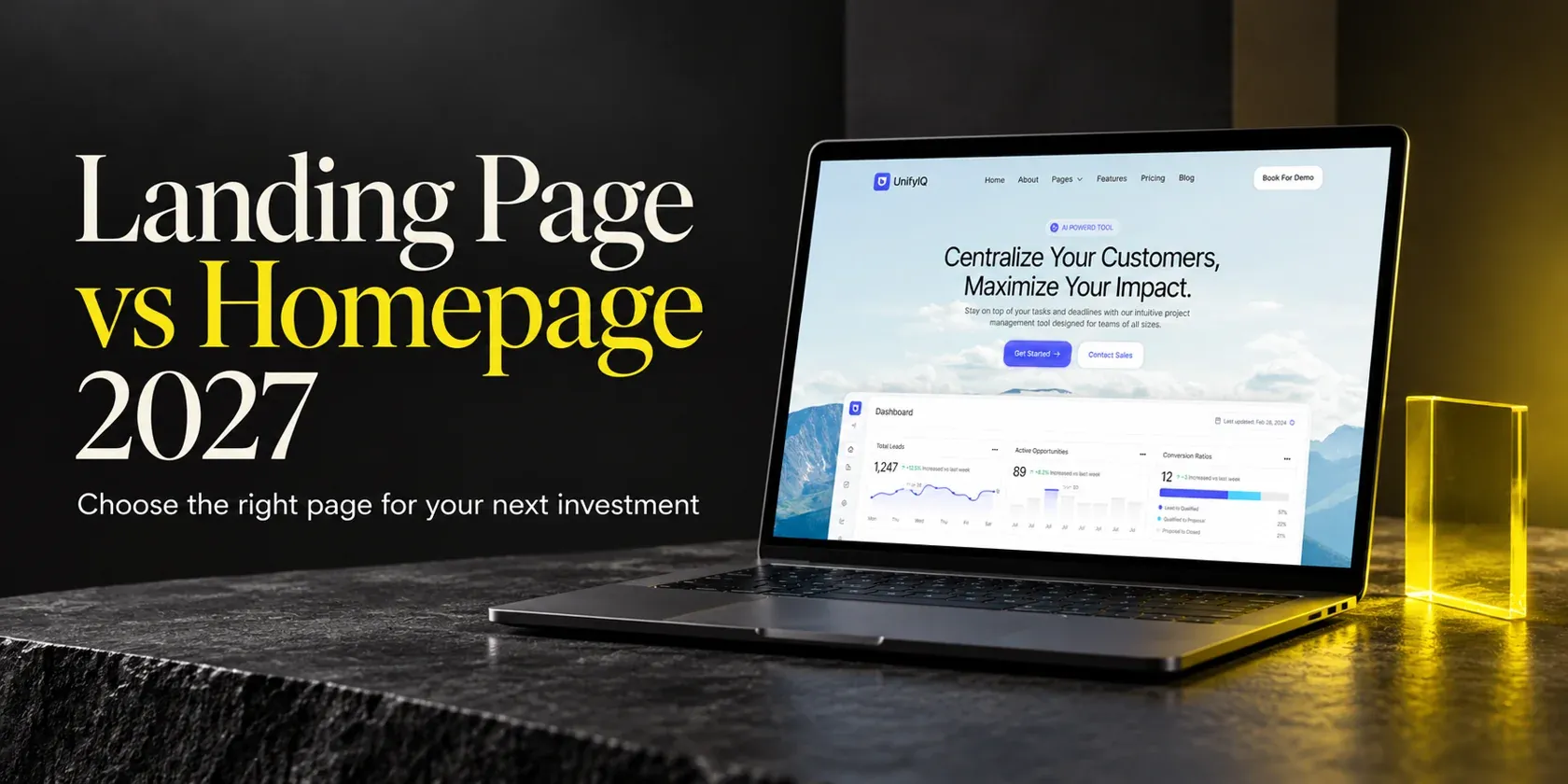
A broad homepage may already serve a visitor who wants to explore the whole business. You do not need a new page for every ad or keyword. Our landing page vs homepage comparison explains that choice in detail.
Match the page to a real business situation
| Situation | Useful page goal | Check before building |
|---|---|---|
| Local service | Request a relevant quote. | Can you serve the location and respond to inquiries? |
| Appointment-based business | Book or request one specific service. | Is availability accurate, and is the booking a request or a confirmed slot? |
| Consultant or small studio | Request a scoped introductory conversation. | Can the visitor tell who the service is for and what happens next? |
| Small online shop | Evaluate and buy one offer or product range. | Are stock, delivery terms and checkout consistent with the page? |
| Early idea with an unclear offer | Learn which need is worth addressing. | Clarify the offer before buying an elaborate page. |
For the broader definition and page types, see what a landing page is. Here, the focus is the small-business planning decision: the smallest page and follow-up process that can support one meaningful offer.
When another page would add little value
If your existing service page already answers the same question and supports the same action, improving it may be more useful than creating a near-duplicate. If your team cannot deliver the offer or handle new inquiries, fix that capacity problem first. More submissions are not useful when the business cannot follow through.
Start With One Offer and a Clear Next Step
Before choosing a template, finish this sentence: “We help [specific customer] get [specific outcome] through [offer], and the next step is [action].” Use language you could say to a customer on a call.
A worked small-business example
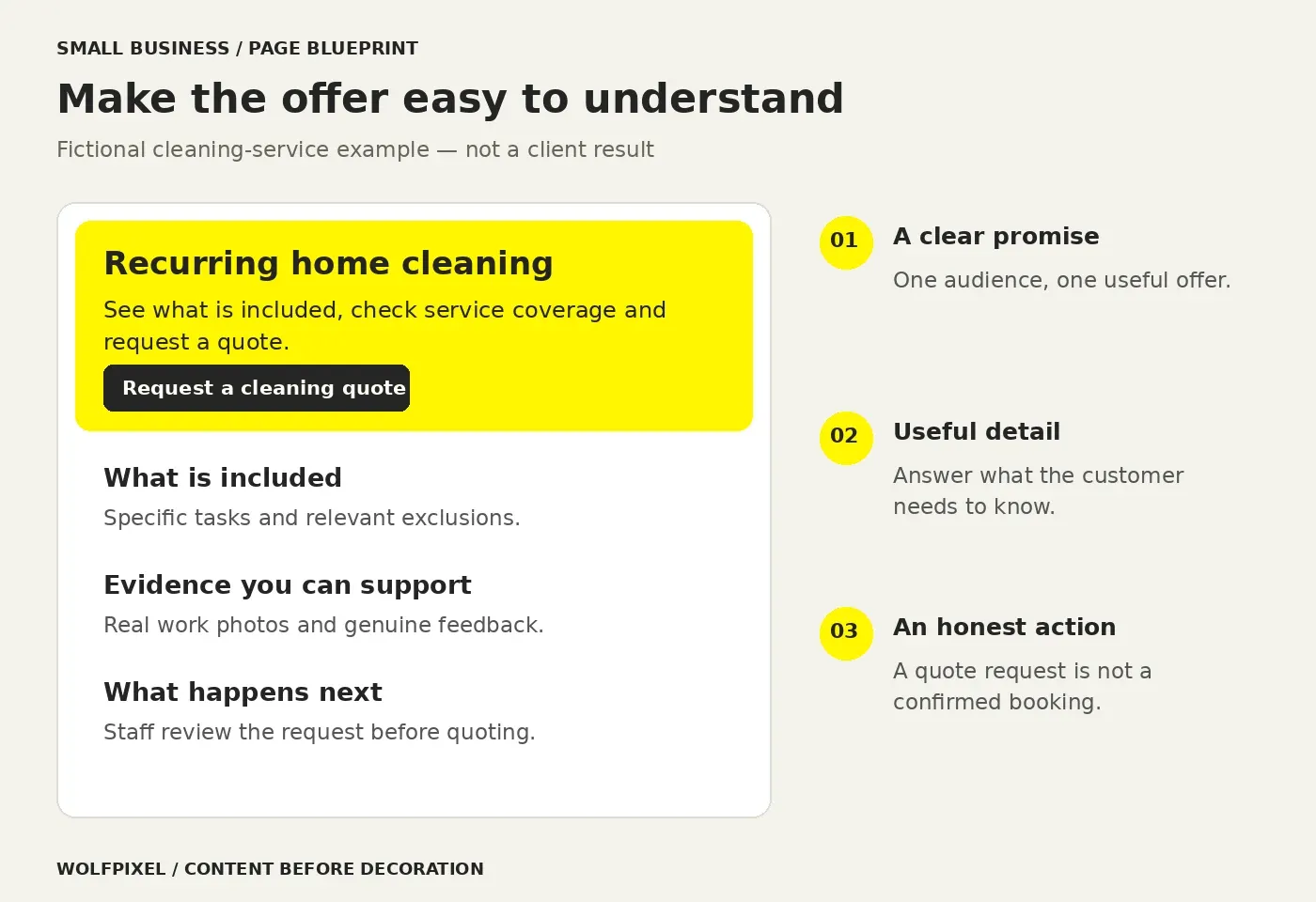
Imagine a home-cleaning company planning a page for recurring cleaning inquiries. This is a fictional planning example, not a client result. The business has real service boundaries and needs to understand a property before quoting.
- Customer: households looking for a recurring cleaning service.
- Offer: regular home cleaning, with the actual included work explained.
- Action: request a quote, rather than promise an instant confirmed booking.
- Evidence: genuine work photos, verified customer feedback and accurate service details.
- Follow-up: a named person checks coverage and requirements before replying.
That brief already rules out several unnecessary features. A complex appointment calendar is not useful if the business must review every request manually. A long account-creation flow may create work before either side knows whether the service is suitable.
Make the button describe the actual action
“Request a cleaning quote” tells the visitor more than “Submit.” “Request an appointment” is more accurate than “Book now” when staff still need to confirm availability. The confirmation screen should use the same promise.
When traffic comes from an ad, preserve the offer and action that brought the visitor there. Google Ads’ landing-page guidance recommends alignment between the ad, keywords and destination. Do not promote one service and then make people search a general page to find it.
One primary action can appear more than once on a long page. A phone link can also be useful when calling supports the same goal, but explain when the business answers. Avoid presenting unrelated offers as equally important choices.
What Should a Small Business Landing Page Include?
Use the customer’s unanswered questions to decide the sections. The structure below is a practical starting point, not a rule that every business needs eight equally long blocks.
Small-business landing page content plan
| Page element | Question it answers | What to prepare |
|---|---|---|
| Headline and opening | Is this for me? | A specific offer, audience or service context. |
| Offer details | What do I receive? | Scope, inclusions and relevant exclusions. |
| Real evidence | Why should I trust this? | Relevant work, accurate credentials and genuine customer feedback. |
| Process | What happens if I ask? | The steps from inquiry to delivery or booking. |
| Price context | Can I assess suitability? | A real price, genuine starting point or explanation of how quotes are made. |
| Form or booking action | How do I take the next step? | Only the information needed to handle this request. |
| Objections and FAQ | What might stop me? | Useful answers about availability, coverage, requirements or terms. |
| Business and privacy details | Who am I contacting? | Clear identity, working contact details and an accurate privacy explanation. |
Use enough detail to make the choice understandable
A small business landing page can be short when the offer is familiar and low in complexity. A specialist service may need more explanation, examples and questions before someone can judge whether it fits. Choose length from the buying questions, not a template’s default number of sections.
In the cleaning example, coverage, included work and how a quote is calculated are more useful than a long paragraph about being passionate. If pricing depends on property size and requirements, explain that dependence. Do not invent a precise price just to fill a pricing card.
Keep useful information near the decision
Put reassurance beside the concern it addresses. If you ask for a phone number, explain how it will be used. If availability needs confirmation, say so near the action. A visitor should not need to read the footer to discover that the “booking” is only a request.
For detailed guidance on hierarchy and interaction patterns, our landing page best practices guide covers the wider design principles. This content plan is about what your small business needs to gather before design begins.
Write Clear Copy and Show Evidence You Can Support
Good copy makes the offer easier to understand. Start with the questions customers already ask in calls, emails and consultations. Explain the relevant benefit, then show how the service delivers it.
Replace vague claims with useful specifics
“We offer exceptional solutions” gives a visitor little to evaluate. “Recurring home cleaning, with the tasks and schedule agreed before your first visit” is more concrete, provided that is how the business actually operates. A consultant could name the problem they help address and the deliverable a client receives.
Write the headline before choosing a dramatic photograph. If the headline needs several sentences of explanation, the offer may still be too broad. Ask someone unfamiliar with the business to describe what the page offers and what they would do next.
Proof should support the claim beside it
Use photos of relevant work, customer quotations you have permission to use, and accurate project descriptions. A testimonial about a logo project does not establish how well a cleaning service works. A recognizable client logo is not a substitute for explaining your involvement.
If you are new and do not yet have testimonials, explain your process, show clearly labelled sample work and make the business easy to contact. Do not manufacture reviews, customer totals or “trusted by” logos to make the page look established.
Decide what a visitor needs before contacting you
Give enough information to help people self-select. Real service boundaries, minimum requirements and relevant exclusions can reduce unsuitable inquiries. Keep the tone welcoming: the purpose is to clarify fit, not make a small business sound inaccessible.
For our fictional cleaning offer, a short checklist of included tasks and a clear coverage statement may answer more questions than a decorative statistics section. If additional work is available, explain whether it is included or discussed during the quote.
Make the Form, Mobile Experience and Follow-Up Work
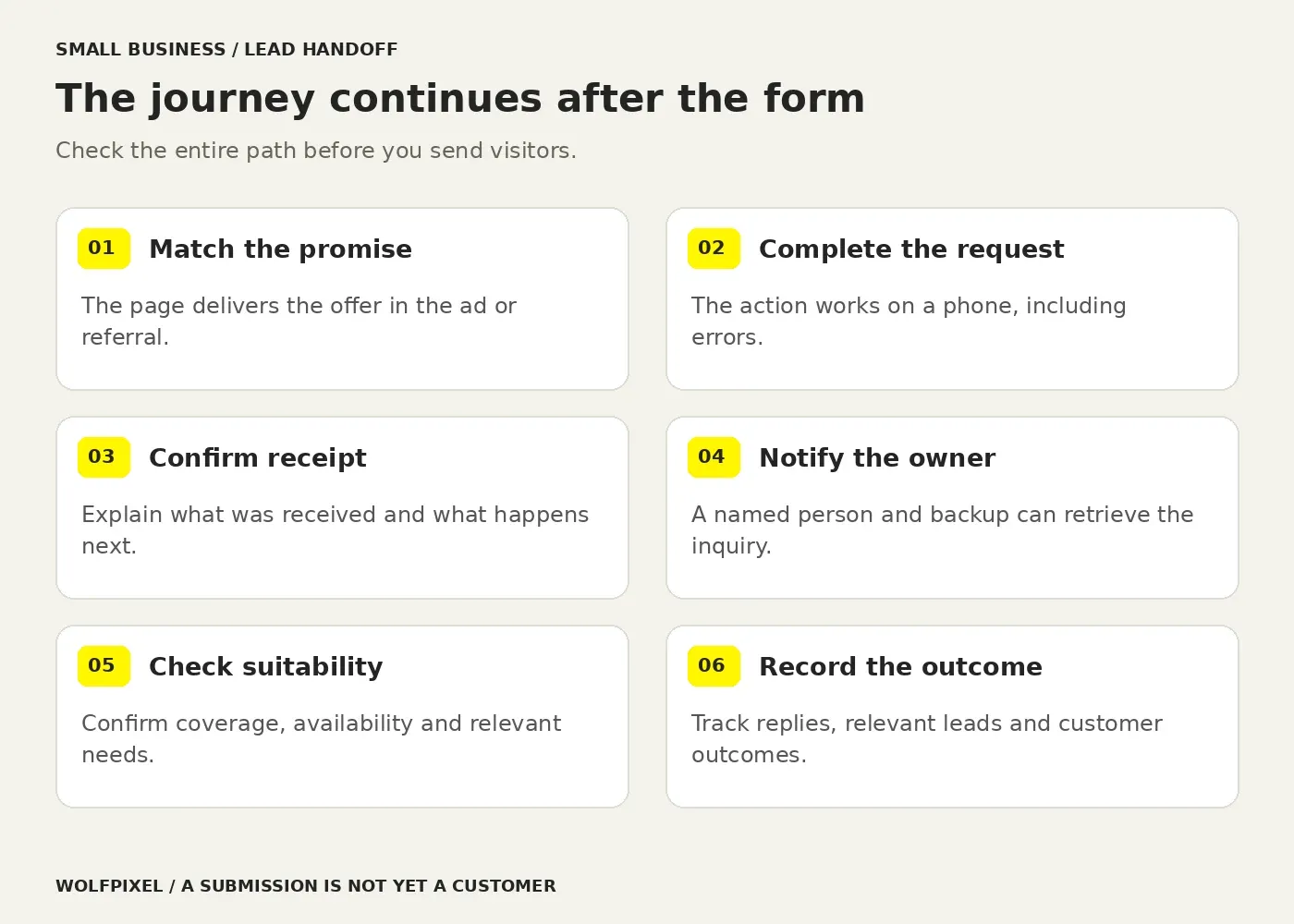
The page is one part of a lead-handling system. A person needs to understand the request, complete it on their device and know whether it reached the business. Someone on your team then needs to act on it.
Ask for information you will use
For a quote request, the useful fields depend on what you need to assess it. Name, a contact method and relevant service details may be enough. A location or postcode can be justified if it determines coverage. Asking for a full address, account password and marketing profile before answering a simple question may be unnecessary.
Use visible labels, useful instructions and clear error messages. W3C’s form-label guidance explains how properly associated labels help people understand and operate controls. Placeholder text should not carry the entire explanation of a field.
Test on an actual phone
Check whether the keyboard hides the action, long service names wrap correctly, error messages remain visible and the phone link reaches the correct number. Review both successful submission and failure. A layout that looks fine at a desktop’s narrow width has not yet proved the full mobile journey.
Use appropriately sized images and avoid heavy media that adds little information. Google’s web.dev guidance on Largest Contentful Paint explains why delaying a page’s main image can hurt loading performance. Ask the person building the page to measure the actual implementation rather than promise speed from the mockup.
Give the inquiry an owner
Assign a primary recipient and a backup. Test the notification with a real submission, confirm where the information is stored and check what happens outside working hours. Use an automatic acknowledgement only if it accurately describes what will happen next.
For example: “Your request has been received. We will check whether we cover your area and contact you using the details provided.” Add a response window only when the business can consistently honor it. Never show “Your appointment is confirmed” when nobody has checked availability.
Keep the privacy explanation accurate and accessible. Collect only what the request needs, restrict access appropriately and establish who removes test submissions. The page copy and the tools handling the data should agree.
Templates, Free Builders or Custom Design: What Fits?
Start with the simplest option that supports the offer, the action and the follow-up process. A free tool may be enough to explore a straightforward page. A complex booking workflow or an established campaign may justify a different scope.
Choose by scope and maintenance, not appearance alone
| Approach | Useful when | Check before committing |
|---|---|---|
| Free builder or starter plan | You are learning or testing a simple offer. | Publishing limits, branding, domain options, form capacity and data access. |
| Adapted landing page template | The layout fits your content and someone can maintain it. | Template license, mobile behavior, accessibility, integrations and ownership. |
| Custom design and build | Your offer, content or workflow needs a more specific solution. | Research, writing, implementation, tracking, testing and handoff responsibilities. |
Are free templates genuinely free to launch?
“Landing page design for small businesses free” often means the design file or starter plan is free, not that every part of operating the page is included. Check the current terms for custom domains, publishing, submission limits, paid components and required integrations. A Figma file is a design resource; it still needs a way to become a working page.
The same applies to free website landing page templates. Ask what you can edit, whether commercial use is permitted and what happens if you stop paying for the publishing tool. Compare the full operating setup.
Use inspiration without borrowing an unrelated business claim
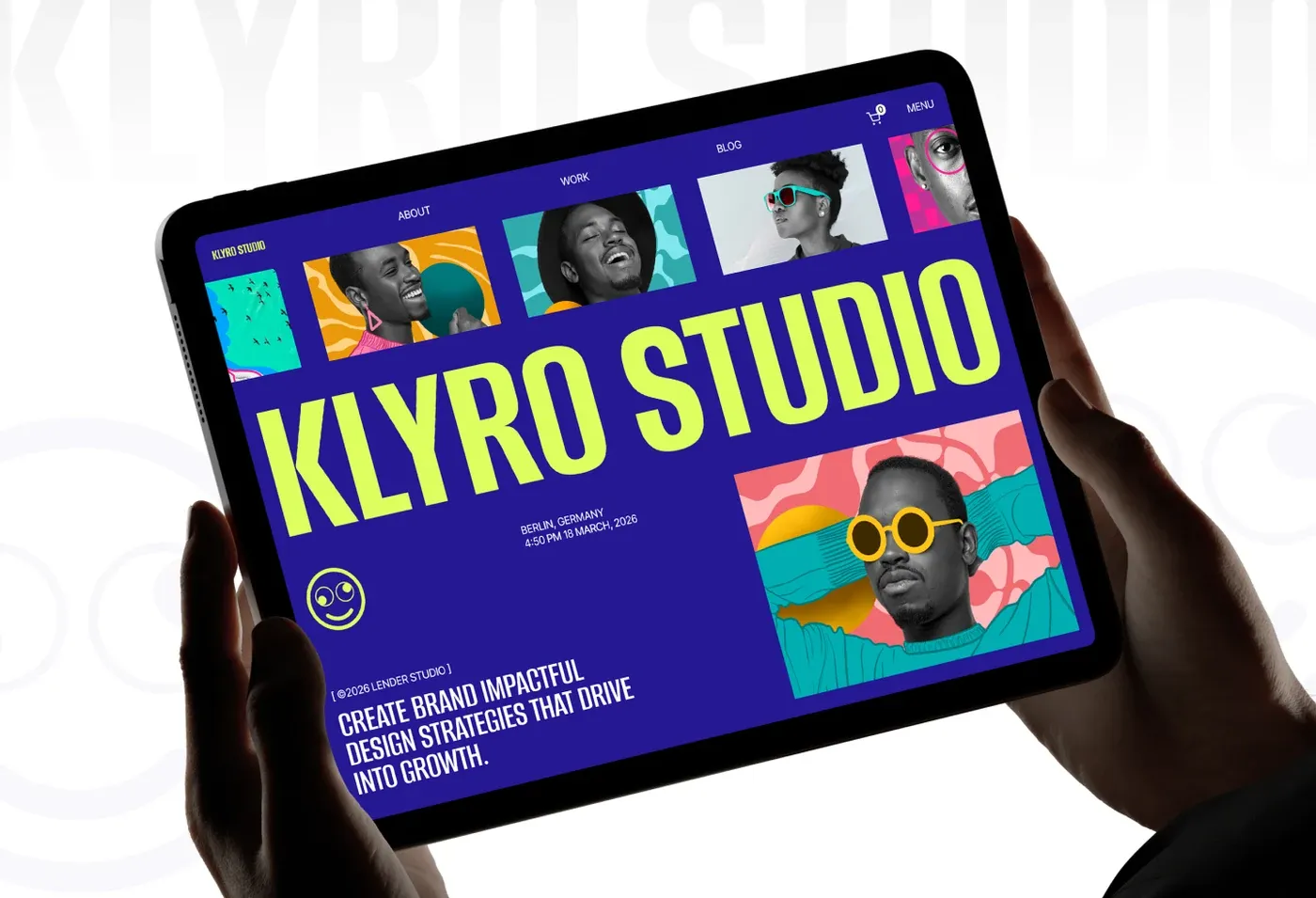
Creative landing page design can help a business feel recognizable, but visual novelty should support the offer. Wolfpixel’s Klyro Studio website template shows a bold creative-studio direction. It is a design reference, not evidence that the same look would increase inquiries for another business.
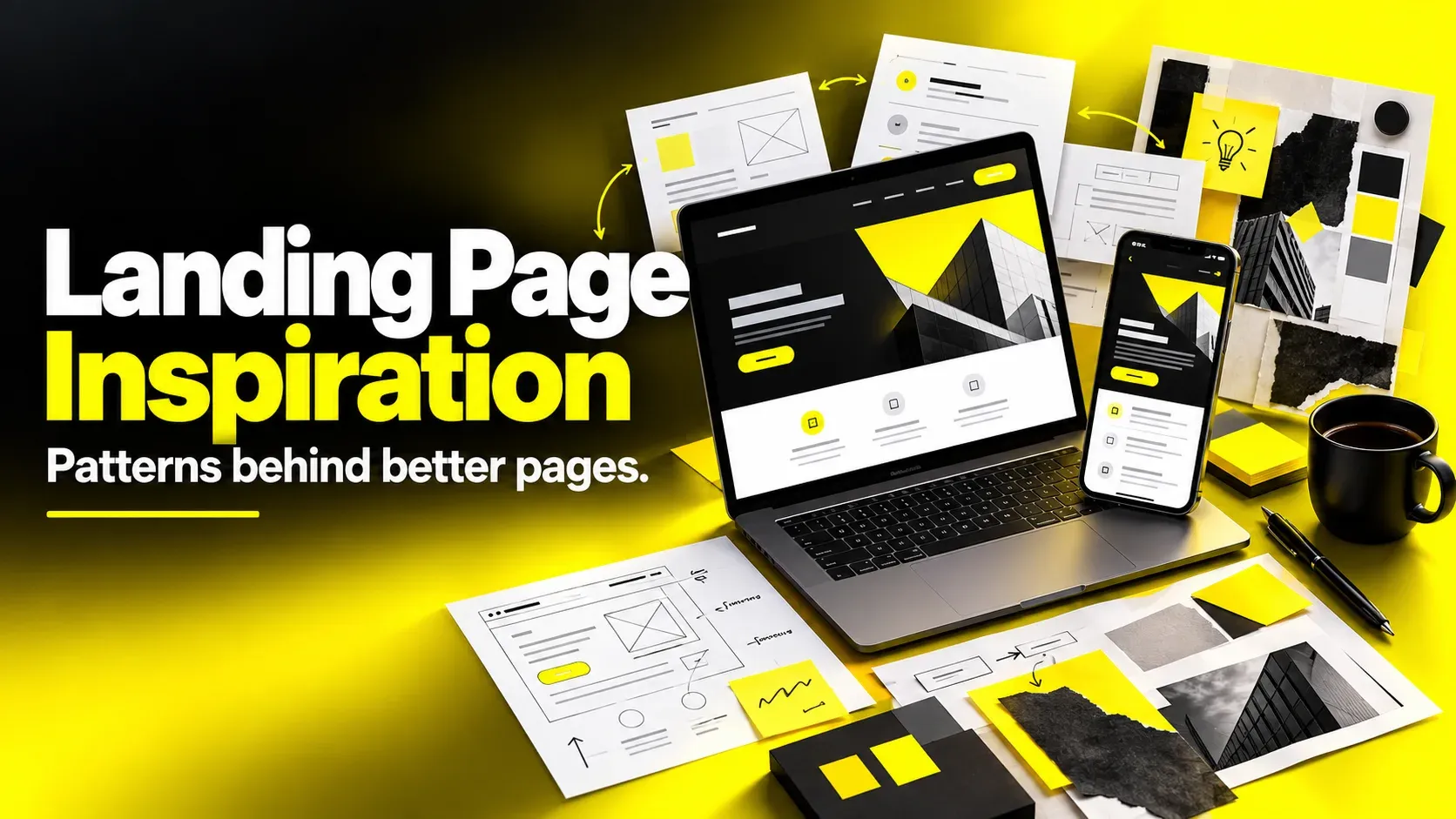
For a wider reference library, explore our landing page inspiration guide. When reviewing landing page examples, note which visitor question each section answers before copying the arrangement.
Budget for the work around the screen
A useful budget separates the offer and copy, design, build, domain and hosting, forms or booking tools, measurement, testing and ongoing updates. Ask who provides images and testimonials, who connects notifications and who fixes problems after launch.
Compare quotes against the same scope. A design-only file and a working page with tested lead delivery are different deliverables. A business landing page template can reduce layout work while leaving content, configuration and quality checks to you. This guide does not present speculative 2027 market prices.
Launch, Search Visibility and Lead Measurement
Before sending visitors to the page, complete the full path yourself: open the page on a phone, understand the offer, submit the request, receive the notification and record the next action. Test with people outside the project when possible.
Minimum launch checks for a small-business campaign
| Check | What a pass looks like |
|---|---|
| Offer and claims | The promise, coverage, availability and evidence are accurate. |
| Mobile action | The form or booking works, including errors and confirmation. |
| Lead delivery | A named owner receives and can retrieve the request. |
| Contact and identity | The business name, contact details and relevant policies are easy to find. |
| Measurement | A successful request is distinguished from a button click or failed submission. |
| Ownership | The business knows who controls the domain, accounts and future edits. |
Make the page useful for search without duplicating your site
Use a descriptive page title, one clear main heading and content that explains the actual service. Include relevant internal links so the page is part of a usable site. Give meaningful images descriptive alt text, and ask your builder to check indexing and canonical settings against the page’s purpose.
Do not mass-produce nearly identical location pages just to list more towns. Google’s doorway-abuse policy addresses pages created for similar queries that funnel people toward a more useful destination. A location page should help someone understand the real service in that location.
Measure the business outcome after the click
Count successful requests separately from visitors who only press the button. Google Analytics documents generate_lead as a recommended event for an inquiry or information request. The implementation should reflect the successful action you intend to record.
Then track whether the inquiry was relevant, whether your team replied and whether it became a booking or customer. A small business does not need a complicated dashboard to begin; a consistent record with source, date, qualification and outcome can be useful.
When traffic is limited, read individual inquiries and support questions before making strong statistical claims. For detailed definitions and diagnostic metrics, use our landing page conversion rate guide. A submission rate alone cannot tell you whether the business is gaining suitable customers.
Your Small Business Landing Page Brief for 2027
You can prepare a useful brief before choosing a designer or platform. Keep the first version short enough that the person answering inquiries can read it and point out anything the business cannot deliver.
- Audience: who the page is for, and what they already know.
- Offer: the service or product, including real boundaries and exclusions.
- Traffic promise: what an ad, email, search result or referral will tell the visitor.
- Primary action: the exact request, purchase or booking being supported.
- Evidence: the work, feedback and facts you can legitimately show.
- Response: who receives the request, what they do and what the customer is told.
- Build and maintenance: required integrations, account ownership and who makes future edits.
- Success: what counts as a relevant inquiry or completed business outcome.
Simple landing page design is often the result of making these decisions carefully. Reducing the number of sections does not solve an unclear offer or unreliable follow-up. Start with one page you can keep accurate, then expand when evidence shows a distinct need.
When to bring in design help
If the offer is clear but organizing the content, interface and working flow is difficult, explore Wolfpixel’s landing page design service. Bring the brief, your current URL and any evidence of where visitors get stuck. That gives the discussion a useful starting point.
You can also discuss your small-business page with Wolfpixel before committing to a broader build. The next step is to agree what the page needs to do and who will operate it.
Sources and evidence
This guide links to Google Ads for destination relevance, W3C for form labels, web.dev for image-loading guidance, Google Search Central for doorway policies and Google Analytics for lead-event definitions. Author-role references were checked against the professional profile and Wolfpixel’s team page. Illustrations are planning examples; portfolio work is not presented as measured campaign evidence.
Small Business Landing Page FAQs
Can a landing page replace a small business website?
Sometimes a focused page is enough for one clearly explained offer. A business serving several audiences or offering several services may still need a broader website. Start with what visitors need to understand and do, rather than assuming every business needs the same number of pages.
Can I create a landing page for my small business for free?
You can often begin with a free design resource or builder plan, but check its current terms. Custom domains, publishing, form capacity, branding removal or integrations may require payment. A free design file is not automatically a complete working website.
What should simple landing pages for small businesses include?
Include a clear offer, relevant details, honest evidence, one primary action, answers to important objections and identifiable business contact information. Explain what happens after a request. Add sections only when they help a visitor evaluate the offer or complete the action.
How do I choose a business landing page template?
Choose a template that fits your content and the action you need. Check the license, mobile layout, form behavior, accessibility, publishing costs and who can maintain it. Replace sample reviews, statistics and business claims with evidence that actually belongs to your business.
How much does landing page design for a small business cost?
The cost depends on who provides the strategy, writing, imagery, design, build and integrations. Domain, hosting, tools and maintenance can be separate. Compare itemized quotes for the same deliverables; a design-only file and a tested working page are different purchases.
How many calls to action should the page have?
Use one primary action aligned with the offer, such as requesting a quote. You can repeat that action where it is useful on a longer page. A relevant contact alternative can help, but avoid giving unrelated offers equal prominence.
Can landing pages help a small business appear in Google?
They can be eligible for search when they provide useful, relevant content and are technically accessible and indexable. A title or keyword does not guarantee rankings. Avoid copying the same content across many nearly identical pages, and check how the page fits the rest of your site.
How do I know whether my landing page is working?
Check both the page and the follow-up. Track successful requests, whether they are relevant, whether the team responds and whether they become bookings or customers. Investigate errors and customer questions; a high button-click count is not proof of a successful business outcome.
How long does a small-business landing page take to build?
Timing depends on whether the offer, copy, evidence and integrations are ready. A familiar template can reduce layout work, but content decisions, approval and end-to-end testing still take time. Ask for a schedule that names responsibilities and dependencies rather than assuming a fixed launch time.
Plan a page your small business can put to work
Bring your offer, audience and next action. Define the page, lead-handling setup and build scope before design begins.

Was this article helpful?

Written by
Maniruzzaman Jubayer
Co-founder & COO | Product Design Specialist at Wolfpixel
Maniruzzaman Jubayer is Wolfpixel’s Co-founder & COO and Product Design Specialist, as listed on the agency team page. His professional profile documents product-design and team-leadership experience across SaaS, fintech and AI. This guide combines primary-source guidance with clearly labelled small-business planning examples.
View all articles