


 22 min read
 Updated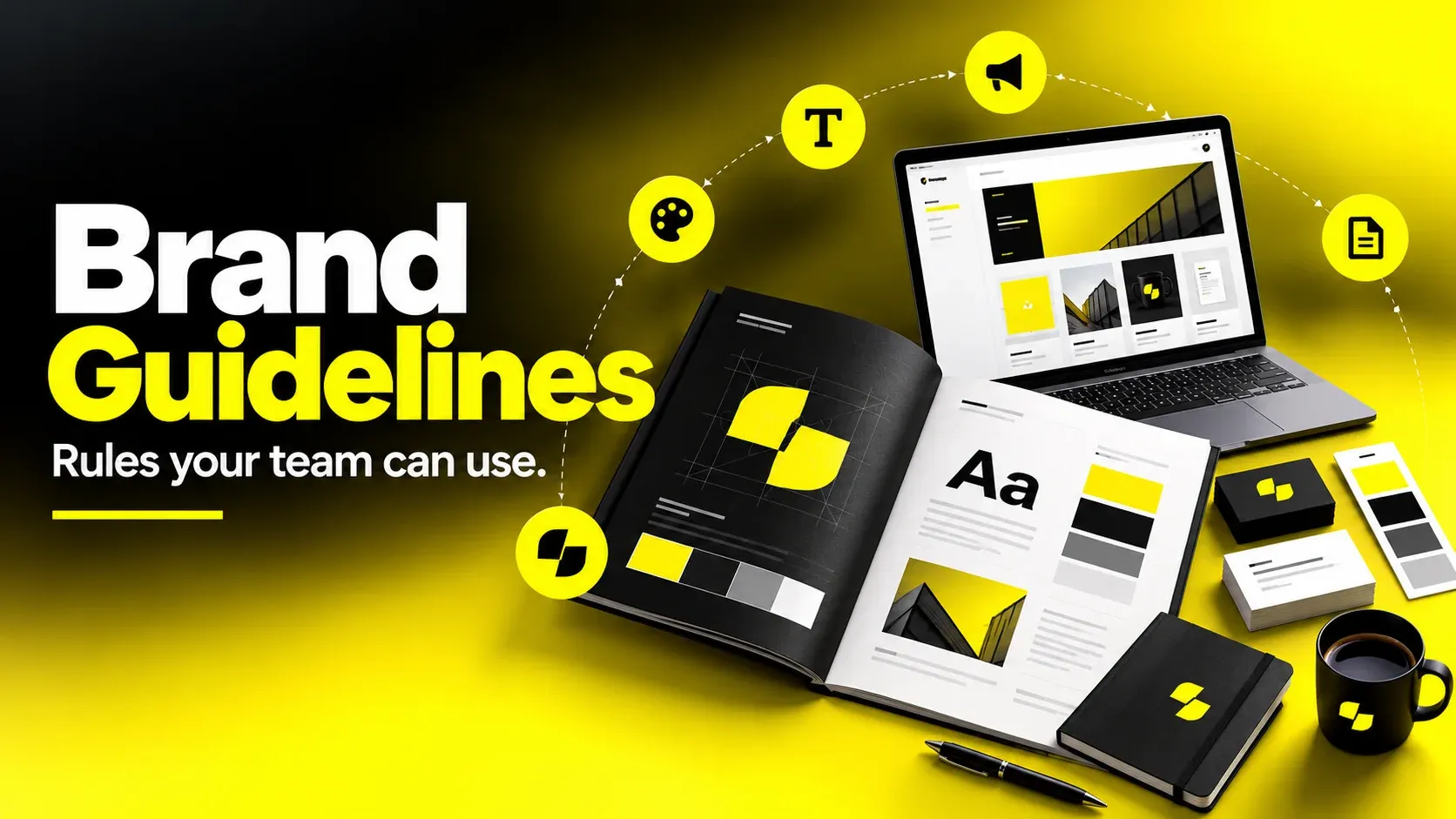
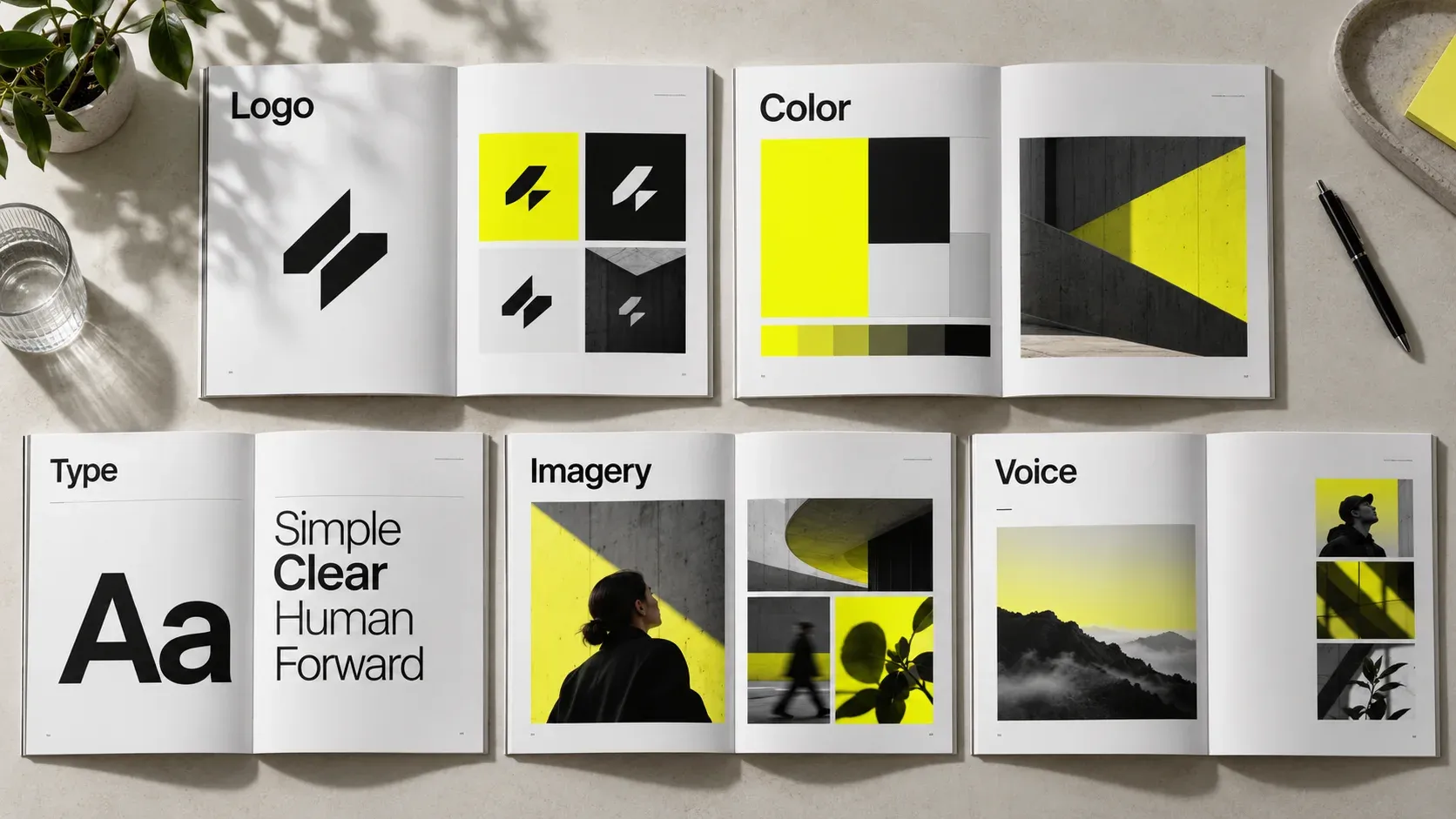
Brand guidelines are the documented rules that define how a brand looks, sounds, and behaves across every touchpoint, covering logo usage, color, typography, imagery, and voice. A useful set answers the practical questions people actually hit while working: which logo file to use, what the minimum size is, which type styles pair with which, and what the brand should never do. Length matters less than coverage: the document should hold every rule your team currently asks about, plus the assets and templates needed to apply them. Guidelines only pay off when they are specific, easy to find, and maintained as the brand evolves.
I’m Masuder Rahaman, Founder & CEO and Brand Design Director at Wolfpixel, with 8 years of experience. I personally lead branding work. This guide focuses on brand guidelines, logo usage, typography and consistent identity applications.
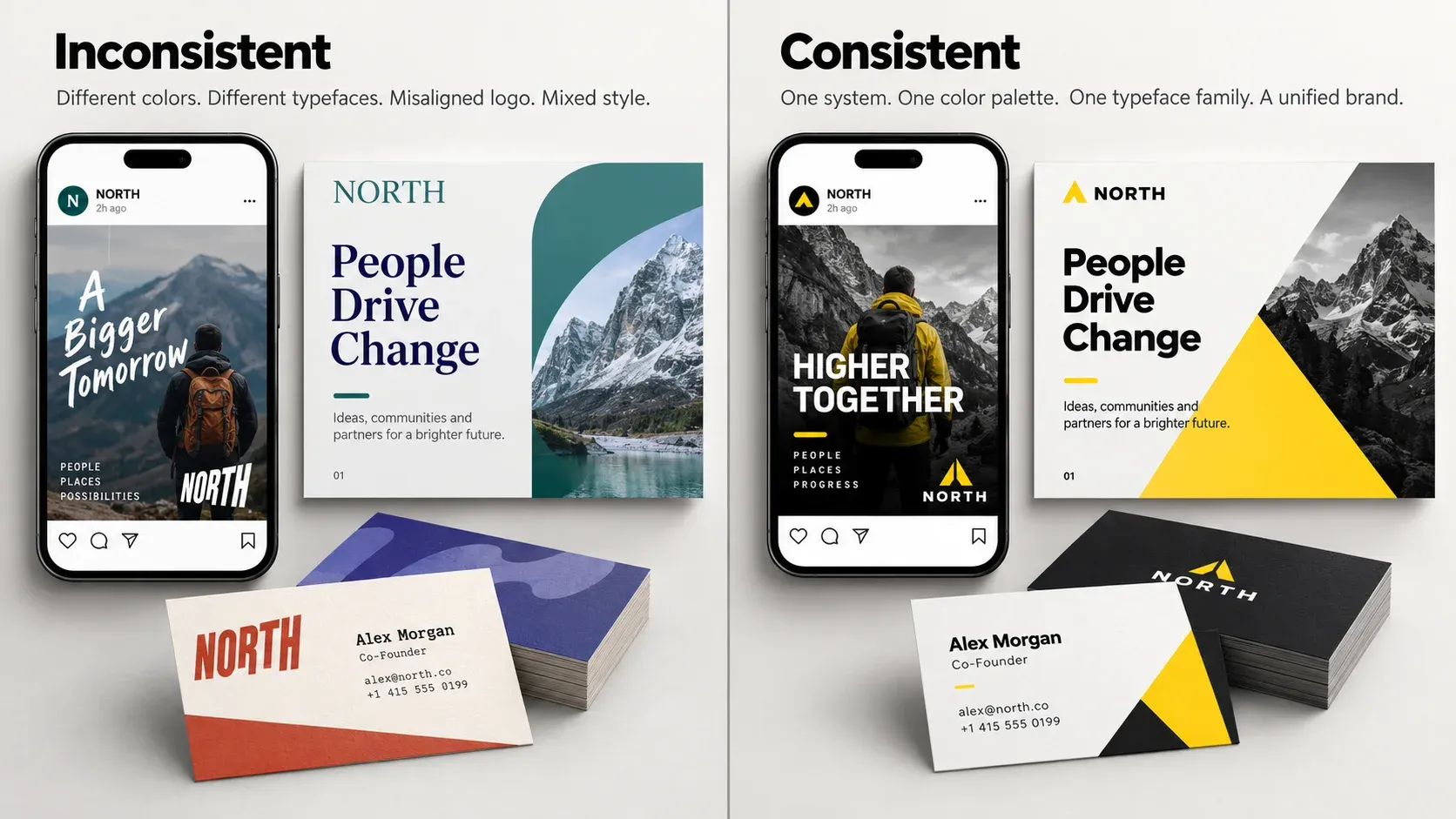
There is a moment most growing companies hit without noticing. A sales deck comes back from a partner with the logo stretched. A new contractor ships a landing page in a typeface nobody recognizes. A regional team orders signage in a slightly wrong shade of the primary color, and now the physical space and the website do not look like the same company.
None of these are disasters on their own. Together they are expensive. Every inconsistency forces someone to stop, ask, wait, and redo the work, and every new hire has to reconstruct the brand from context clues instead of reading it.
Brand guidelines solve this, but only when they are built as working documents rather than decorative ones. Plenty of companies commission a beautiful 40-page PDF and watch it go unopened, because it explains the philosophy behind the mark without telling anyone what the clear space rule is.
This guide covers what belongs in a set of brand guidelines, how logo and typography rules are actually written, how to run the process from audit to rollout, how formats compare, and what to look for if you hire a studio. It is written for founders, product leaders, heads of growth, and design teams who need the document to hold up under real use.
What Brand Guidelines Actually Are (and What They’re Not)
Brand guidelines are the rulebook for how your identity gets used. They translate a set of design decisions into instructions that someone outside the original design team can follow correctly, without asking anyone.
That last part is the whole test. The designer who built the identity does not need guidelines. The freelance motion designer starting Monday, the agency building your booth, and the sales engineer assembling a deck at 11pm all do. If the document does not survive contact with those people, it has not done its job.
Brand Book vs Style Guide vs Design System
These terms get used interchangeably, which causes real confusion when scoping a project. They are different artifacts with different audiences.
Brand book, style guide, and design system
| Artifact | Answers | Primary audience | Format / scope |
|---|---|---|---|
| Brand book | Why the brand exists, what it stands for, how it should feel | Leadership, new hires, agencies, investors | Narrative-led; scope varies |
| Brand style guide | How to apply the identity correctly across media | Designers, marketers, vendors, partners | Rules-led; scope varies |
| Design system | How to build digital interfaces with reusable components | Product designers and engineers | Live code library plus documentation |
The brand book is closer to strategy: positioning, values, audience, personality, and the story behind the identity. It is the document you hand someone to explain the brand.
The brand style guide is closer to operations: clear space, minimum sizes, hex and CMYK values, type scales, do-and-don’t examples. It is the document you hand someone to execute the brand.
The design system is a different animal. Code and components, tokens and states, accessibility behavior and interaction patterns. It consumes brand decisions and expresses them in a product context, but it solves an engineering problem rather than a brand consistency problem.
A combined document can work well when teams share the same audiences and update cycle. Split strategy, application rules, and product documentation when their owners and needs diverge; headcount alone is not a useful threshold.
What Brand Guidelines Are Not
They are not a mood board. A mood board explores direction; guidelines fix decisions.
They are not a logo presentation. The deck that sold the identity internally is a persuasion document. Guidelines are a reference document, and they need far more detail and a different structure.
They are not a one-time deliverable. A brand shipping new products or entering new markets will outgrow a frozen PDF within a year or two.
Why Brand Guidelines Matter More the Faster You Grow
At five people, everyone sits near the person who made the design decisions and consistency happens through proximity. At fifty, with contractors, agencies, and regional teams in the mix, consistency only happens through documentation. The business case comes down to four effects that compound.
Recognition accumulates instead of resetting. Consistent color, type, and logo treatment means every impression reinforces the previous one. Inconsistent application means each touchpoint earns recognition from scratch. A color or shape or typeface only becomes yours through repetition.
Production speed increases. The most reliable return on guidelines is time. When the type scale is defined, the color tokens are named, and the templates exist, teams stop relitigating settled decisions and review rounds shorten.
Onboarding cost drops. New designers, marketers, and vendors get productive faster because the answers are written down. This matters most with external partners, who otherwise absorb hours of your team’s time asking questions a good document answers in ten minutes.
Quality holds at the edges. The brand is rarely broken at the center. It is broken at the periphery, in the recruiting one-pager, the conference banner, the partner integration page, the regional social account. Guidelines are how quality reaches places the core team never sees.
For founders and growth leaders there is a fifth effect, visible in diligence and partnership conversations. A company that can hand over a coherent, current brand system reads as operationally mature. One that sends a zip file of mixed logo files does not.
What to Include in Brand Guidelines: The Complete Checklist
Scope should match how the brand is actually used. A B2B SaaS company with a product, a website, and a conference presence needs a different document than a consumer brand with packaging, retail, and paid social. Everything in the core column below belongs in almost every set of guidelines; the extended column depends on your channels.
Brand guidelines checklist
| Section | Core (nearly always needed) | Extended (channel-dependent) |
|---|---|---|
| Strategy | Positioning summary, audience, personality attributes | Brand architecture, sub-brand rules |
| Logo | Primary lockup, variants, clear space, minimum size, misuse | Co-branding, endorsement, partner lockups |
| Color | Primary and secondary palette with hex, RGB, CMYK; usage ratios | Pantone, material finishes, gradient rules |
| Typography | Typefaces, weights, type scale, hierarchy, licensing notes | Non-Latin scripts, editorial styles |
| Imagery | Photography direction, subject and treatment rules, examples | Illustration system, 3D, stock sourcing rules |
| Iconography | Grid, stroke weight, corner radius, style rules | Full icon library index |
| Voice and tone | Voice attributes, tone shifts by context, word list, grammar calls | Localization, legal language, support macros |
| Applications | Website, deck, social, email, business collateral | Packaging, signage, apparel, vehicle, booth |
| Motion | Easing, duration, logo animation rules | Video templates, sound identity |
| Accessibility | Contrast requirements, minimum text sizes, alt text conventions | Regional compliance requirements |
| Governance | Version number, owner, request process, asset library location | Approval workflow, regional exceptions |
Two sections get skipped most often and cause the most downstream pain.
Governance. Without a named owner and a request process, guidelines drift immediately. One page listing the current version, who maintains it, where master files live, and how to request an exception prevents most of the decay.
Accessibility. Building contrast requirements into the color section is far cheaper than retrofitting a palette after a compliance review. If your primary color fails contrast on white at body size, say so and specify the darker variant to use instead.
The Rule That Separates Good Guidelines From Decorative Ones
Every section should answer a decision, not describe an aesthetic. Compare these two ways of writing the same color rule.
Weak: Our blue is confident and optimistic, and should be used generously throughout the brand.
Strong (illustrative): Primary Blue (#1B4DE4) is reserved for primary actions, key headlines, and the logo. Aim for roughly 10 percent of this example composition. On white, its calculated contrast is about 6.5:1, exceeding WCAG AA’s 4.5:1 threshold for normal text. Recheck every approved foreground/background pairing; do not infer contrast from the color name.
The second version can be followed by someone who has never met your design team. That is the standard to write to, section by section.
“
KEY TAKEAWAY
Every rule should answer a decision your team needs to make.
Logo Usage Guidelines That People Actually Follow
Logo usage guidelines are the section people open most and the one most often written too loosely. Here is what a complete one contains.
Primary Lockup and Approved Variants
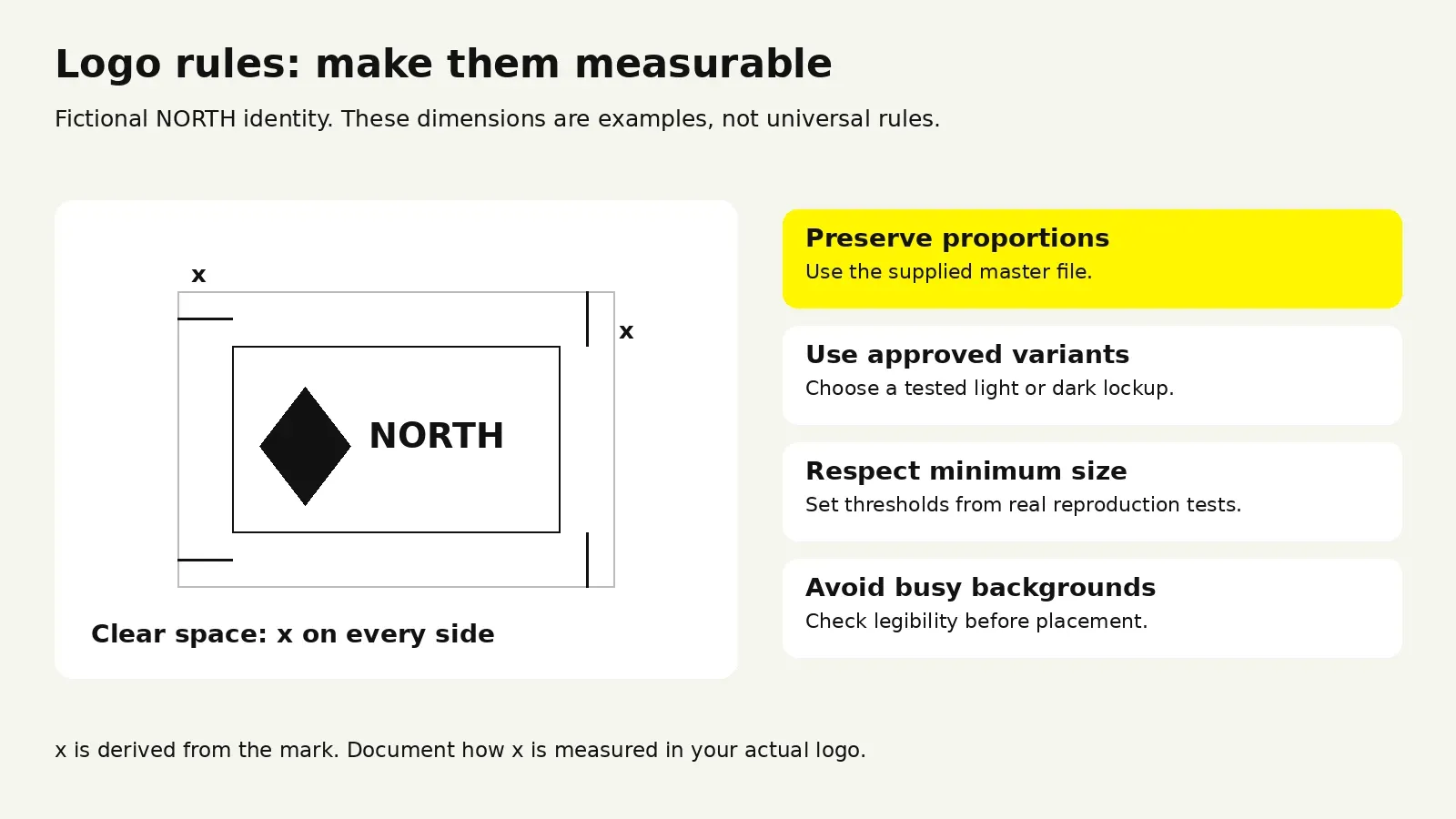
Show the primary lockup first, then every approved variant with a plain-language note on when to use it. A typical set covers the horizontal lockup, a stacked version for narrow spaces, a symbol-only mark for avatars and favicons, and black and white monochrome versions.
State the rule for each. An illustrative rule such as “use the stacked lockup when available width is under 160px” is actionable, but the threshold must come from testing your actual mark.
Clear Space
Define clear space as a proportion of the mark itself, never a fixed pixel value, so it scales. The common convention is a measurement derived from the logo, such as the symbol height or the wordmark’s cap height, required on all sides. Include a diagram; this rule is faster to understand visually than verbally.
Minimum Sizes
Specify separately for digital and print, because they fail at different thresholds:
- Digital: minimum width in pixels for the primary lockup and for the symbol
- Print: minimum width in millimeters or inches
- Embroidery, etching, or embossing if relevant, where detail loss is severe
Backgrounds and Contrast
State which backgrounds are approved: solid brand colors, white, black, and a defined contrast threshold for photography. If the logo must sit on imagery, give the rule, such as a scrim at a specified opacity or restriction to image areas below a certain brightness.
Misuse
The don’t page is the most-referenced spread in most guidelines. Make it specific to mistakes people will actually make with your mark, not a generic list. Typical entries:
- Do not stretch, condense, or rotate
- Do not recolor outside the approved palette
- Do not add effects, shadows, strokes, or outlines
- Do not place on low-contrast or busy backgrounds
- Do not recreate the wordmark by typing it in the brand typeface
- Do not alter spacing between the symbol and wordmark
- Do not enclose in a shape or container not provided in the asset library
That sixth one catches more teams than any other. If your wordmark has custom kerning or letterform modifications, say so explicitly, because otherwise someone will retype it and be genuinely confused about why it is wrong.
Co-Branding and Partner Lockups
If you run partnerships, integrations, events, or channel sales, define this: divider treatment, relative sizing, minimum separation, and who approves new lockups. Without it, every partnership generates a one-off improvisation that lives on someone’s website forever.
Asset Delivery Matters as Much as the Rules
Guidelines fail at the file level more often than the rule level. Ship the asset package alongside the document:
- SVG for web, EPS for print, PNG with transparency for quick use
- Clear, human-readable filenames that indicate variant and color
- A favicon and app icon set at required sizes
- Social avatar crops, already correctly positioned
If the correct file is harder to find than a screenshot of the logo from your homepage, people will use the screenshot.
“
KEY TAKEAWAY
Make the correct logo file easier to find than a screenshot.
Typography and Color: Where Most Guidelines Break Down
These two sections look straightforward and consistently cause the most real-world failures. Both fail for the same reason: the guidelines document the taste and skip the operations.
Typography Guidelines for a Brand
A typography section needs six things.
\1. The typefaces and their roles. Name each one and state exactly where it is used. Display typeface for headlines above a certain size. Text typeface for body and UI. A monospace face if you show code. Two families is usually enough. There is a ceiling. Beyond that, enforcement collapses.
\2. Licensing reality. Record the actual license for each typeface: permitted desktop use, web hosting or embedding, app embedding, seat or traffic limits where applicable, and rules for collaborators. Terms differ by foundry and provider; do not assume one license covers every use. Name the license owner and explain how team members and vendors obtain permitted access.
\3. The fallback stack. Specify system fallbacks for email, for environments where the brand face cannot load, and for partner platforms that enforce their own type. If you do not define this, someone else will, and it will be Arial.
\4. A defined type scale. Give actual values, not adjectives. A working scale specifies size, weight, line height, and letter spacing for each level.
Illustrative type scale—adapt to your typefaces
| Level | Size | Weight | Line height | Tracking |
|---|---|---|---|---|
| Display | 56px | 600 | 1.05 | -2% |
| H1 | 40px | 600 | 1.15 | -1.5% |
| H2 | 28px | 600 | 1.25 | -1% |
| H3 | 20px | 600 | 1.35 | 0 |
| Body large | 18px | 400 | 1.55 | 0 |
| Body | 16px | 400 | 1.6 | 0 |
| Caption | 13px | 400 | 1.45 | 1% |
Values above are illustrative. Yours should be derived from your actual typefaces, since optical sizing varies significantly between families.
\5. Hierarchy rules. How many levels can appear in one composition, the minimum size difference between adjacent levels, when to use weight rather than size for contrast, and the maximum line length for body copy.
\6. Real examples. Show the scale applied to a real headline, paragraph, and UI screen. Abstract specimen pages do not teach application.
Color That Survives Production
The failure mode in color is almost always the handoff between media.
Specify values for the media you actually produce: HEX and RGB for screens, and approved CMYK values with the intended print profile and stock. Use a spot-color reference where required. Print conversion is context-dependent; review proofs rather than assuming a universal HEX-to-CMYK match.
Define usage ratios, not just palettes. Most palettes look balanced on the swatch page and turn garish in application because nobody said how much of each to use. A neutral base should carry the majority of any layout, with the primary color reserved for emphasis and action and accents used sparingly.
Name colors semantically where they map to function. Naming a color “Primary Action” instead of “Blue 600” means it survives a palette change without breaking every downstream reference. Semantic tokens are what let brand evolution happen without a full engineering rewrite.
Publish contrast pairings. Provide a small matrix of approved text-on-background combinations that pass at body size. This turns accessibility from a per-decision check into a lookup.
Account for material. The same color reads differently on coated stock, uncoated stock, fabric, and a backlit screen. If you produce physical goods, specify the tolerance and reference standard.
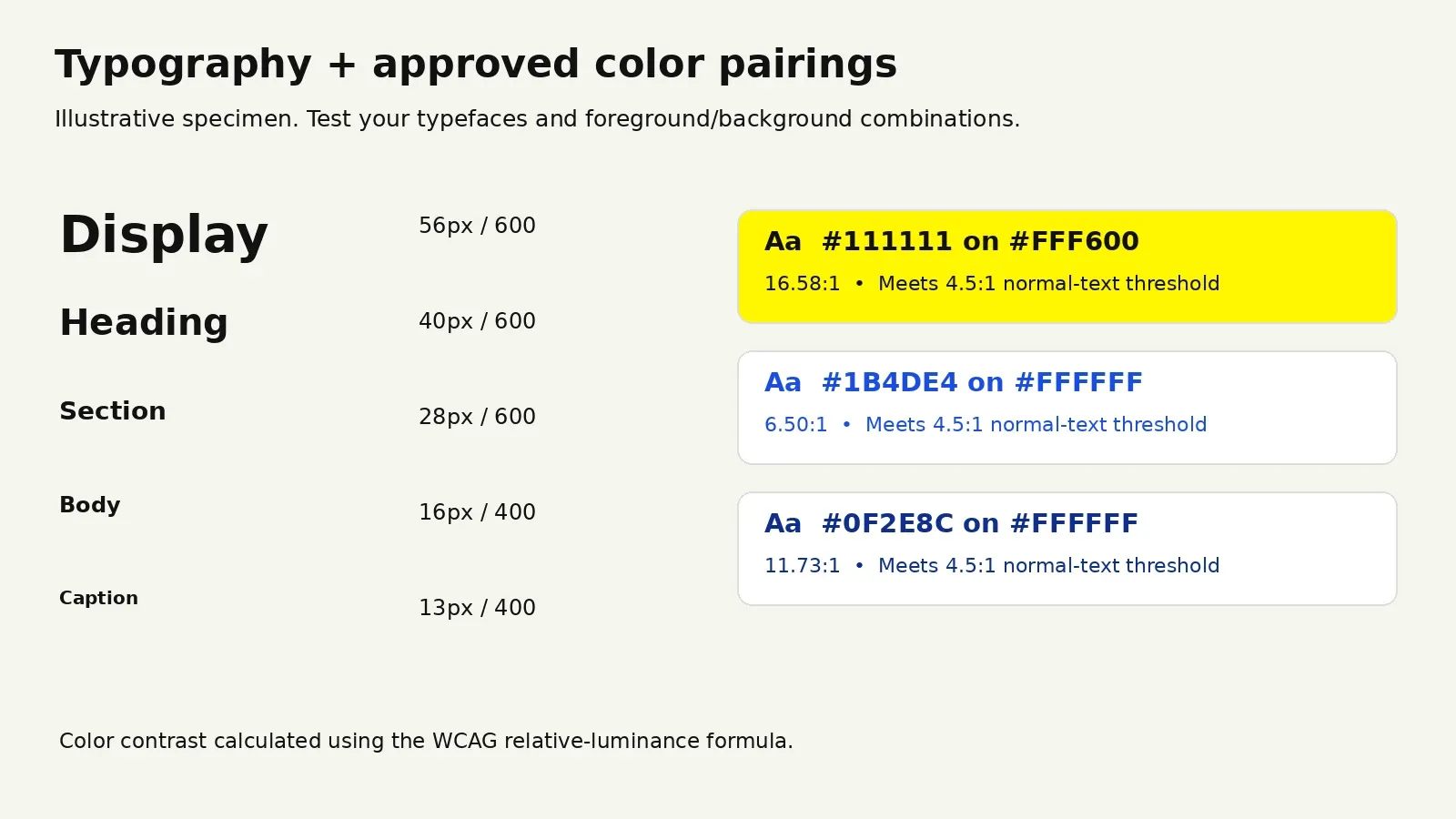
Use WCAG contrast thresholds and exceptions when documenting approved text pairings. For a provider-specific licensing example, consult Adobe Fonts’ licensing guidance; check the license for your own fonts.
How to Build Brand Guidelines: A Step-by-Step Process
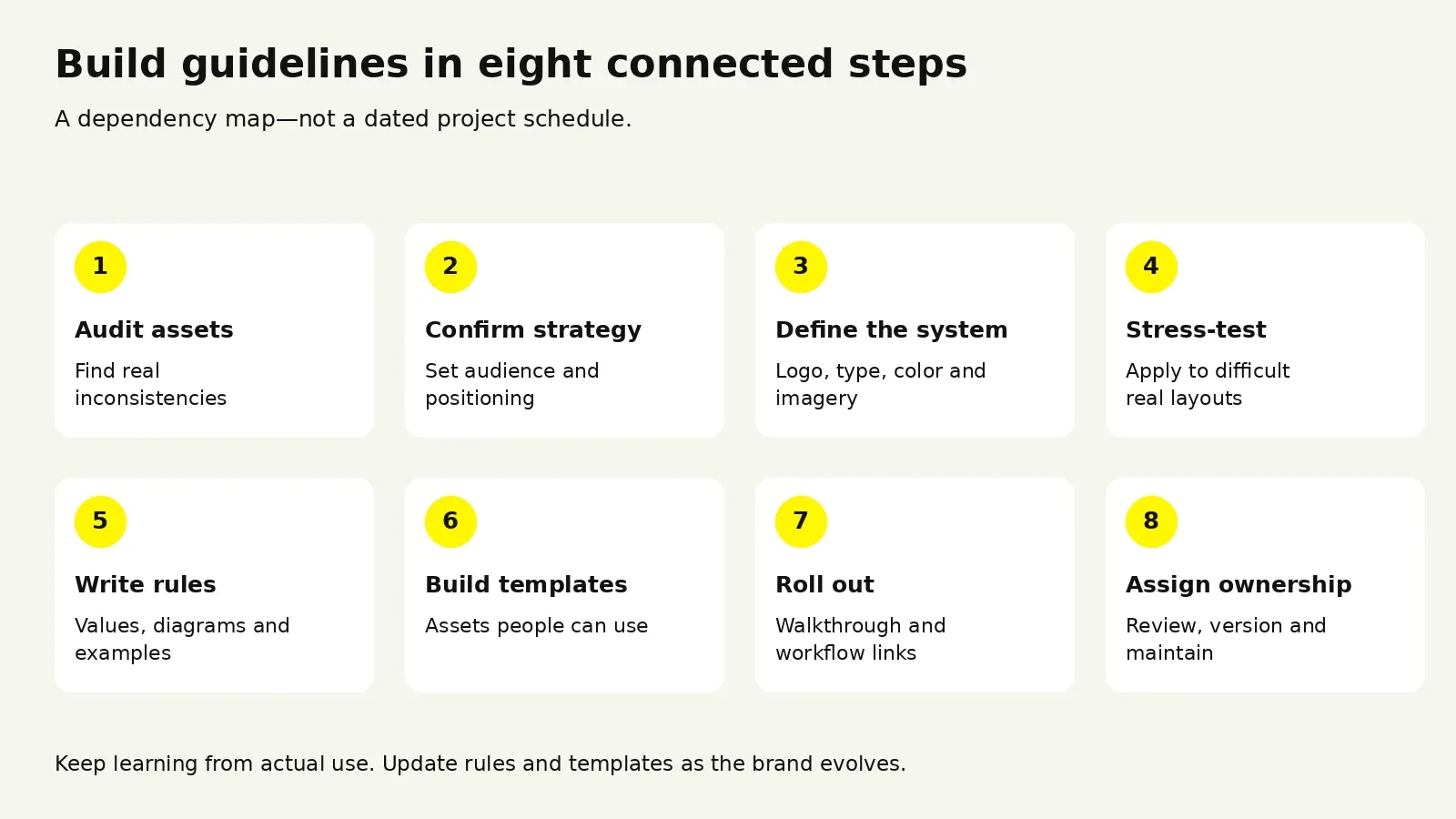
Whether you build in-house or hire a studio, the sequence is the same. Skipping the early steps is what produces documents that look finished and fail in use.
Step 1: Audit What Already Exists
Collect every brand asset produced in the last twelve months. Website, decks, social, email, ads, product UI, print, swag, recruiting materials. Lay them out together.
This exercise is uncomfortable and extremely useful. It shows how many logo variants are actually circulating, how many blues you are using, and which channels have drifted furthest. It also tells you which sections need the most attention. If half the inconsistency sits in sales decks, the deck template matters more than the packaging section.
Step 2: Confirm the Strategy Underneath
Guidelines encode decisions, so unsettled positioning produces documented ambiguity. Confirm the audience, positioning, personality attributes, and competitive context first. This need not be a six-week engagement, but it must be settled and written down.
Step 3: Define the Core System
Lock the logo set, palette, type system, and imagery direction, and resist expanding. Systems are enforceable in proportion to how small they are. Six colors and two typefaces will be followed. Eighteen colors and four typefaces will not be, however well documented.
Step 4: Stress-Test Before Documenting
This is the step that separates guidelines that work from guidelines that look good. Apply the system to the hardest real cases you have before you write it up:
- The densest page of your website
- A data-heavy product screen
- A sales deck slide with a chart and three columns of text
- A square social post with almost no room
- Whatever physical application you produce
Constraints surface here that never appear on a specimen page. Type scales that look elegant in isolation collapse in dense UI. Palettes that feel balanced in a swatch row turn out to have no viable warning state. Fix these before documenting.
Step 5: Write the Rules
Draft section by section. For each rule, ask whether a competent stranger could follow it without clarification; where the answer is no, add a diagram, a value, or a worked example. Write the misuse pages from the audit in step one, since real mistakes your team has already made are far more instructive than generic ones.
Step 6: Build the Asset Library and Templates
Templates are what make adoption happen. Guidelines describe correct work; templates make correct work the fastest available path.
Prioritize by usage volume: presentation template first for most companies, then social formats, email, and document templates. A well-built deck template with master slides, correct type styles, and a chart palette prevents more brand damage than any other single asset.
Step 7: Roll Out Properly
Publishing is not rolling out. Run a short walkthrough for everyone who produces branded material, agencies and contractors included: fifteen minutes on where things live, the three most common mistakes, and how to ask a question. Then link the guidelines everywhere work happens, including the onboarding doc, the design tool, the project brief, and the vendor contract.
Step 8: Assign an Owner and a Review Cycle
Name one person accountable. Set a review cadence, quarterly for fast-moving companies and annually for stable ones. Version the document visibly so people can tell whether their copy is current.
Illustrative process durations—not a delivery guarantee
| Phase | Illustrative duration | Owner |
|---|---|---|
| Audit and strategy confirmation | 1–2 weeks | Brand or marketing lead |
| Core system definition | 2–4 weeks | Design lead or studio |
| Stress-testing | 1–2 weeks | Design plus product and marketing |
| Documentation | 2–3 weeks | Design lead or studio |
| Templates and asset library | 1–3 weeks | Design plus operations |
| Rollout | 1 week | Brand owner |
These durations are illustrative planning ranges for documenting an existing identity, not measured averages or a guaranteed schedule. Phases can overlap. A full identity redesign adds work before documentation.
“
KEY TAKEAWAY
Templates make correct work the fastest available path.
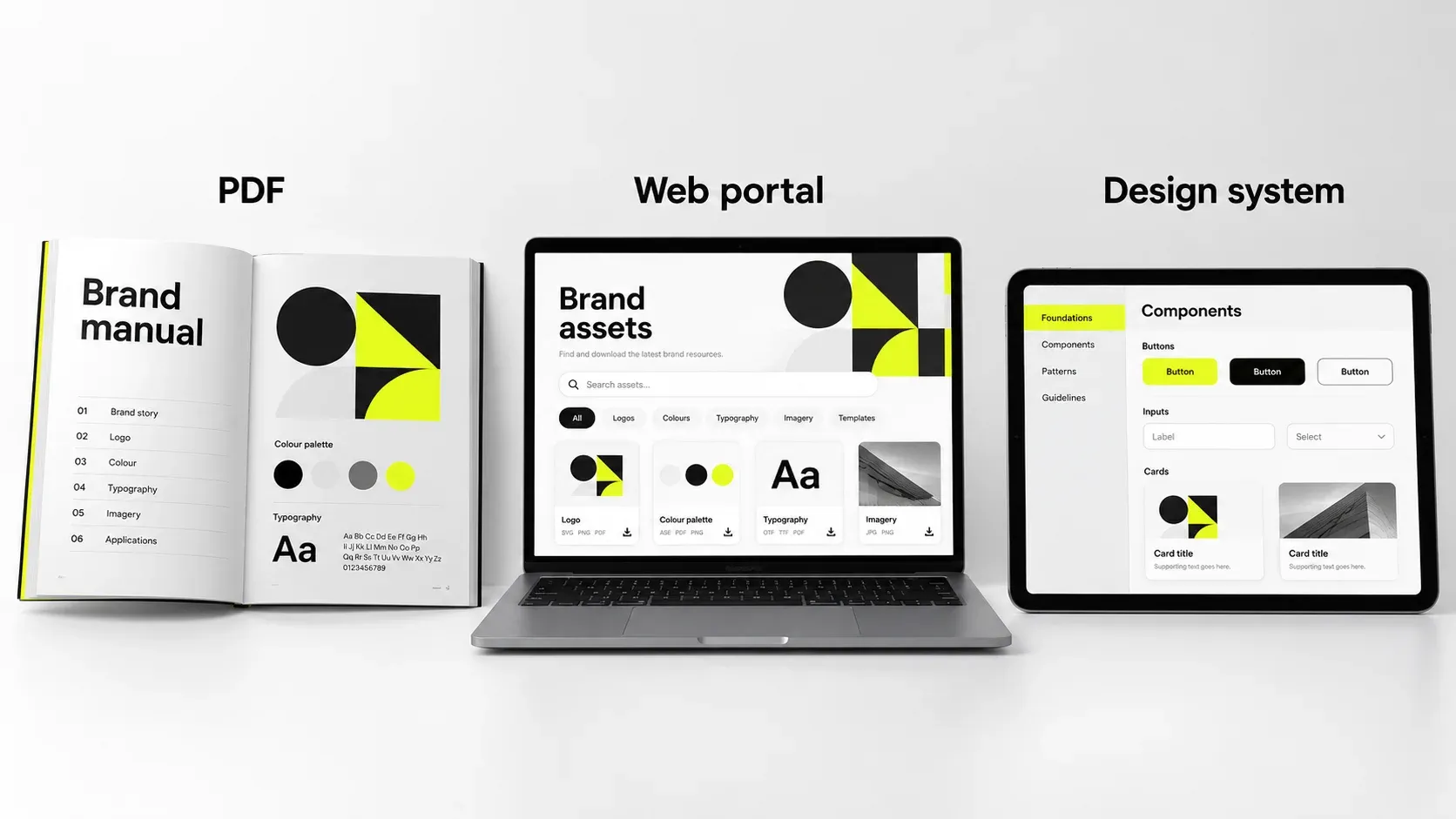
Formats and Examples: PDF, Web, or Living System
The format question comes up early and matters more than most teams expect, because it determines whether the guidelines stay current.
Comparing the Three Formats
Compare guideline formats
| Criterion | Web-based site | Integrated system | |
|---|---|---|---|
| Best for | Early-stage teams, vendor handoff, print production | Growing companies with distributed teams | Product-heavy companies with engineering |
| Updating | Requires reissue; old versions persist | Edit once, everyone sees current | Continuous, tied to code and tokens |
| Asset delivery | Separate download | Built-in downloads | Package registry plus asset library |
| Setup effort | Lower | Moderate | High |
| Ongoing cost | Low | Subscription or hosting | Engineering maintenance |
| Main weakness | Goes stale, gets forked | Needs a maintenance owner | Needs product and engineering ownership |
A hosted web version can serve as the current source of truth, with an exportable PDF for vendors and print partners. Label PDF versions and dates so old copies are easy to identify. Evaluate a dedicated portal when multiple teams or regions need governed access. A page on your own site still requires hosting, setup, and maintenance.
How to Learn From Brand Style Guide Examples
Public brand guidelines are genuinely useful reference material, and many well-known companies publish theirs openly. When studying them, the trap is admiring the design rather than reading the structure.
A more productive way to review examples:
Read the misuse pages first. They reveal the brand’s real-world failure modes, which is a direct window into what that team learned the hard way.
Check how specific the rules are. Count how many statements contain an actual number. Strong guidelines are dense with values; weak ones are dense with adjectives.
Note what they omitted. A focused document covering logo, color, type, and three applications thoroughly beats a sprawling one covering fifteen superficially.
Look at asset delivery. Can you tell immediately which file to download and why?
Categories worth studying: content and voice guides from editorially strong companies, which model actionable tone rules; product design systems from large software companies, which show how brand decisions become component specifications; broadcast and public institution guidelines, which are unusually rigorous because many independent production teams enforce them; and historical graphics standards manuals from the 1960s and 70s, several of which have been reprinted and remain among the clearest rule-writing ever produced.
Search for brand guidelines PDF examples in your own category specifically. A direct-to-consumer brand’s guidelines will teach you more about packaging hierarchy than a software company’s will, and vice versa.
On Using a Brand Guidelines Template
A brand guidelines template is a reasonable starting point and a poor finishing point. It gives you structure, page order, and a reminder of sections you might forget, which has real value for a small team documenting an identity for the first time.
Templates go wrong when content gets shaped to fit the template rather than the other way round. Signs this is happening:
- Sections included because the template had them, covering applications you do not produce
- Placeholder philosophy copy that was never replaced with real positioning
- A page count that matches the template rather than your actual complexity
- Generic misuse examples not based on mistakes your team has made
Use a template to scaffold, then delete every section you do not need and expand the two or three sections that carry the most weight for your business. A tight 24-page document covering your real surfaces beats a padded 60-page one.
Public examples to study
- Mailchimp’s voice and tone guide: compare stable voice attributes with tone adjusted to a reader’s situation.
- IBM’s color guidelines: study digital and print specifications, palette combinations, and usage rules.
- IBM’s type basics: examine alignment, spacing, and application examples.
For implementation examples, explore Wolfpixel’s recent branding and product design projects.
Working With a Design Partner: Cost, Criteria, and Common Mistakes
Most teams eventually bring in outside help, either because internal design is fully allocated to product or because the brand needs a level of rigor the team has not built before. Here is how to approach that decision well.
When Outside Help Makes Sense
Outside help is usually justified when the identity itself needs work rather than just documentation, when you are entering a new market, when inconsistency is measurably slowing production, or when you need the objectivity of someone without internal history with the existing design.
In-house makes sense when the identity is settled and well-liked, when you have a designer with systems experience and the time to do it, and when the gap is documentation rather than design.
What Drives the Investment
Pricing varies enormously by market, studio size, and scope, so the variables matter more than any single number:
Factors that change project scope
| Factor | Lower investment | Higher investment |
|---|---|---|
| Starting point | Documenting an existing identity | Full identity redesign first |
| Channel count | Digital only | Digital, print, packaging, retail, environmental |
| Applications | 3–5 documented | 15+ documented |
| Deliverable format | PDF plus asset pack | Hosted portal plus templates plus tokens |
| Templates | None or one | Full suite across deck, social, email, docs |
| Research | None | Audience research, competitive audit, testing |
| Languages and regions | One | Multiple, with script and localization needs |
| Custom type | Licensed typefaces | Custom or modified typeface |
Get quotes structured against these variables rather than as a single number. It makes proposals comparable and surfaces where scope is quietly different between them.
How to Evaluate a Partner
Ask for guidelines they have produced, not just identities they have designed. These are different skills, and plenty of excellent identity designers write poor documentation.
Then evaluate against these criteria:
- Specificity. Open their sample guidelines and look for numbers, diagrams, and edge cases. A co-branding page, a motion section, or an accessibility note signals systems thinking.
- Stress-testing. Do their examples show the system applied to dense, difficult layouts, or only to hero compositions?
- Handoff. Ask what they deliver beyond the document. Organized asset libraries and working templates mean they are thinking about adoption.
- Constraints. Ask how they handle a design decision conflicting with a production constraint. The answer reveals whether they have shipped systems into real environments.
- Maintenance. Ask what happens in month four. Partners who care about outcomes have a view on governance and handover.
- Team continuity. Confirm who is doing the work, not just who is presenting.
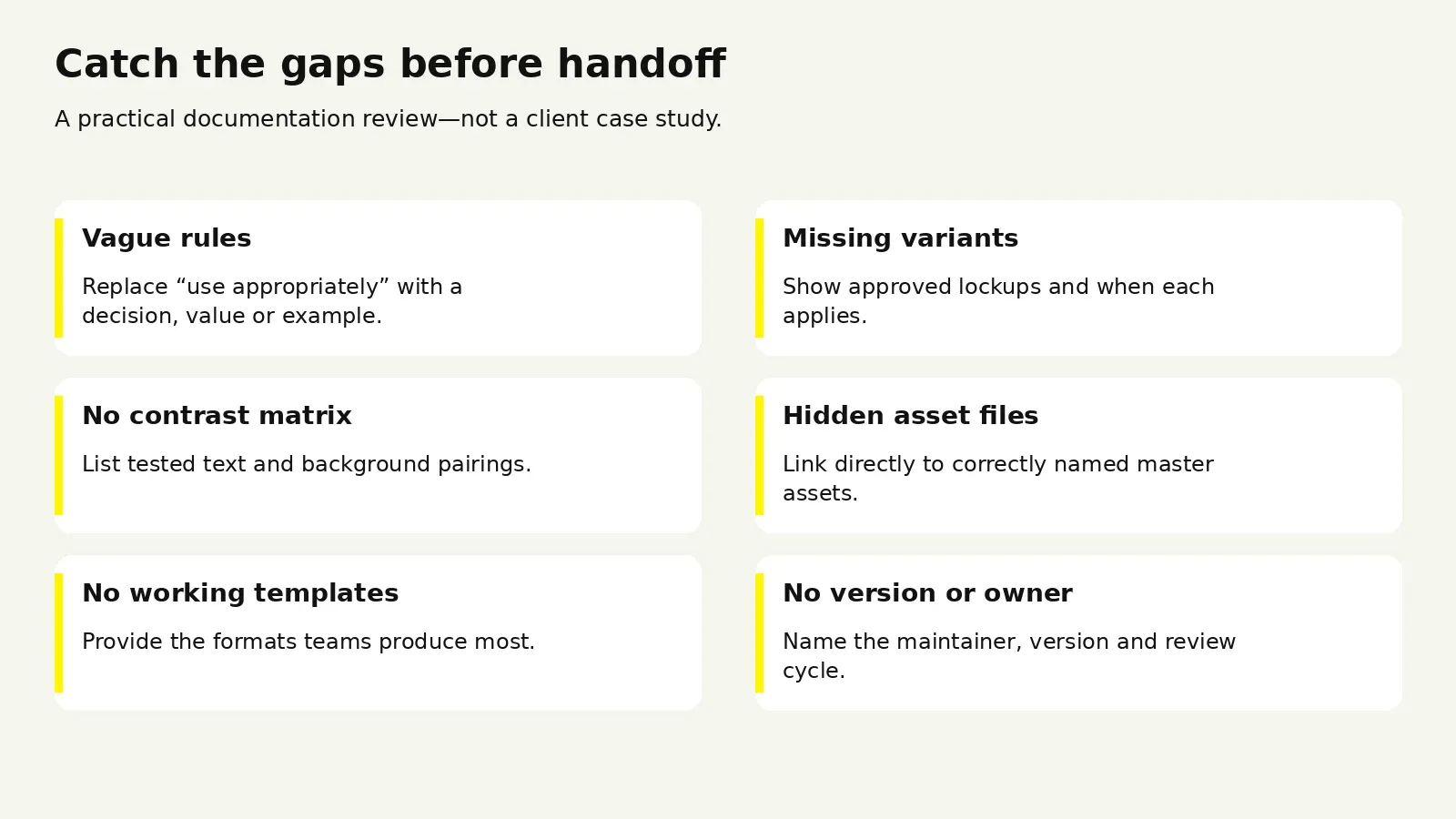
The Mistakes That Cost the Most
These recur across companies of every size.
Documenting an identity nobody has pressure-tested. Guidelines lock in decisions, and locking in an untested system makes its problems expensive to fix.
Writing philosophy where rules belong. If a section cannot be executed against, it is not a guideline. Keep narrative to a short opening chapter.
Building a system larger than the team can maintain. A twelve-color palette with four typefaces and nine logo variants will be applied inconsistently within two quarters.
Shipping without templates. If following the rules takes more effort than ignoring them, people ignore them.
No named owner. Documents without owners go stale silently, until someone notices the primary color changed eight months ago and the PDF still shows the old one.
Hiding the asset library. If assets live in a nested folder most people cannot access, you will get screenshots and recreations forever.
Treating rollout as an email. One announcement does not create adoption. A short walkthrough plus links embedded in existing workflows does.
Freezing the document. A set of guidelines untouched in three years is being routed around, not followed. Plan for versioning from the start.
Compare scope with our design engagement options, or request a review of your brand guidelines.
Frequently Asked Questions
How long should brand guidelines be?
Length should follow your channels and complexity. A focused guide may be short; a multi-channel system may be much longer. Page count is a poor proxy for quality. Cover the decisions, assets, and examples your team actually needs.
How often should brand guidelines be updated?
Review quarterly if you are shipping new products or entering new channels, annually if the brand is stable. Update immediately when anything in the core system changes, such as a palette adjustment, a typeface license change, or a new logo variant. Version the document visibly so people can tell at a glance whether their copy is current.
Can we build brand guidelines without a designer?
You can document an existing identity without a designer if the design decisions are already settled and someone on the team can produce clear diagrams and accurate specifications. What is difficult without design expertise is the stress-testing step, since recognizing where a type scale or palette will break under real constraints depends on having seen it happen before. If the identity itself needs work, that is design, not documentation.
Should brand guidelines be public?
Making the core guidelines publicly accessible is common and usually helpful, since it lets partners, press, and vendors get correct assets without asking. Keep unreleased work, internal strategy detail, and proprietary research private. Many companies publish a press and brand assets page containing the logo files, color values, and basic usage rules, with fuller guidelines behind login.
Do brand guidelines replace a design system?
No. They serve different purposes and different audiences. Brand guidelines define identity across all media; a design system defines reusable interface components for product teams. They should share the same underlying decisions, ideally through shared tokens for color and type, but a design system covers interaction states, accessibility behavior, and code implementation that brand guidelines do not address.
What should we do about legacy assets that do not match the new guidelines?
Prioritize by visibility and cost to change. Update high-traffic digital surfaces first, since the cost is low and the exposure is high. Let printed inventory deplete rather than discarding it, unless the inconsistency is significant. Set a date after which no new assets may be produced to the old standard, and document the transition period in the guidelines themselves so nobody is confused about what they are seeing in the wild.
Is your brand ready for a working set of guidelines?
Share your current brand assets. We can help you identify whether you need clearer documentation, a stronger identity system, or both.

Was this article helpful?

Written by
Masuder Rahaman
Founder & CEO | Brand Design Director at Wolfpixel
Masuder Rahaman is the Founder & CEO of Wolfpixel and the Brand Design Director with 8 years of experience. He personally leads branding work at Wolfpixel. In this article, he focuses on brand guidelines, logo usage, typography and consistent identity applications.
View all articles