 16 min read
 Updated
The best law firm website design helps a visitor understand who the firm serves, evaluate its expertise and find a suitable next step. This guide reviews 13 legal website examples, then examines modern personal injury lawyer websites with dark palettes, gold accents and bold typography.
Use the examples as references for specific decisions, rather than a style to copy wholesale. A corporate litigation firm and a personal injury practice can need different content, navigation and contact options—even when both want a confident, modern website.
By Maniruzzaman Jubayer, Wolfpixel’s Co-founder & COO and product design specialist. The role is listed on our team page. Editorial approach: this is a design review, not a ranking of legal services. Official firm sites and credited designer sources were reviewed on October 27, 2026. Retained screenshots are visual references and may show an earlier version of a site. We distinguish what is visible from results we cannot verify.
Wolfpixel offers website and UI/UX services. Third-party examples below are credited references, not Wolfpixel client projects. If you are planning a law firm website redesign, start with the audience and inquiry journey before choosing colors or a platform.
What Makes a Good Law Firm Website Design?
A useful legal website makes three things clear: the matters the firm handles, why someone might consider it and how to make contact. Visual polish helps communicate those things, but it cannot replace accurate information or a functioning inquiry process.
- Practice-area fit: recognizable labels and useful links to the relevant service, location and attorney information.
- Identifiable people: attorney profiles and genuine photography with enough context to evaluate the team.
- Appropriate evidence: accurate credentials, attributed reviews and contextualized results approved by the firm.
- Understandable next steps: a visible phone or inquiry route and an explanation of what happens after submission.
- Accessible interaction: readable contrast, useful form labels, keyboard access and clear error recovery.
- Reliable mobile use: readable content, usable controls and a contact route that remains accessible on a small screen.
Do not infer that a website converts well because it has an impressive hero. Conversion claims require analytics, a baseline, a measurement period and enough context to interpret the result. Our comparison focuses on observable design decisions.
13 Law Firm Website Design Examples to Study
These 13 law firm website examples cover different audiences and visual directions. They are a curated reference set, not a measured league table. Use the practice-area column to avoid treating every legal website as a personal-injury example.
Law firm website examples by audience
| Website | Reference category | How to use it |
|---|---|---|
| Pitta & Baione | Personal injury and estate planning | See the numbered review below. |
| Dolman Law Group | Personal injury and mass torts | See the numbered review below. |
| Bick Law LLP | Environmental law | See the numbered review below. |
| Quinn Emanuel | Litigation | See the numbered review below. |
| Kirkland & Ellis | Business-law inspiration | See the numbered review below. |
| Gibson Dunn | Global disputes and transactions | See the numbered review below. |
| Steinberg Law Firm | Personal injury and workers’ compensation | See the numbered review below. |
| Briskman Briskman & Greenberg | Personal injury | See the numbered review below. |
| Shaked Law | Personal injury | See the numbered review below. |
| Newlin Law Offices | Personal injury | See the numbered review below. |
| Crosby | Commercial contracts | See the numbered review below. |
| Hudgell Solicitors | Consumer legal services | See the numbered review below. |
| Jenner & Block | Litigation and business-law inspiration | See the numbered review below. |
1. Pitta & Baione
Reference category: Personal injury and estate planning. Visit the official website.
The reference places attorney portraits next to a results column and a consultation action. Its hierarchy connects the people behind the practice with information a prospective client may want to investigate.
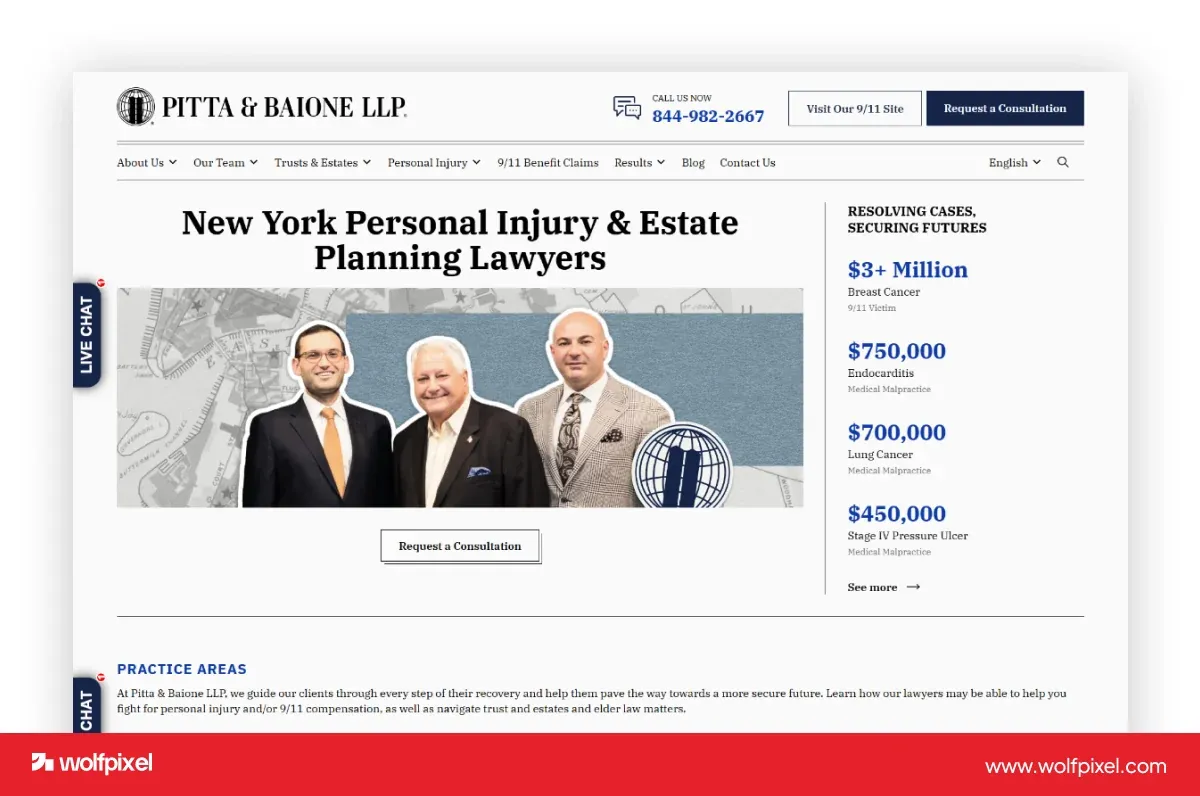
What to borrow—and check: Borrow the relationship between people, supporting evidence and contact. Check that result descriptions have context and that the same hierarchy remains readable on mobile.
2. Dolman Law Group
Reference category: Personal injury and mass torts. Visit the official website.
A monochrome team image, prominent message and red results strip give the reference a distinct visual rhythm. The official site also exposes detailed routes into claim types.
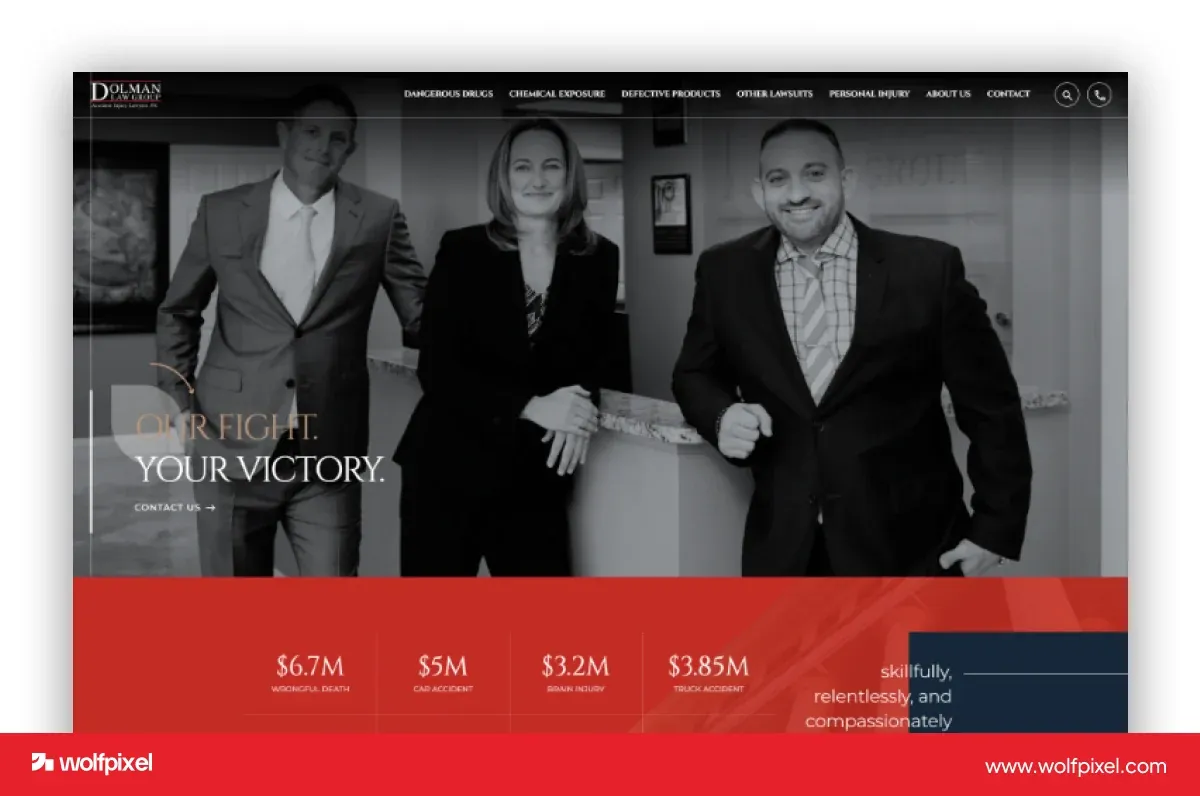
What to borrow—and check: Use contrast to establish reading order. Avoid copying the visual weight of results without checking whether it obscures practice-area navigation or contact controls.
3. Bick Law LLP
Reference category: Environmental law. Visit the official website.
The wolf imagery gives this reference a recognizable visual concept. It illustrates how an environmental practice can move beyond generic courthouse photography while keeping the firm name visible.
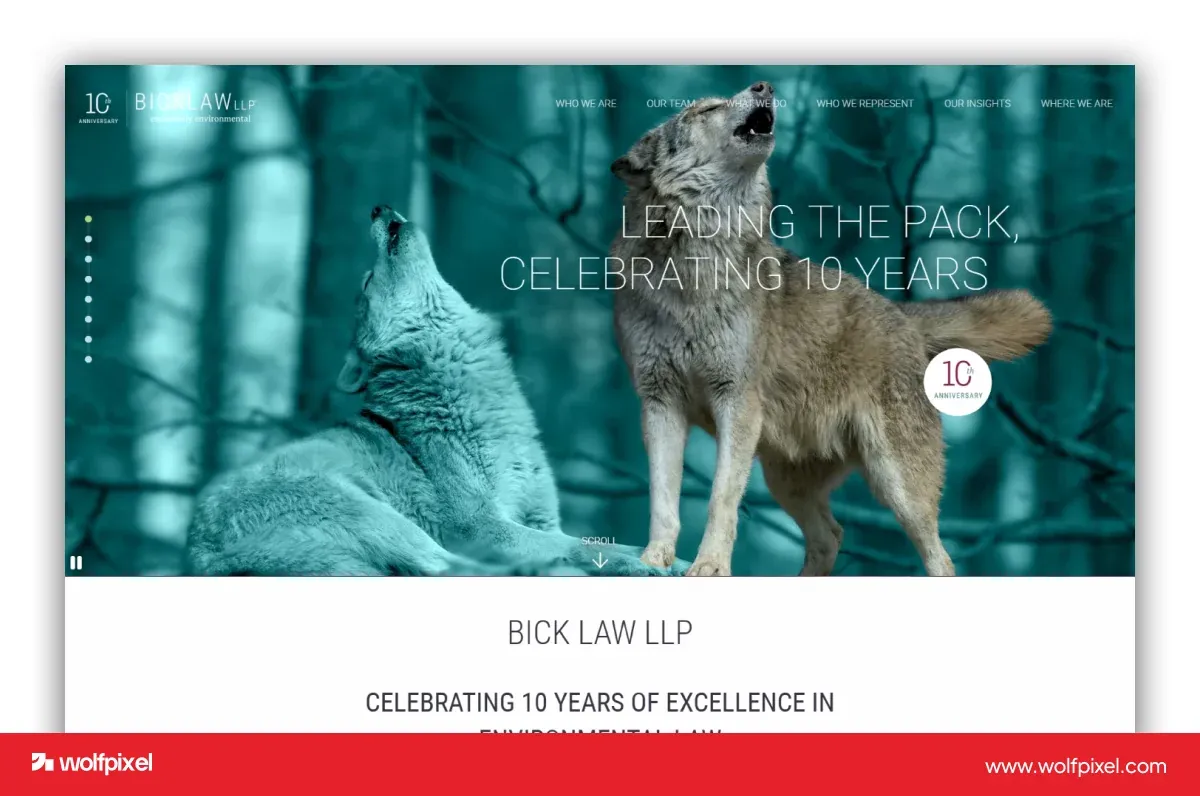
What to borrow—and check: Choose imagery connected to the brand story. This is an environmental-law example, not a personal-injury reference; its subject matter should not be treated as interchangeable.
4. Quinn Emanuel
Reference category: Litigation. Visit the official website.
A large headline sits over a skyline, with supporting information organized underneath. The official site gives access to attorneys, practice areas and regional practices.
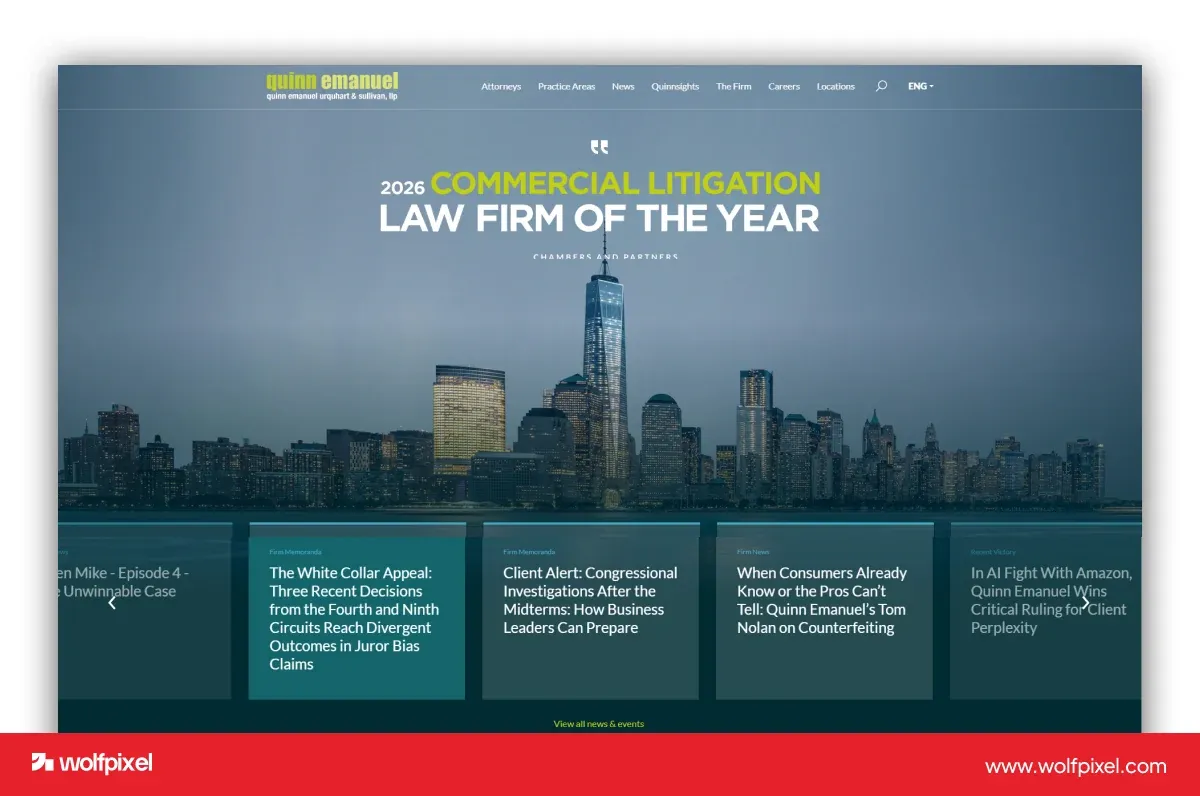
What to borrow—and check: Match the navigation to how prospective clients evaluate expertise. A dramatic opening still needs clear routes into the people and work behind the message.
5. Kirkland & Ellis
Reference category: Business-law inspiration. Visit the official website.
The reference pairs colorful abstract artwork with a restrained dark information panel. It shows that a law firm can use a contemporary graphic direction without filling the first viewport with competing messages.
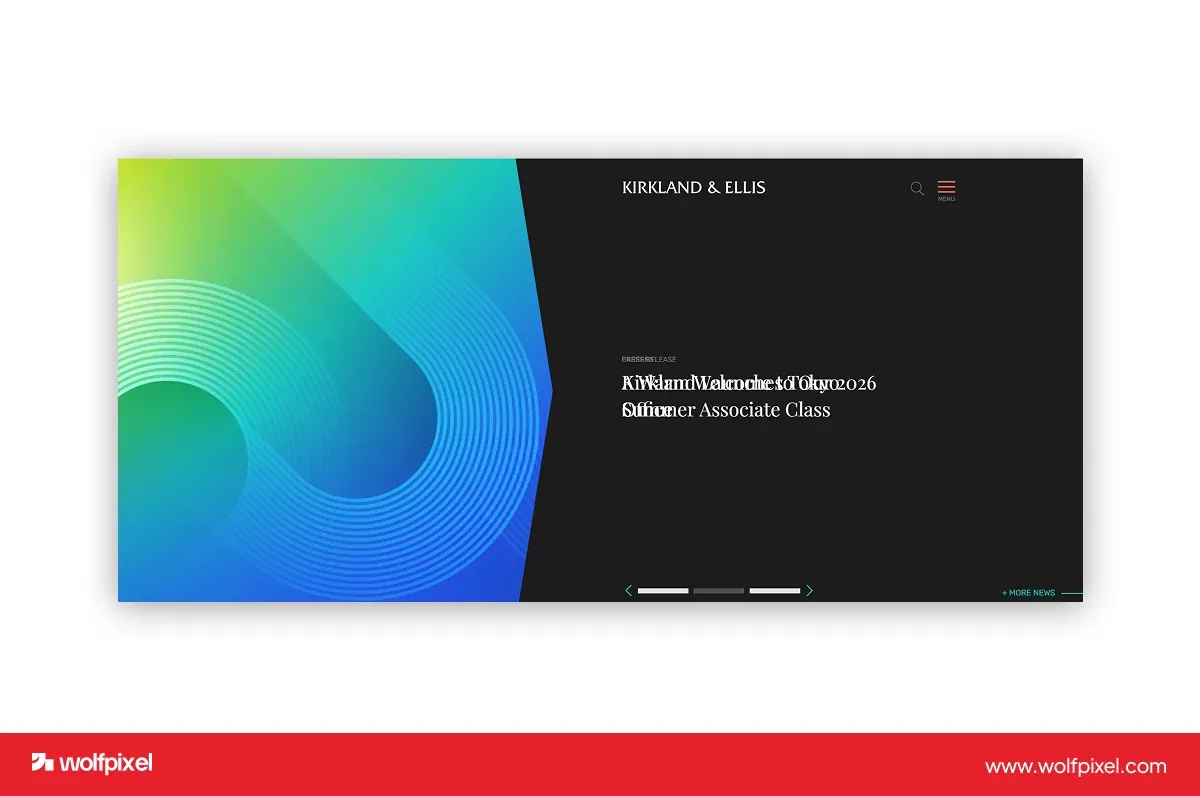
What to borrow—and check: Keep visual expression connected to a content hierarchy. A large firm’s communications structure is not automatically a useful template for a small local practice.
6. Gibson Dunn
Reference category: Global disputes and transactions. Visit the official website.
The dark-blue opening uses a featured announcement as the main message. The official site organizes access to people, capabilities, insights and locations.
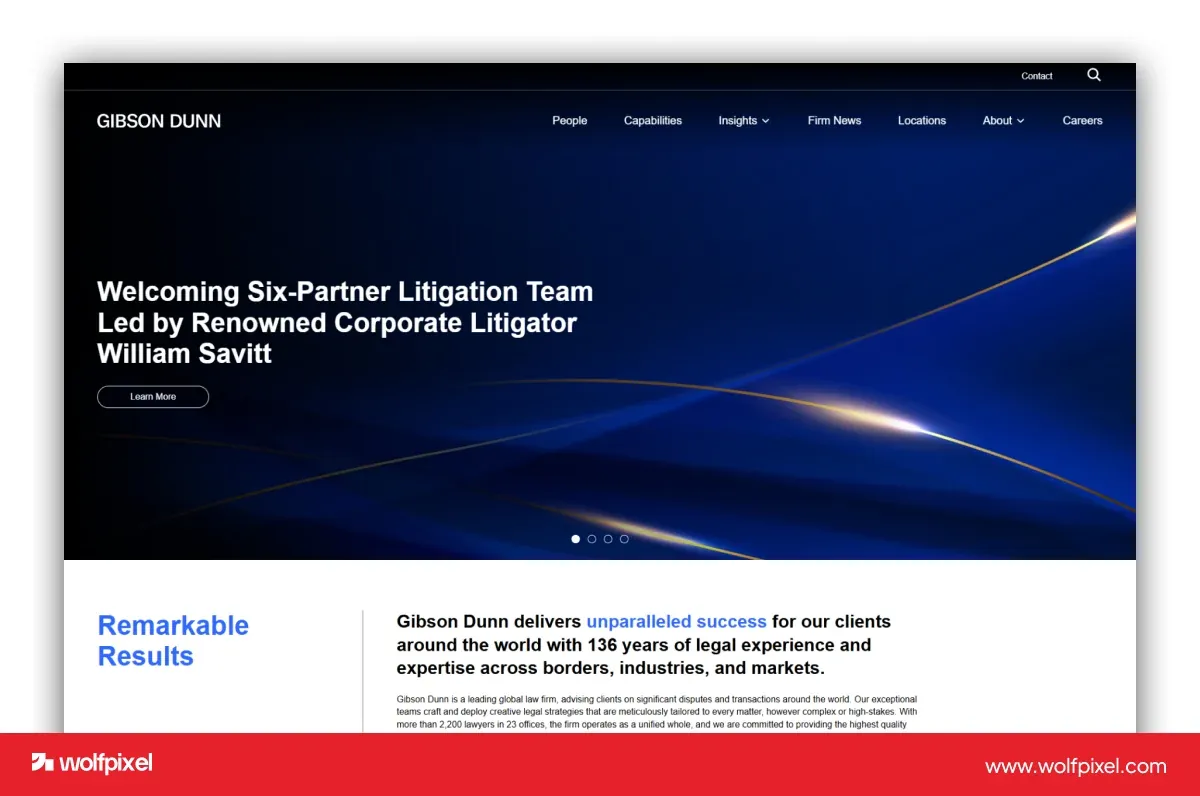
What to borrow—and check: Treat expertise as something readers can explore. Ask whether a prospective client can move from an announcement to the relevant attorney or capability.
7. Steinberg Law Firm
Reference category: Personal injury and workers’ compensation. Visit the official website.
Team photography, a direct personal-injury heading and a contrasting consultation button establish the reference’s reading order. Its service navigation distinguishes injury and vehicle-related topics.
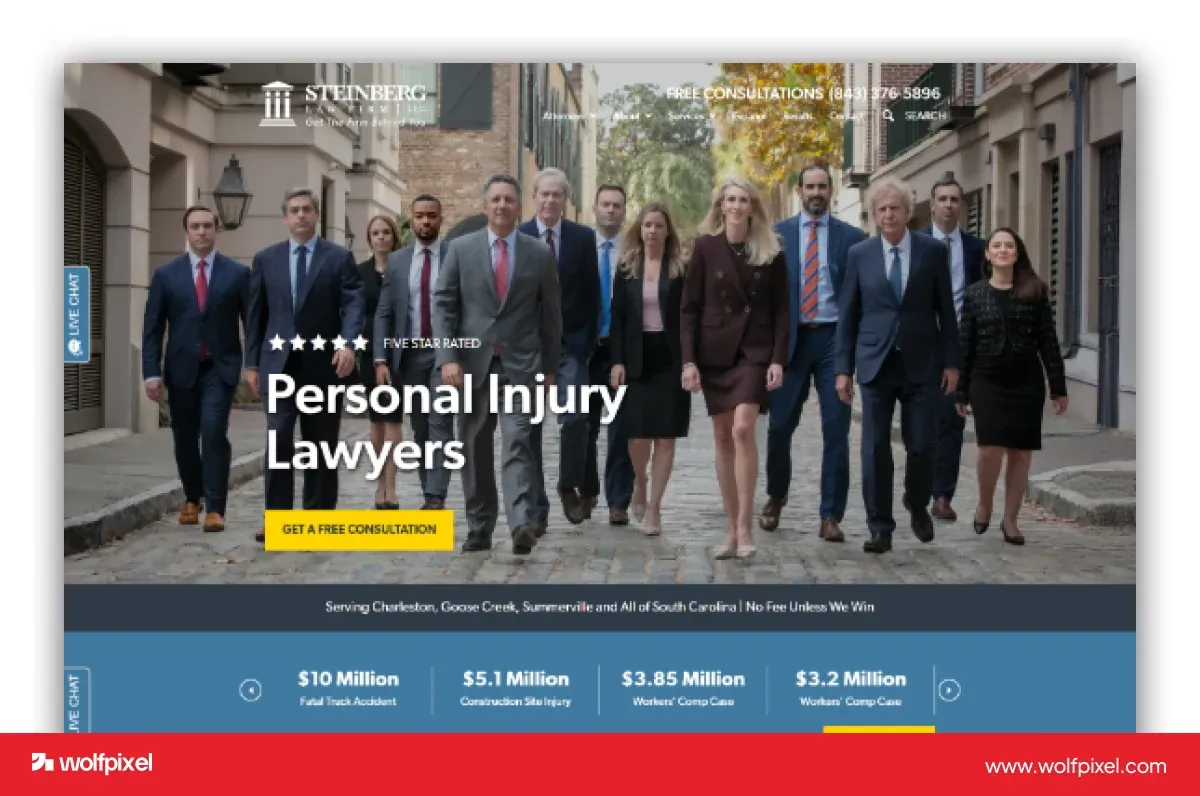
What to borrow—and check: Make the firm recognizable and the task clear. Test the readability of text over photography and ensure that contact remains easy when the background changes.
8. Briskman Briskman & Greenberg
Reference category: Personal injury. Visit the official website.
The reference combines a review presentation with a consultation button and recognizable firm branding. Its official site provides routes into injury services and contact information.
What to borrow—and check: Place useful evidence near a relevant action. Review overlays should remain readable and should not be the only way to understand the firm’s focus.
9. Shaked Law
Reference category: Personal injury. Visit the official website.
The retained screenshot shows a prominent Miami injury-law message over background imagery and a blue contact action. The current official site has a different opening, illustrating why screenshots need version context.
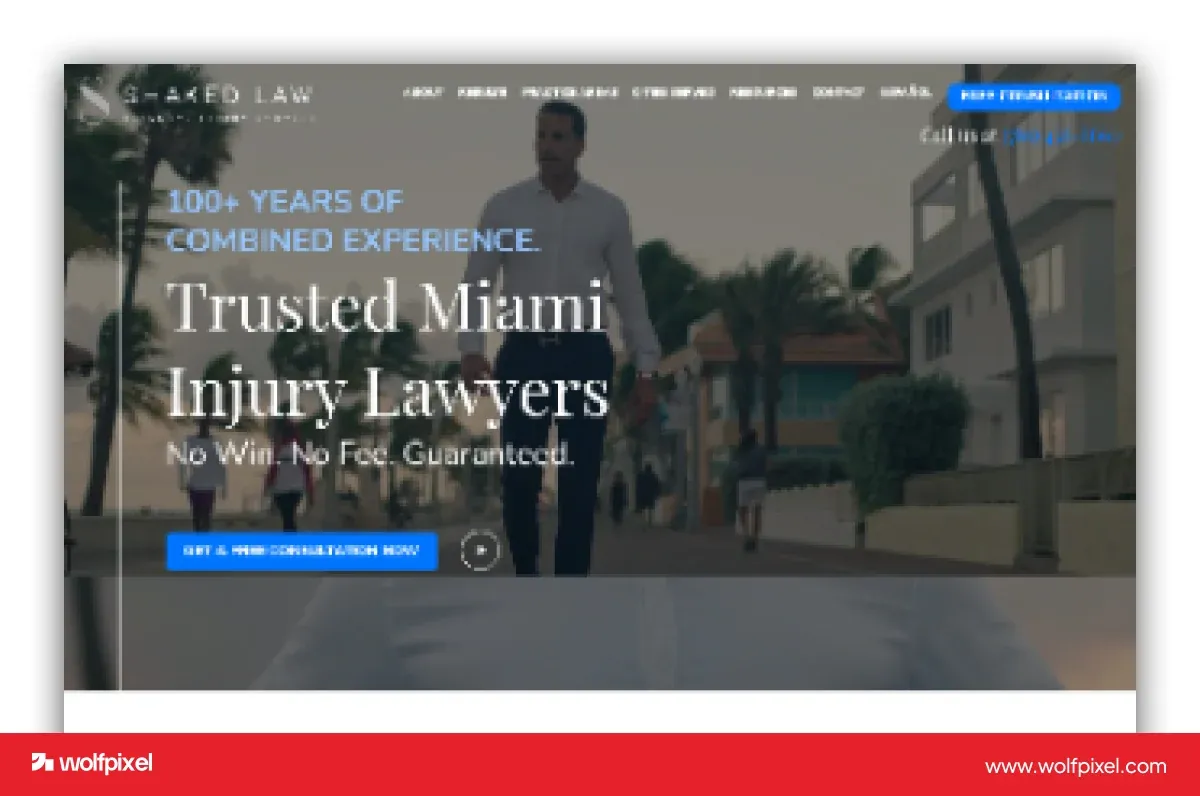
What to borrow—and check: Use a direct headline that explains the intended audience. Motion and background video should support the message while preserving a readable static experience.
10. Newlin Law Offices
Reference category: Personal injury. Visit the official website.
An attorney portrait, dark-brown hero, large heading and green case-review button create a personal introduction. Its official navigation provides injury topics and English/Spanish routes.
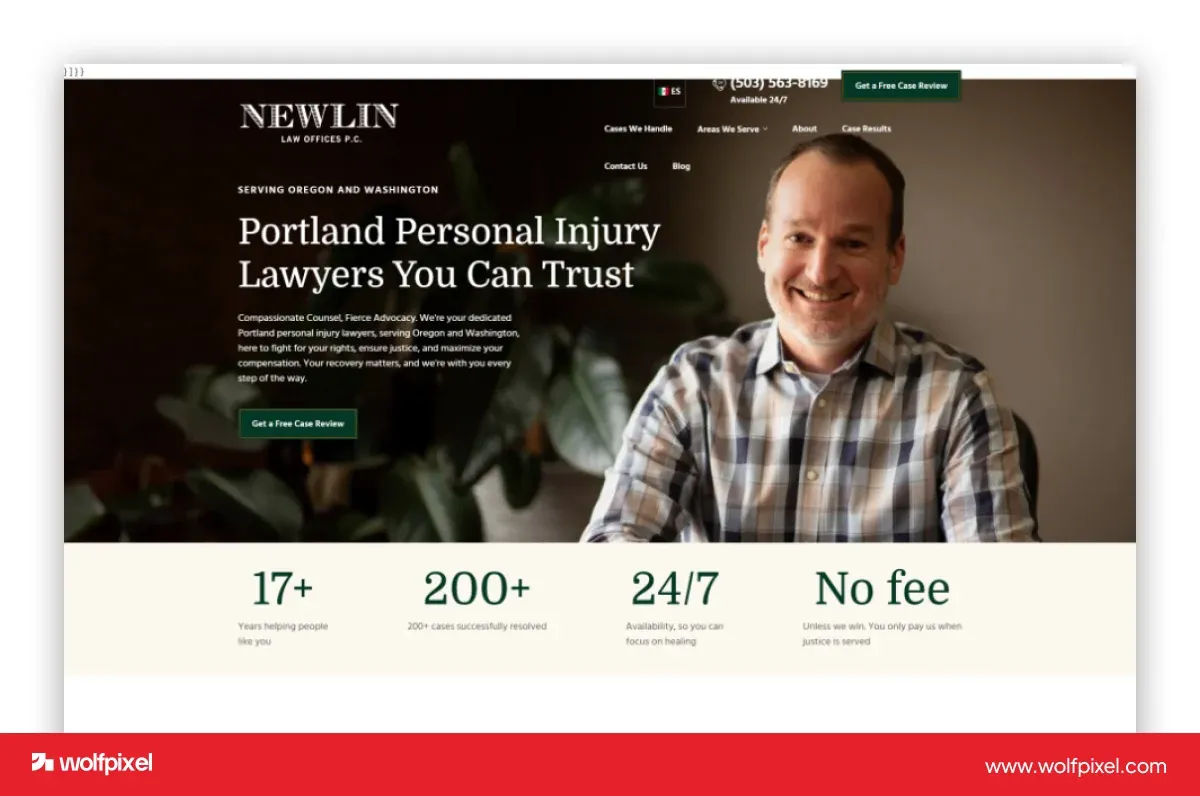
What to borrow—and check: This is a useful dark-palette typography reference, but it is not a gold-accented design. Borrow the hierarchy and approachable portrait treatment, not a color label that does not fit.
11. Crosby
Reference category: Commercial contracts. Visit the official website.
The retained cream-and-black reference uses oversized typography and a sculptural graphic to create a distinctive brand presentation. The current site describes an AI-powered commercial-contract practice.
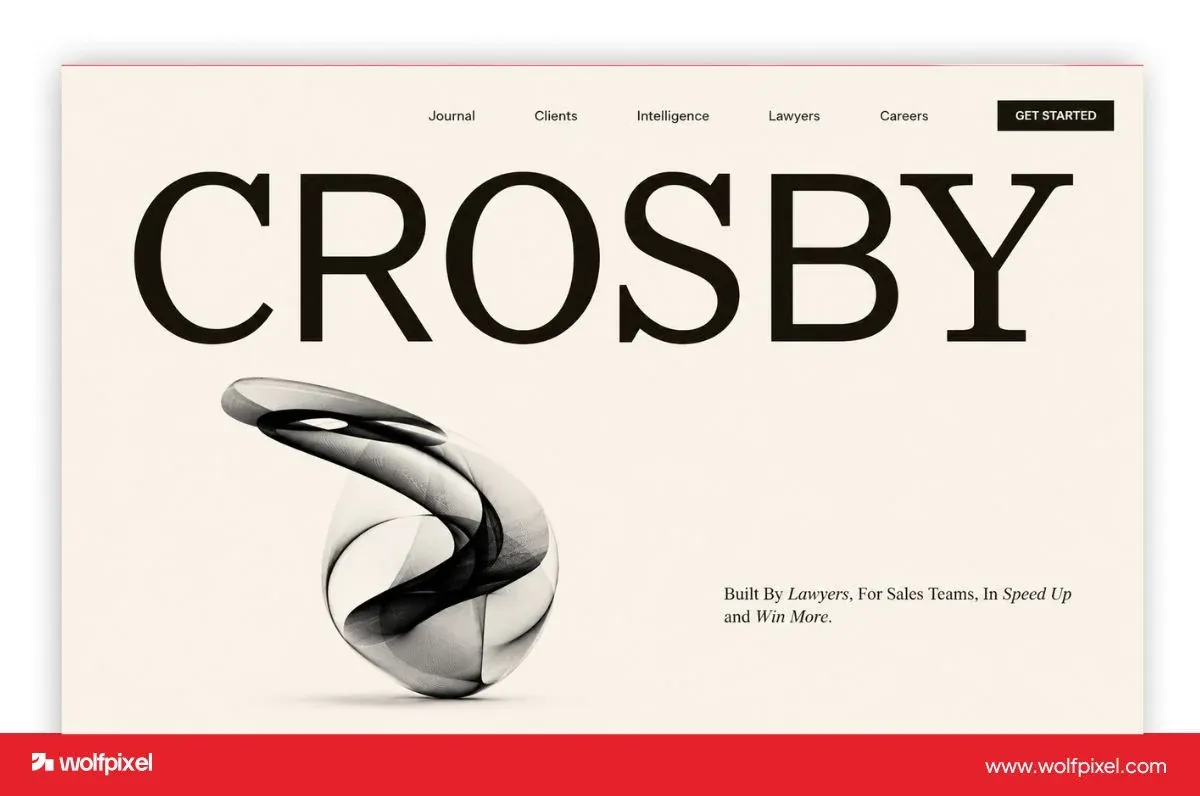
What to borrow—and check: A legal brand can be visually unconventional. Keep the audience and service clear; a commercial-contract firm is a different reference from an injury practice.
12. Hudgell Solicitors
Reference category: Consumer legal services. Visit the official website.
The reference places a callback form beside team photography, using bright accents to separate the message and inquiry action. It gives the viewer more to inspect than a standalone contact button.
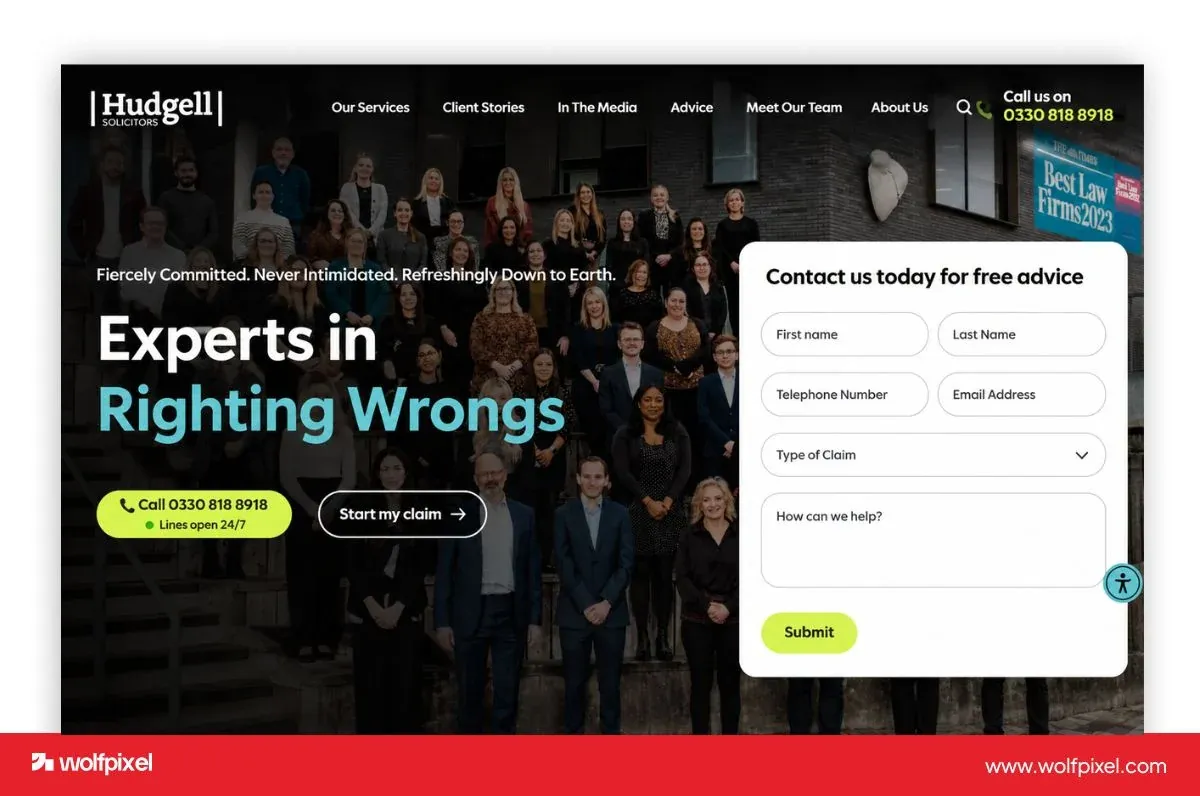
What to borrow—and check: Compare the information requested with what the visitor can reasonably provide. The screenshot illustrates an inquiry layout; it does not independently establish conversion performance.
13. Jenner & Block
Reference category: Litigation and business-law inspiration. Visit the official website.
A large serif headline and dark-blue background establish the reference’s visual direction. A contrasting search field gives readers another way to find relevant material.
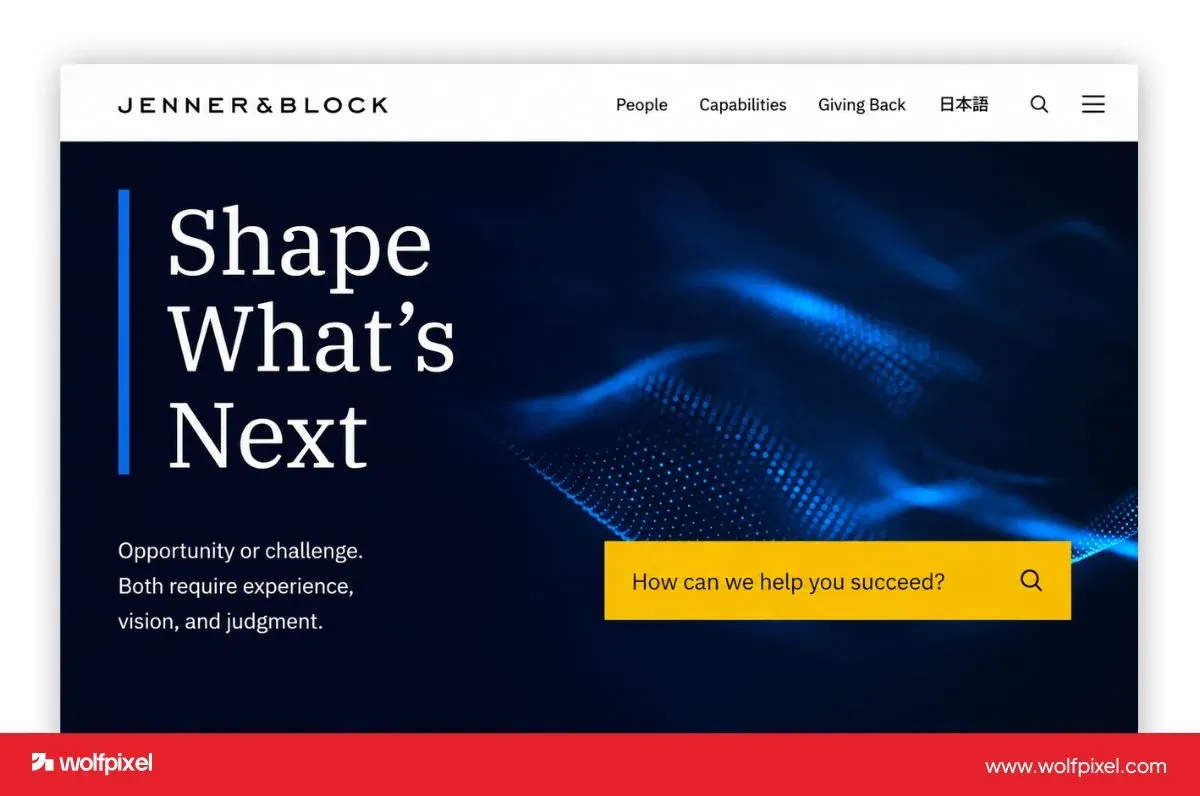
What to borrow—and check: Use typography to establish hierarchy, then provide a way into deeper content. Check search labeling, keyboard access and the usefulness of results.
Modern Personal Injury Websites: Dark Palettes, Gold Accents and Bold Typography
If you are looking for a modern personal injury lawyer website with a dark palette, gold accents and bold typography, start with the reading order. The visitor still needs to identify the practice, assess the people behind it and find an appropriate contact route. A premium color treatment is a design choice, not proof of trust or results.
Example A: NJ Injury Help—dark surfaces with restrained gold accents
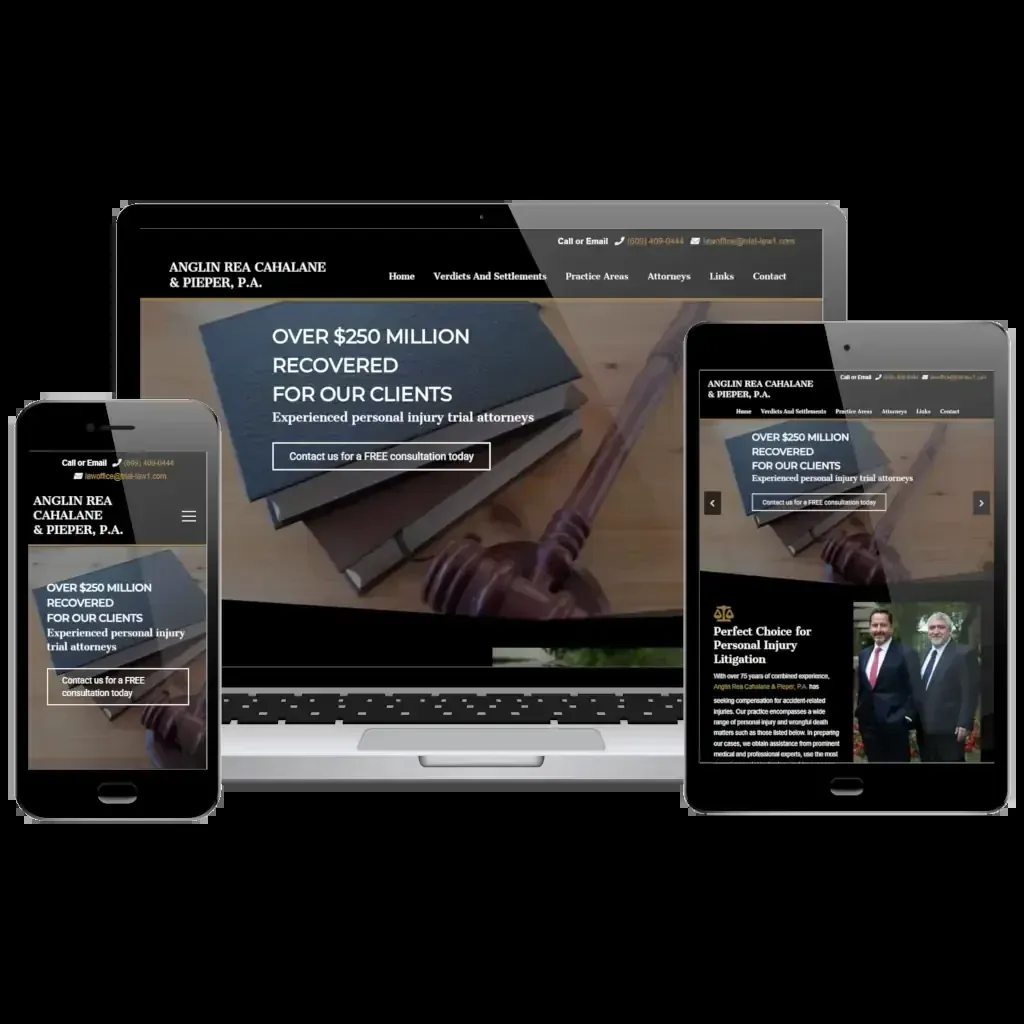
The NJ Injury Help project by Stack Media Design documents a personal-injury website for Anglin Rea Cahalane & Pieper. The published screenshot shows dark navigation, legal imagery, warm accents and a consultation action. This is credited third-party work, not a Wolfpixel project.
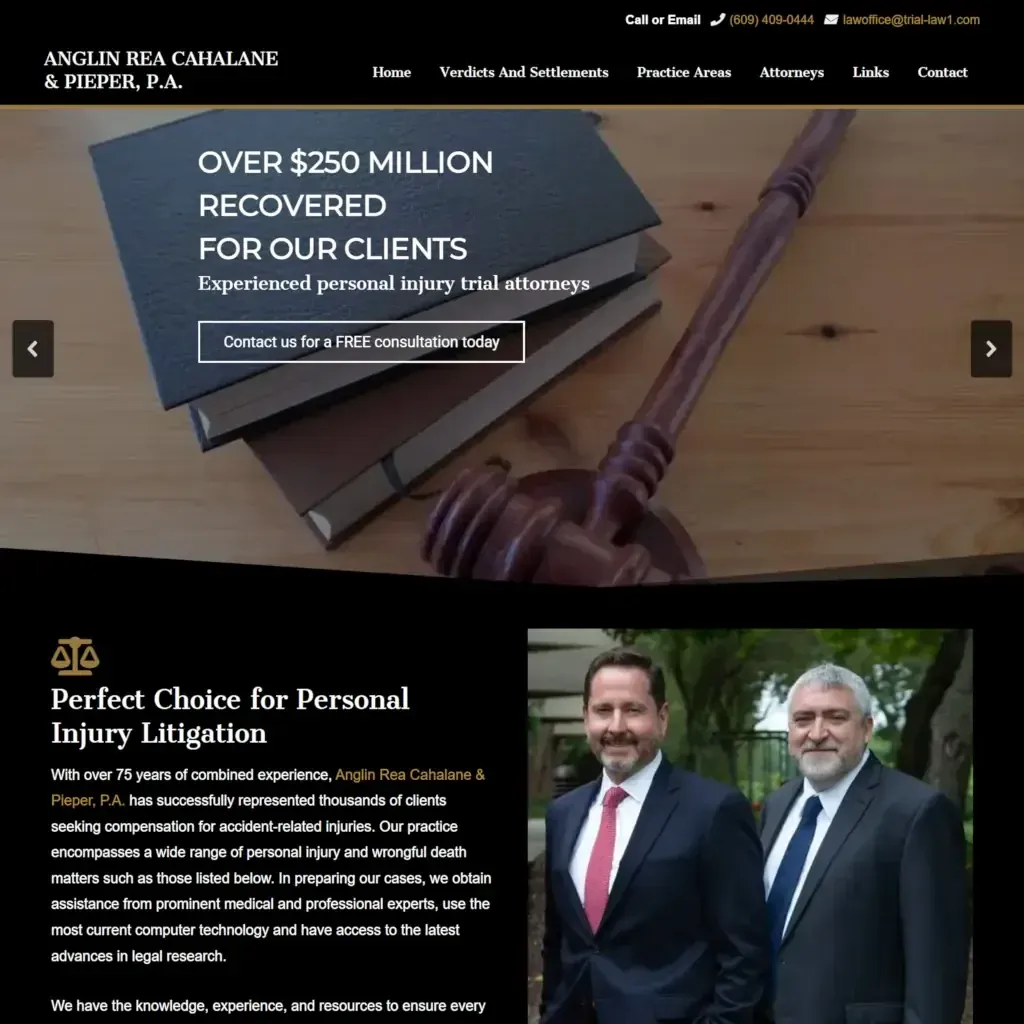
- Palette: dark structural areas frame the content, while warm details provide emphasis. The consultation action uses an outline; not every important control needs a gold fill.
- Typography: the hero claim is visually dominant and supporting text is smaller. That gives the viewer an order to follow, but the claim itself still needs approval and context.
- People: attorney photography follows the opening message. A dark visual direction can still introduce real people rather than relying only on legal symbols.
- Mobile check: inspect whether the header, headline and contact route remain usable without relying on a large desktop composition.
Example B: Wein & Palermo—navy, gold and direct contact
EVERNET’s Wein & Palermo project presents a navy-and-gold direction with partner photography and a case-review action. Its design explanation centers on making access to the partners visible.
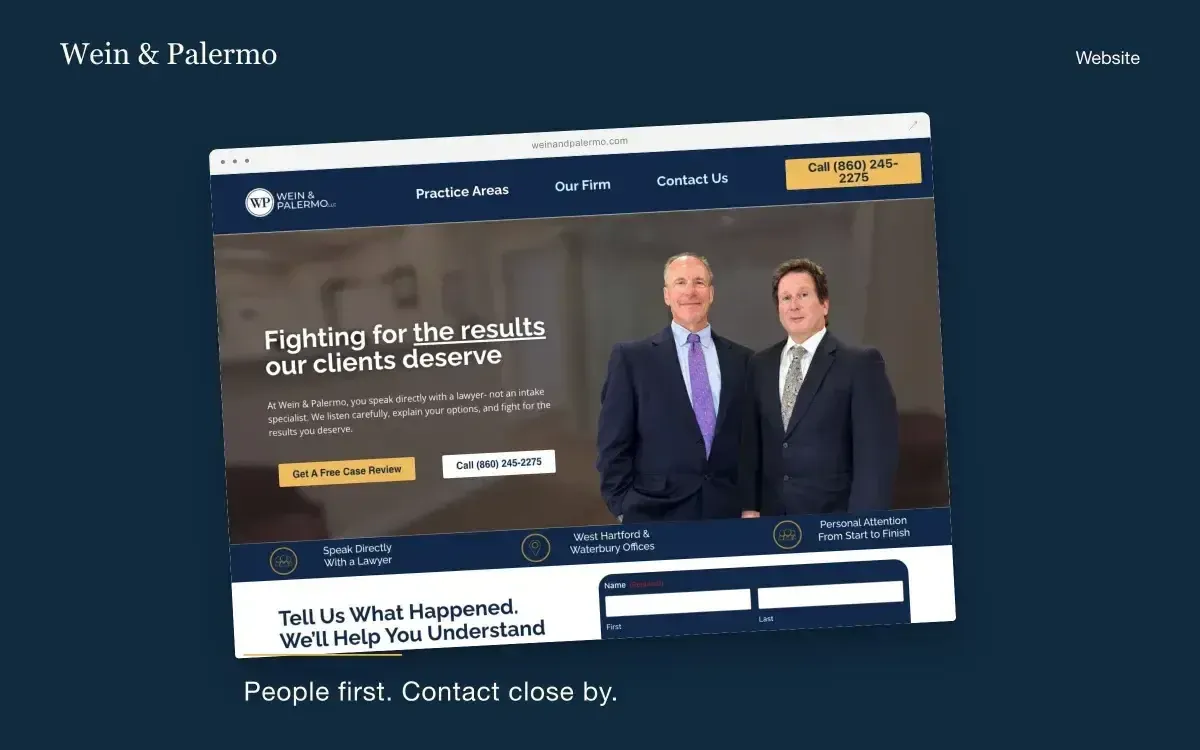
- Palette: navy establishes the surrounding frame while gold identifies selected actions.
- Hierarchy: the heading and partner photograph share the opening, with contact routes close to the message they support.
- Trust: people and practice information accompany the styling. Color alone cannot establish a firm’s credibility.
- What to test: check focus visibility, text contrast and whether a phone or form action remains clear on a real phone.
Example C: Newlin—dark typography reference, with a different accent
The Newlin example above uses a dark-brown hero, a large heading and a green action. It is useful for comparing typography and portrait placement, but should not be described as black-and-gold. Separating these characteristics makes a visual brief more precise.
A Practical Design Checklist: Contrast, Typography and Intake
Use this checklist to turn visual inspiration into decisions a designer can explain. The example colors below are illustrative swatches, not colors extracted from any featured firm. Contrast ratios are calculated from the hex values using relative luminance.
An illustrative gold palette: contrast depends on the background
| Text color | Background | Calculated contrast | Design implication |
|---|---|---|---|
| #C6A15B | #171A20 | 7.18:1 | Can clear the 4.5:1 AA contrast threshold for normal text; other accessibility requirements still apply. |
| #C6A15B | #FFFFFF | 2.43:1 | Below 4.5:1: do not assume this gold works for normal body text on white. |
| #FFFFFF | #171A20 | 17.43:1 | Strong contrast, but spacing, size and hierarchy still need attention. |
WCAG 2.2 specifies contrast criteria and other accessibility requirements. Passing a color check does not establish complete accessibility or legal compliance.
Typography and mobile hierarchy
- Use a short, specific headline. Avoid shrinking a long desktop heading until it becomes difficult to read on a phone.
- Reserve decorative type for appropriate display use; keep longer explanations and form labels straightforward.
- Test with actual attorney names, practice labels and translated content rather than ideal placeholder text.
- Allow text resizing and content reflow. Check that a sticky contact bar does not cover the form or important information.
Consultation and intake
Test the complete task: opening the relevant practice page, finding the contact route, submitting a valid inquiry and reaching a confirmation. Label fields clearly, explain errors and confirm where notifications arrive. Have the firm approve claims, required disclosures and intake wording before launch.
Our landing page best practices covers hierarchy and form decisions; a UX audit can help prioritize issues when the cause of friction is uncertain. A screenshot review identifies possible problems. Actual abandonment patterns require appropriate analytics or observed research.
How Much Does Law Firm Website Design Cost?
There is no single reliable price for a law firm website. Scope changes the cost: a brochure site, a practice-area content system and an integrated intake experience are different purchases. Ask for a written proposal that separates strategy, content, design, build, migration and support.
The following table is a planning illustration, not a market-price survey or Wolfpixel quote. It uses an assumed $100 USD hourly rate and estimated effort solely to demonstrate the arithmetic. Actual rates and effort can be higher or lower.
Illustrative website design and build budgets
| Example scope | Assumed effort | Budget at assumed $100/hour | Confirm separately |
|---|---|---|---|
| Contained site with supplied content | 40–80 hours | $4,000–$8,000 | Page count, platform and contact-form setup. |
| Custom site with several practice areas | 100–200 hours | $10,000–$20,000 | Content responsibility, revisions and responsive coverage. |
| Larger site with migration or intake integration | 250–500 hours | $25,000–$50,000 | Integrations, redirects, accessibility testing and ongoing maintenance. |
The effort bands are assumptions too. Content preparation, approvals and technical dependencies can alter both price and schedule. Confirm hosting, domain, software licenses, maintenance, photography, translation and any ongoing SEO work separately; do not treat them as automatically included.
For a broader explanation of estimating design effort, see our UI/UX design cost guide. Compare agencies against one agreed scope rather than comparing a design-only file with a complete working site.
Choosing a Law Firm Website Design Agency
A suitable law firm website design company should explain how it will connect content, visual design and implementation. Ask for relevant work and a walkthrough of the actual journey, rather than accepting a collection of attractive homepage images as the whole case.
- Relevant experience: ask what the team contributed and whether its example served a comparable audience.
- Scope ownership: identify who writes content, supplies photography, reviews legal wording and approves claims.
- Delivery: agree on pages, responsive layouts, interface states, revisions, forms and integrations.
- Verification: ask how keyboard access, form delivery, mobile behavior and performance will be tested.
- Migration: keep an inventory of important URLs and agree on redirects before replacing an established site.
- Ownership: clarify domain access, content rights, asset licenses, platform limitations and export options.
WordPress and Webflow can both support a useful legal website. The practical choice depends on content needs, integrations, maintenance capacity and the implementation. A platform name by itself does not guarantee speed, accessibility or search visibility.
For the technical distinction, Google’s mobile-first indexing guidance describes using the mobile version of content for indexing and ranking. That is different from saying Google ranks a page based on mobile speed alone.
Prepare a Brief for Your Law Firm Website
Bring a design partner a brief that describes the visitor and the task. “Make it premium” is a useful preference, but it leaves the important decisions unanswered.
- Name the practice areas, locations and audiences the site must serve.
- List the attorney information, evidence and photography the firm can legitimately publish.
- Choose the main inquiry route and explain how the firm will respond.
- State the visual direction with references: dark surfaces, restrained gold details, bold headings or a lighter alternative.
- Identify content owners, reviewers, integrations, platform access and migration constraints.
Wolfpixel can discuss website interface design, brand identity and Webflow implementation against that brief. The examples in this guide show third-party design references; they do not imply that Wolfpixel built those firms’ sites.
Discuss your law firm website brief with Wolfpixel. Start with the audience, inquiry journey and delivery scope so the proposal can describe what you will receive and how it will be checked.
From Inspiration to a Working Legal Website
Use these references to create a shortlist of design decisions, then validate the decisions in your own context. A dark-and-gold direction is one option; it should earn its place through readability, brand fit and a usable contact journey.
The original 13 examples remain broad legal-design references. The focused personal-injury section adds credited designer case studies so readers can examine that particular style without confusing it with corporate or environmental-law work.
Before launch, review content accuracy, accessibility, mobile interaction, inquiry delivery and redirects. After launch, monitor search queries, completed inquiries and lead relevance separately. A higher position is useful only when the page serves the visitors it attracts.
Law Firm Website Design FAQs
What makes a good law firm website design?
A useful law firm website explains the matters the firm handles, identifies the attorneys, presents accurate evidence and provides a clear contact route. It also needs readable content, usable mobile layouts, accessible controls and a working inquiry process.
Can a personal injury lawyer website use a dark-and-gold design?
Yes, if the palette supports the brand and remains readable. Use gold selectively, test each text/background combination and keep attorney information and contact actions clear. A dark palette does not by itself establish trust or improve conversions.
How should bold typography work on a lawyer website?
Use headings to establish the reading order and explain the practice clearly. Keep longer text and form labels easy to read. Test real content, text resizing and small-screen wrapping instead of relying only on a large desktop mockup.
Which personal injury website examples use dark or gold accents?
The focused section reviews NJ Injury Help through Stack Media Design’s published case study and Wein & Palermo through EVERNET’s project presentation. Newlin Law Offices is a related dark-palette typography reference with a green accent, rather than a gold-accented example.
How much does a law firm website cost?
Cost depends on content, pages, design, development, migration, integrations and support. This guide’s budget table uses an assumed $100 USD hourly rate and illustrative effort estimates; it is not a market-price survey or a quote. Request itemized proposals for your actual scope.
Is Webflow or WordPress better for a law firm website?
Either can work. Compare the required content model, integrations, maintenance, ownership and available implementation expertise. The platform alone does not guarantee performance, accessibility or search visibility.
How do I make a law firm website more accessible?
Use current accessibility guidance such as WCAG 2.2, with checks for text contrast, keyboard operation, focus, labels, error messages and responsive content. Test the implementation with appropriate methods. A checklist or color test alone does not establish complete accessibility or legal compliance.
How long does a law firm website redesign take?
The schedule depends on content readiness, page count, approvals, integrations and migration needs. Ask for milestones tied to named responsibilities and allow time for testing. There is no single timetable that fits every legal website.
How can I tell whether a website redesign is working?
Compare agreed measures before and after launch: successful inquiries, lead relevance, mobile task completion and search performance. Check tracking and follow-up first. A screenshot, a new color palette or a higher ranking is not enough to establish a conversion improvement.
Plan a clearer law firm website
Share your audience, practice areas and inquiry journey. Define the content, design and implementation scope before committing to a redesign.

Was this article helpful?

Written by
Maniruzzaman Jubayer
Co-founder & COO | Product Design Specialist at Wolfpixel
Maniruzzaman Jubayer is Wolfpixel’s Co-founder & COO and a product design specialist. This guide reviews legal website references, visual hierarchy and consultation journeys using official firm websites and credited designer sources. Wolfpixel offers design and development services discussed in the article.
View all articles