

 18 min read
 Published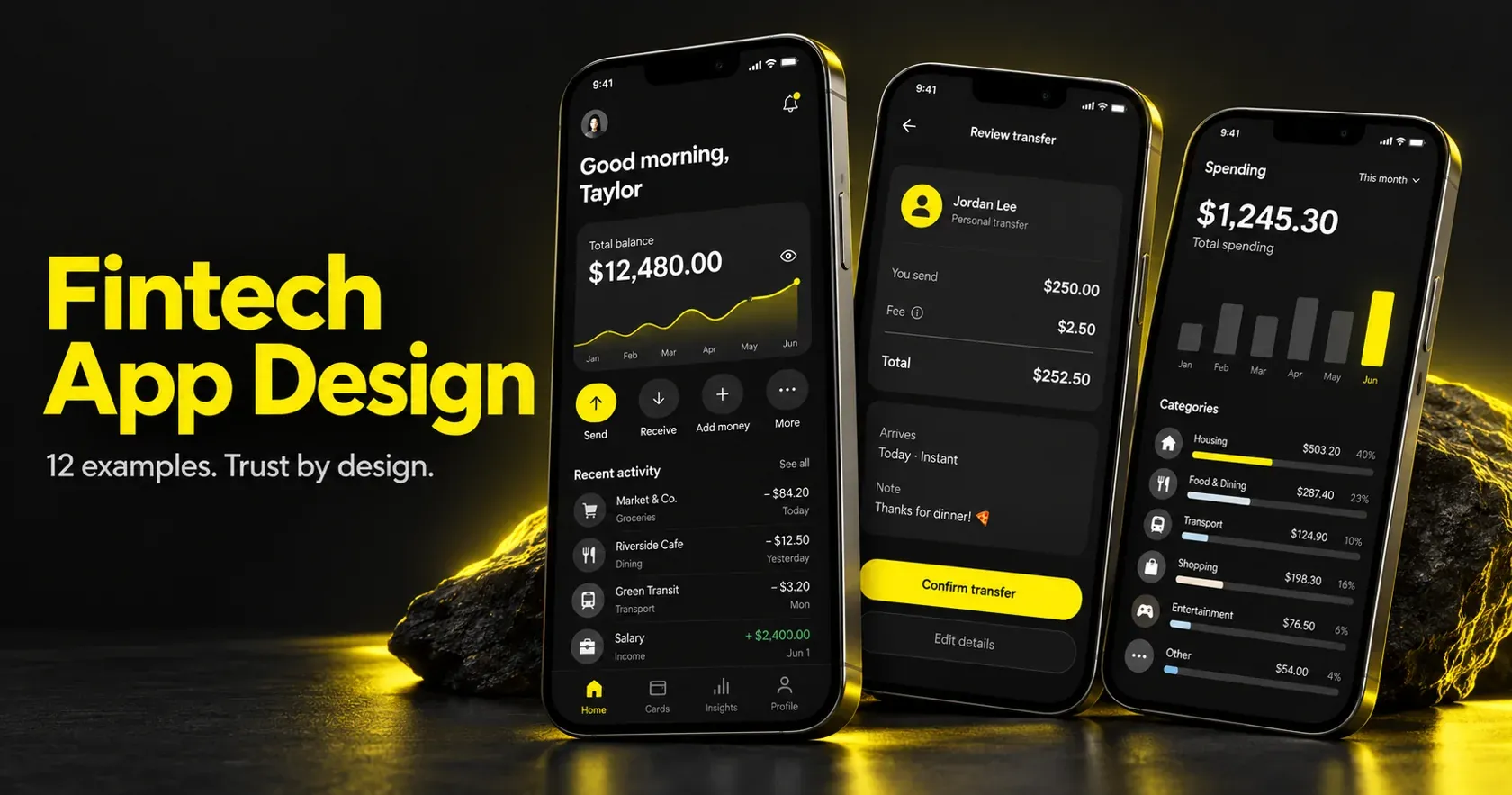
Fintech app design is the practice of making money feel safe to move. It covers the interface, the flows, the words on the buttons, and the moments where someone hesitates before tapping confirm. Good fintech design is not judged by how modern it looks. It is judged by whether a person believes nothing bad will happen to their money.
I’m Maniruzzaman Jubayer, Co-founder & COO and Product Design Specialist at Wolfpixel, with 7 years of experience. I personally oversee website, app, dashboard and digital product design. This guide focuses on fintech interfaces, transaction clarity and trust throughout financial app journeys.
Wolfpixel works across product categories, including financial interfaces. In finance, unclear status, unexpected costs and confusing recovery paths can undermine trust. Design should help people understand what will happen before they act, and what to do when a transaction does not go as expected.
This guide studies nine public financial products and three published Wolfpixel portfolio projects. It separates reusable design lessons from questions to test in your own product. The examples are design references, not product endorsements or evidence that a particular pattern guarantees a business result.
“
Key takeaway
At a glance
Trust beats polish. Explain costs before confirmation, make failure states actionable, and test onboarding with real users. Scope, approvals and design-system depth determine the budget and timeline.
What fintech app design has to do that other app design does not
It has to reduce fear. That is the short version, and it is the part most teams skip.
Financial tasks often involve uncertainty: what data will be shared, when money will arrive, and whether an action can be reversed. Other product categories also carry serious risks, so the distinction is one of context rather than an absolute rule.
Three constraints make this harder than normal product work:
- Reversibility. Some financial actions are difficult or impossible to reverse. Make the actual cancellation, dispute and recovery options clear for each payment method.
- Requirements. Identity checks, anti-money-laundering controls, privacy obligations and payment-security standards depend on the product, data and jurisdiction. Map applicable requirements with qualified compliance and security owners before designing the flow.
- Emotional stakes. Money is tied to housing, family, and status. A cold error message lands very differently here.
Jubayer’s rule on our bench: if a screen would make you nervous with your own salary on it, it is not finished.
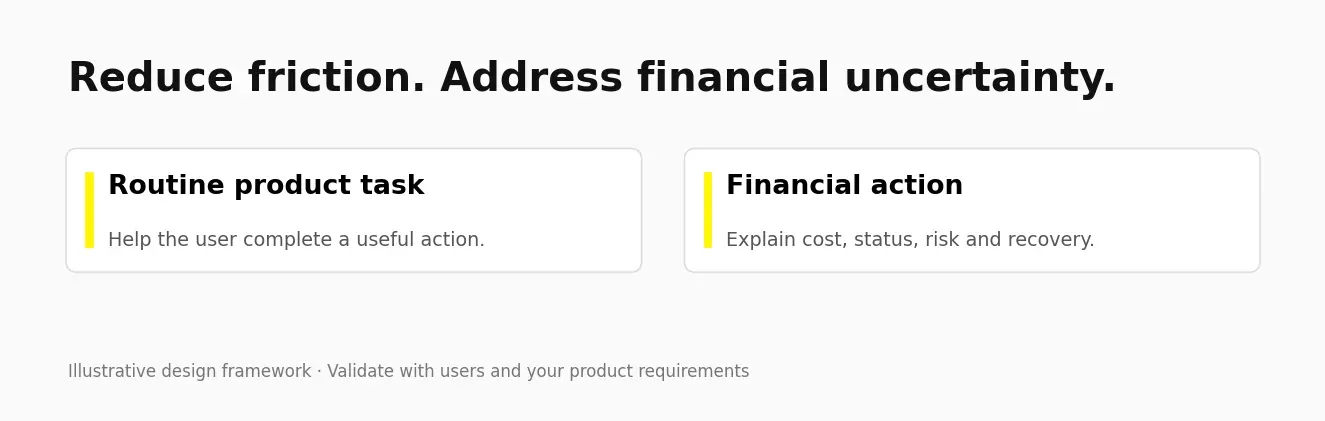
A reference is useful only when its interaction solves the same kind of problem. Compare a wallet’s payment review with the navigation, role separation and information hierarchy in these app design examples and practical UX lessons; borrow the reasoning, then test it against financial risk and real account states.
How we score a fintech app before we redesign anything
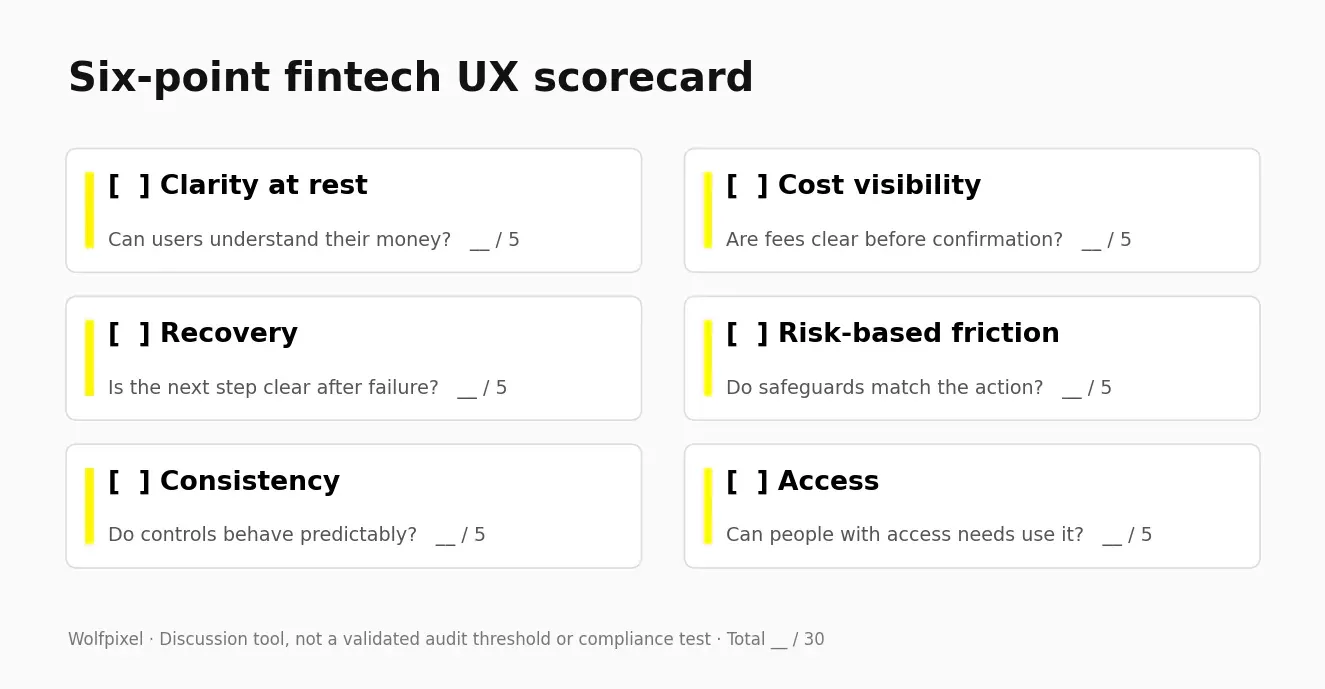
Use this six-point scorecard to start a structured UX audit of your core user flows before opening Figma. Score each dimension out of five and record the evidence behind the score. It is a discussion framework, not a validated predictor of revenue loss.
- Clarity at rest. Open the app cold. Can you say what your money is doing in under 3 seconds?
- Cost visibility. Are fees and rates shown before the confirm tap, not after?
- Recovery. When something fails, does the app say what happened, whether the money is safe, and what to do next?
- Friction placement. Is the friction on the risky actions, and absent from the routine ones?
- Consistency. Do buttons, colours, and language mean the same thing on every screen?
- Access. Does it work at 4.5:1 contrast, with a screen reader, and with one thumb?
Prioritize issues by severity, user impact and risk, rather than treating a fixed total score as an automatic redesign threshold. Use the same tasks and criteria when comparing before and after.
Open the 22-point fintech UX review checklist
- Understand available versus pending balance
- Identify the primary action
- Show amount and currency
- Show all applicable fees
- Explain the exchange rate
- Name the recipient clearly
- Show the expected arrival window
- Explain irreversible actions
- Make required identity checks understandable
- Show progress and save-resume behavior
- Explain requested account access
- Provide appropriate authentication
- Warn about relevant fraud risks
- Distinguish pending, completed and failed states
- Offer a clear recovery action
- Provide a support route
- Separate service alerts from marketing
- Test text and non-text contrast
- Test screen-reader names and reading order
- Test text scaling and target sizes
- Explain closure and remaining-balance handling
- Explain records, export and data-retention limits
12 fintech app design examples worth studying
Nine public products and three published portfolio projects offer different lessons. Interfaces vary by region, account type and version. The review questions are hypotheses to test, not findings from a hands-on audit of every current app. Portfolio publication alone does not verify a production launch.
1. Wise: the fee transparency benchmark
Wise’s published fee explanation makes exchange-rate treatment and transfer fees explicit. Study how a transfer review brings amount, fee, exchange rate, recipient amount and expected timing into the decision. Rates and availability vary by transfer.
Pattern to adapt: Show costs before committing.
Question to test: Can users distinguish settled, available and pending balances?
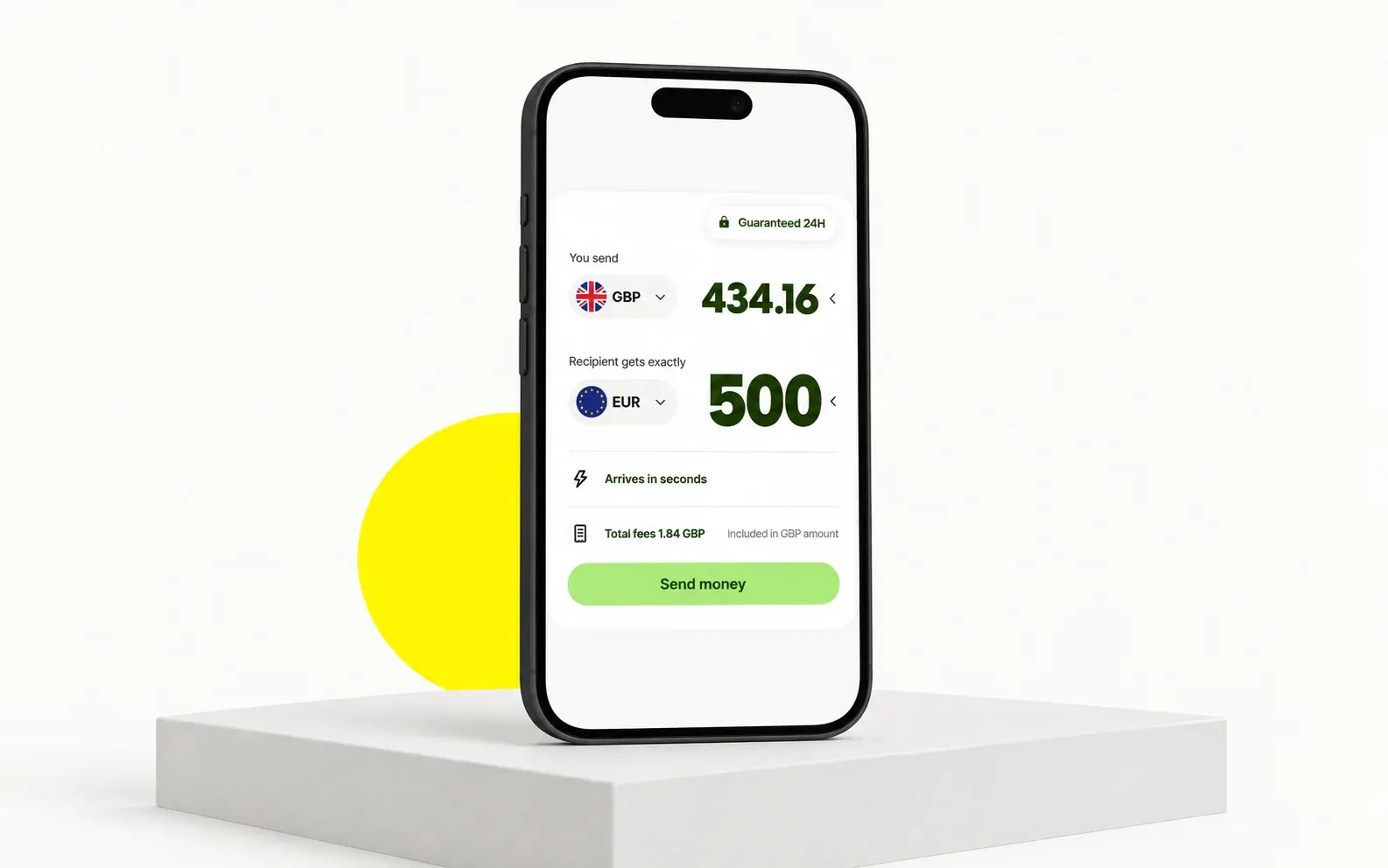
2. Revolut: hierarchy across multiple services
Revolut combines multiple financial services. Its transfer experience is a reference for grouping routine actions while keeping secondary products discoverable. The screenshot is a publisher-supplied App Store presentation, not proof of a fixed two-tap path across every version.
Pattern to adapt: Prioritize routine actions.
Question to test: Do secondary products compete with the primary task?
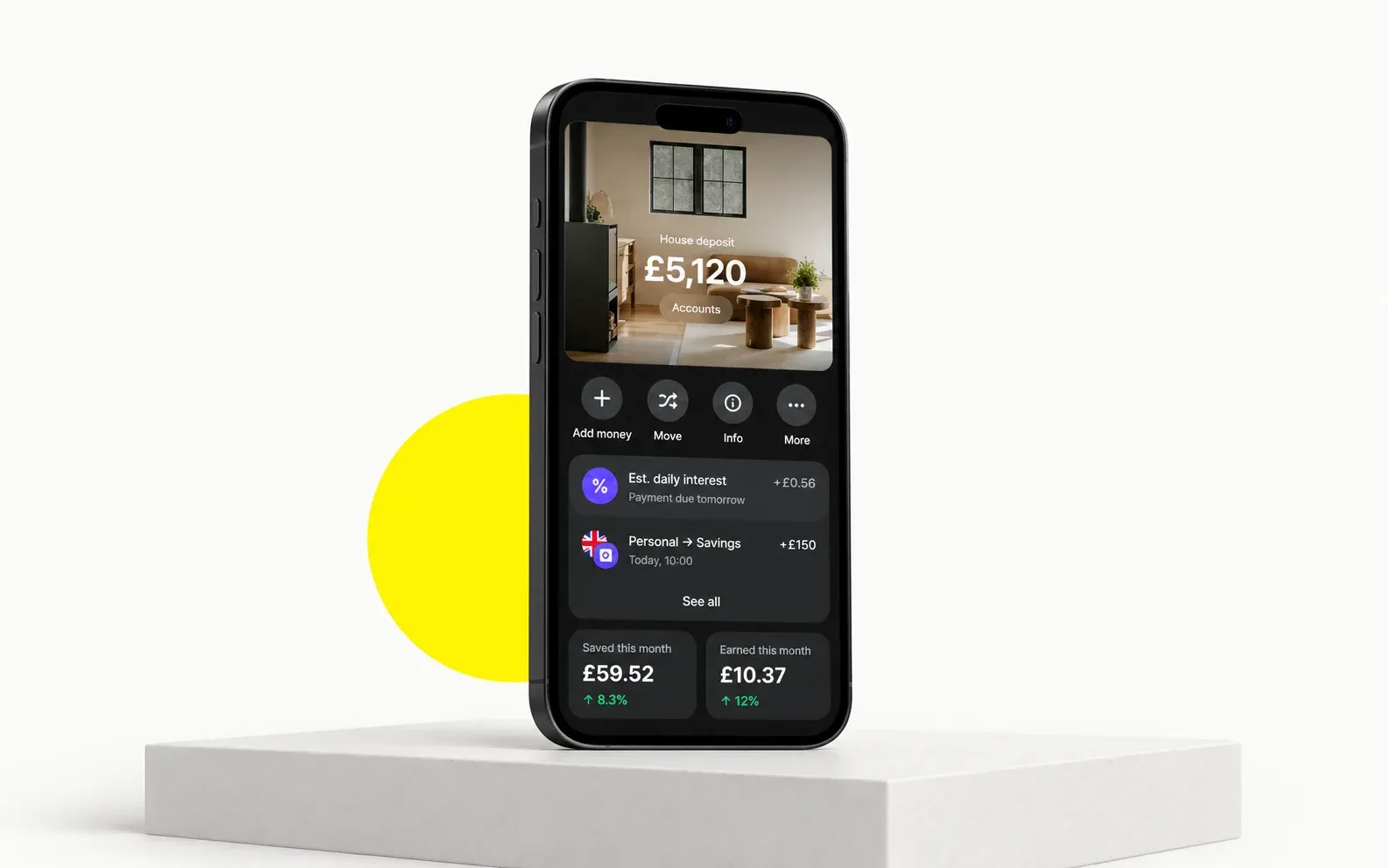
3. Monzo: plain language as a security feature
Monzo publishes a tone-of-voice system that emphasizes relatable language and care around difficult money situations. Study the wording of labels, warnings and recovery messages alongside visual design.
Pattern to adapt: Use specific, human wording.
Question to test: Are card and security controls easy to find?
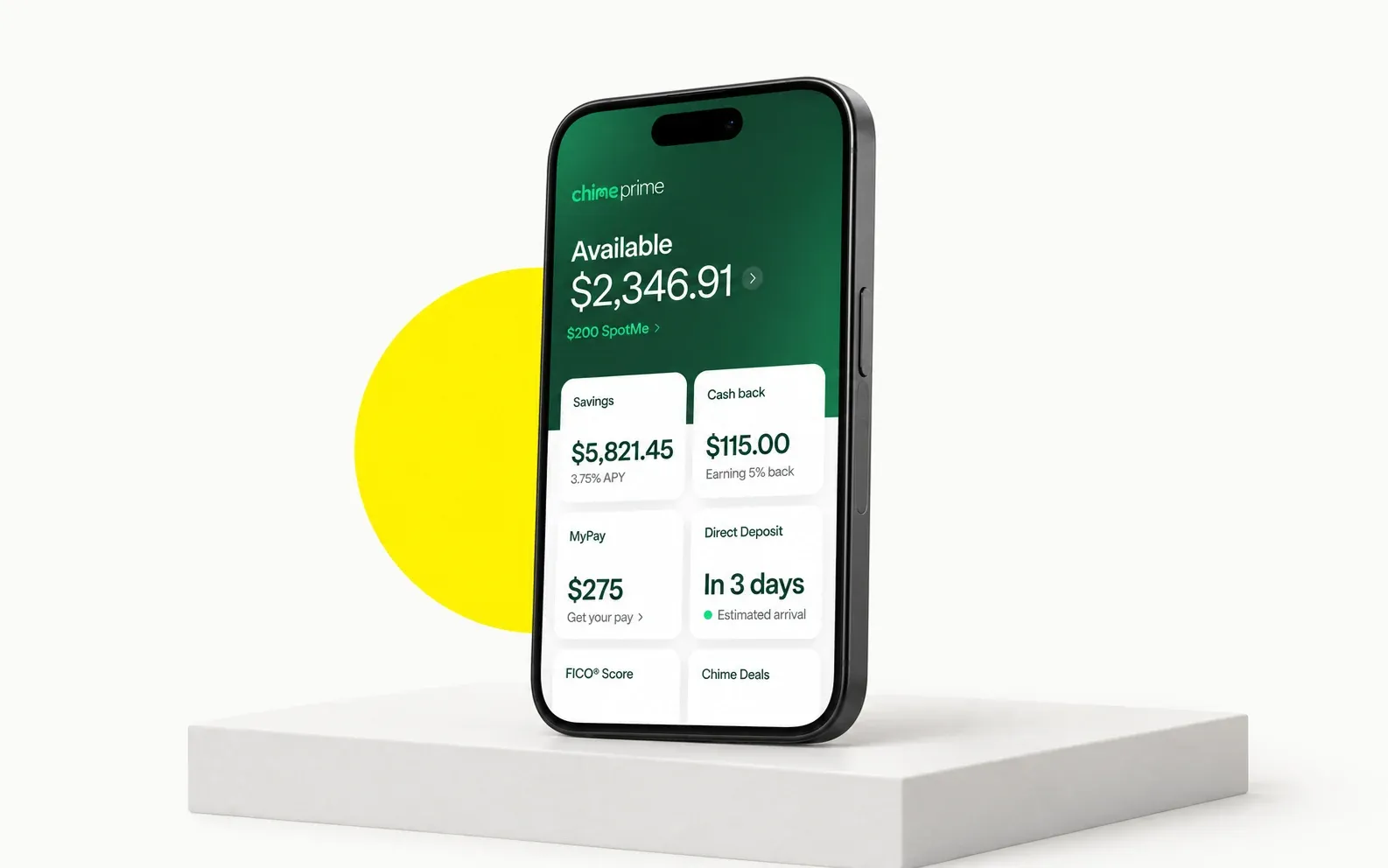
4. Chime: the calm home screen
Chime’s mobile banking overview covers balances, account transfers and other routine tasks. Its published app imagery is useful for studying the prominence of an available balance and primary actions. Chime is a financial technology company; banking services are provided by partner banks.
Pattern to adapt: Make account status understandable.
Question to test: Does the tone match the urgency of the situation?
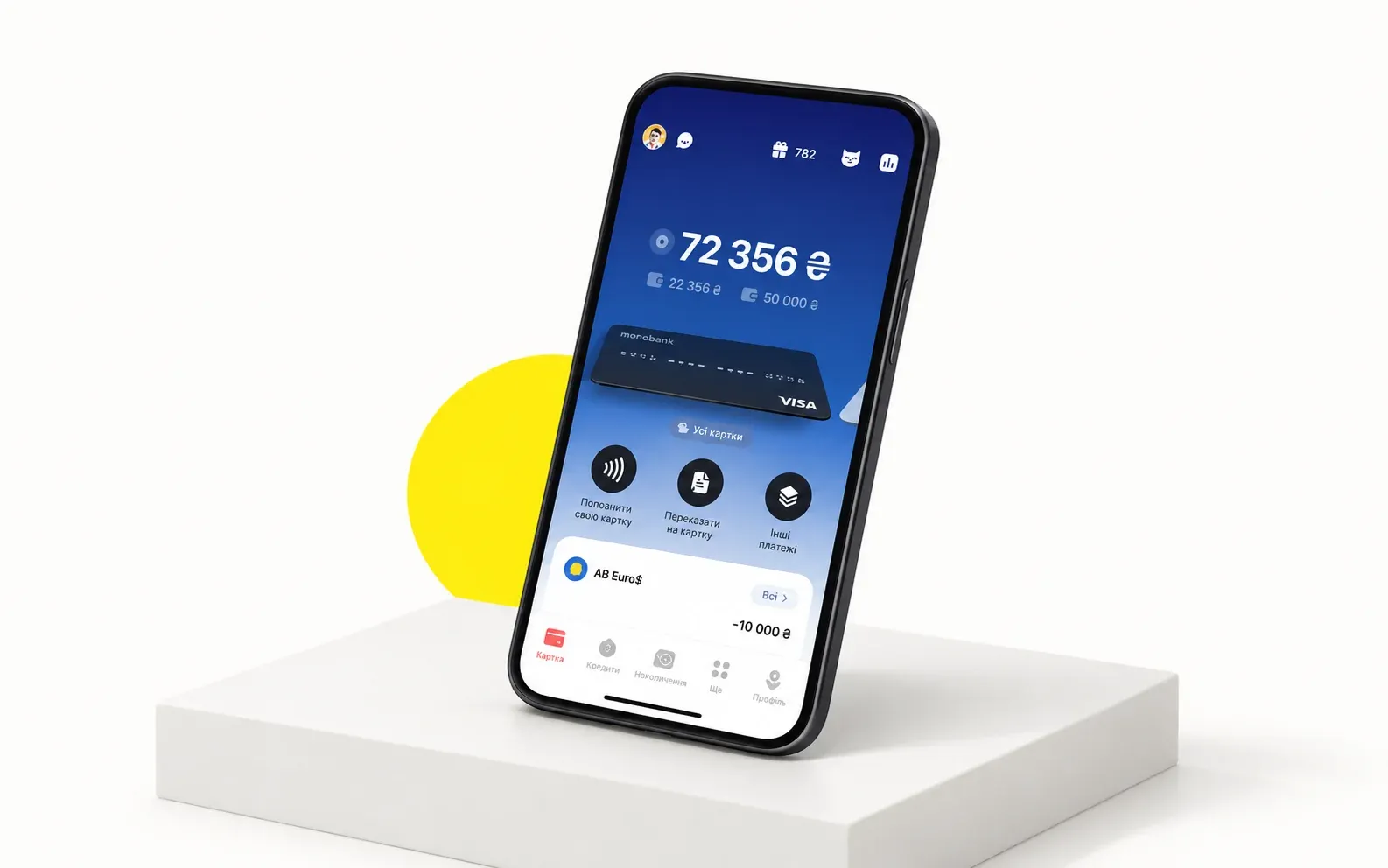
5. Monobank: proof that finance can have a personality
monobank is a retail product of Universal Bank, developed with the mono IT team, as its official about page explains. Its card presentation and brand personality offer a reference for distinguishing account context while keeping transaction information readable.
Pattern to adapt: Keep personality out of critical ambiguity.
Question to test: Can people locate utility actions without navigating decoration?
6. Cash App: convenience and security controls
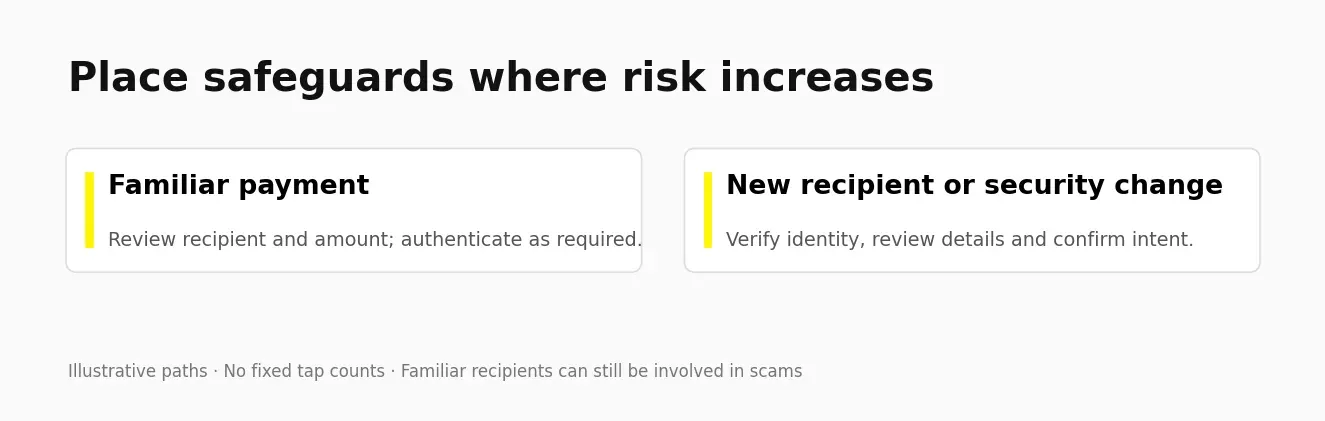
Cash App’s security overview describes authentication controls and alerts. Study how convenient navigation can coexist with required safeguards. A familiar recipient is not automatically safe: authentication, fraud prevention and scam warnings still need a product-specific risk assessment.
Pattern to adapt: Match safeguards to risk.
Question to test: Do both familiar and new payments receive appropriate fraud protections?
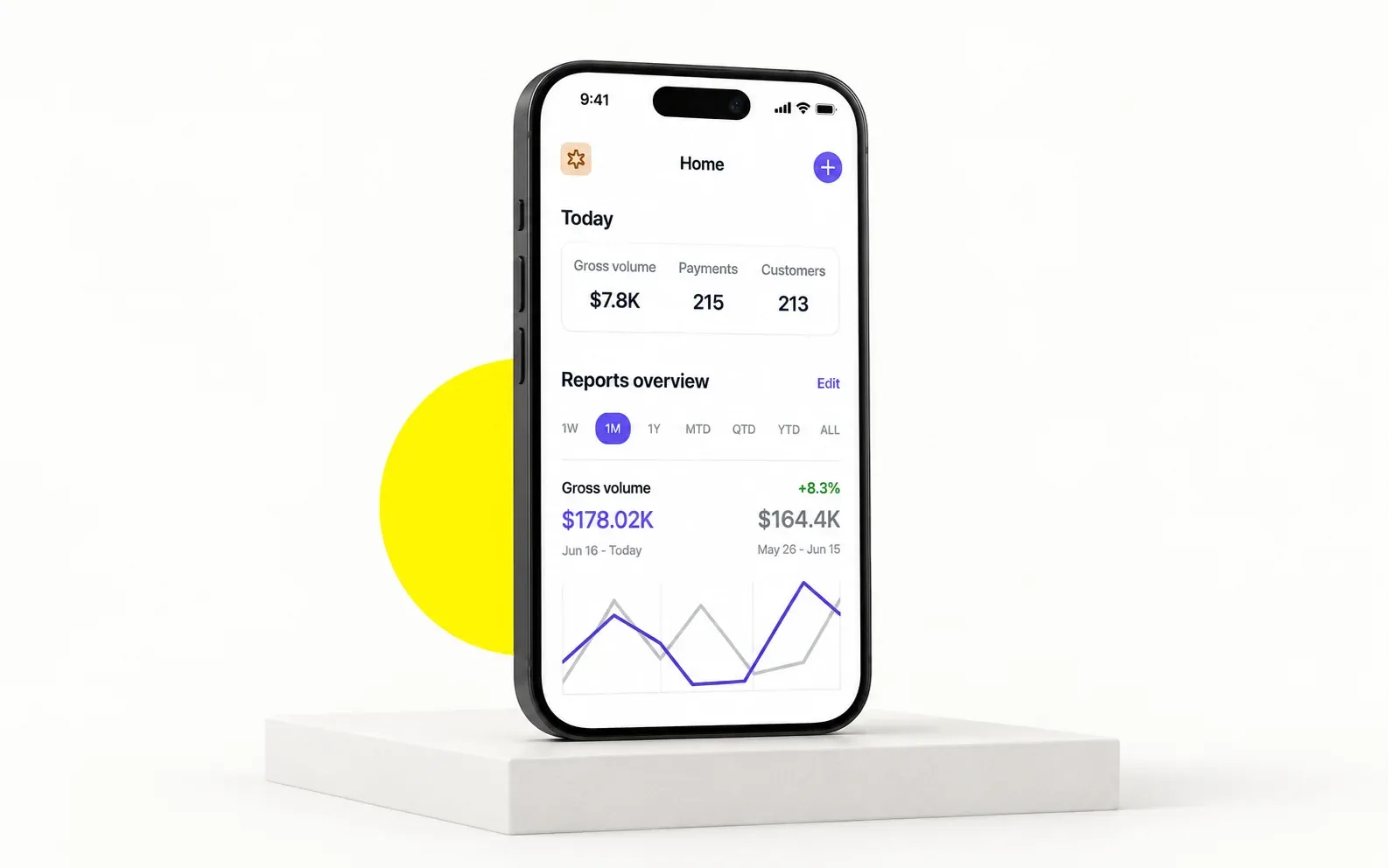
7. Stripe: financial dashboard consistency
Stripe offers Dashboard apps for iOS and Android for business metrics and payment management. It is a useful reference for financial information hierarchy across surfaces. Do not assume that every component or color has identical behavior across every Stripe product.
Pattern to adapt: Build consistent components and status semantics.
Question to test: Can different operator roles find what they need?
8. Nubank: simplifying financial tasks
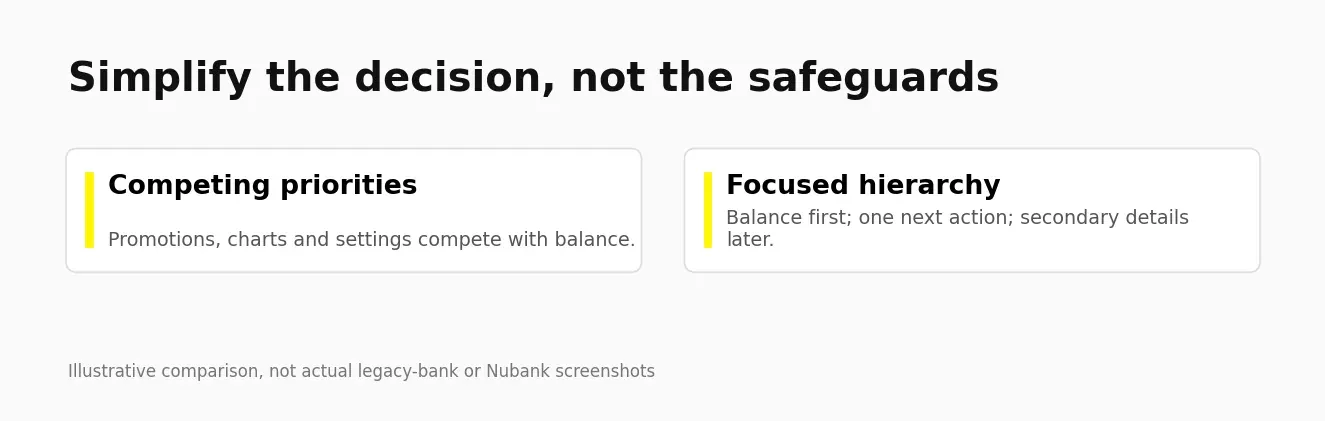
Nubank’s public product experience provides a reference for a recognizable visual identity across financial services. The design lesson here is to simplify a specific task, not to attribute growth to an unverified one-removal-per-release process.
Pattern to adapt: Remove a specific unnecessary step.
Question to test: Does expansion into new services weaken task hierarchy?
9. Robinhood: try before you commit
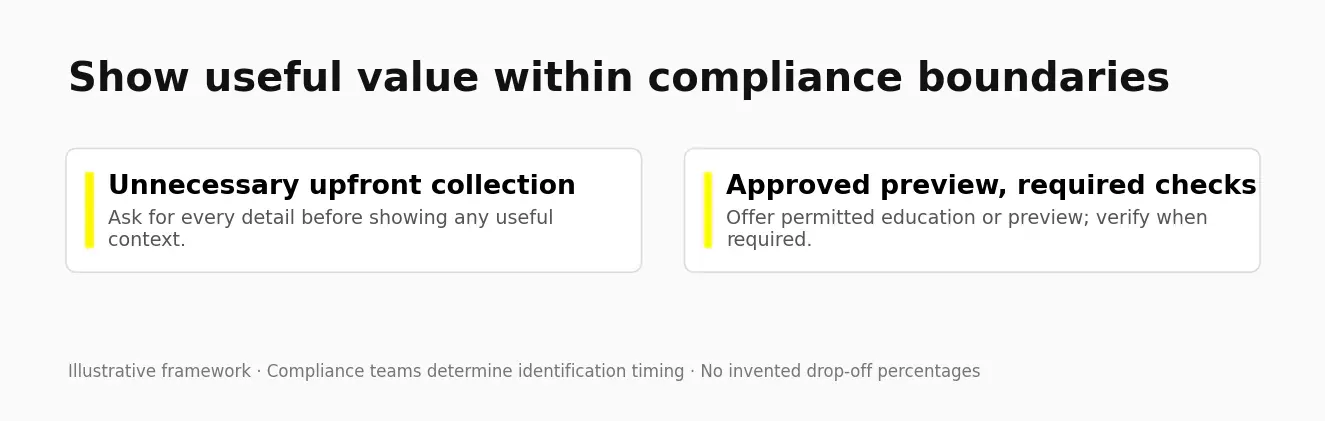
Robinhood offers public financial education that people can explore without making a trade. Separate educational previews from regulated actions. Required verification, suitability and disclosures must occur when the applicable product rules require them; designers cannot simply postpone KYC to improve conversion.
Pattern to adapt: Offer useful, permitted previews.
Question to test: Are risks and required checks clear before the user commits?
10. ZenPay: our take on a peer-to-peer wallet
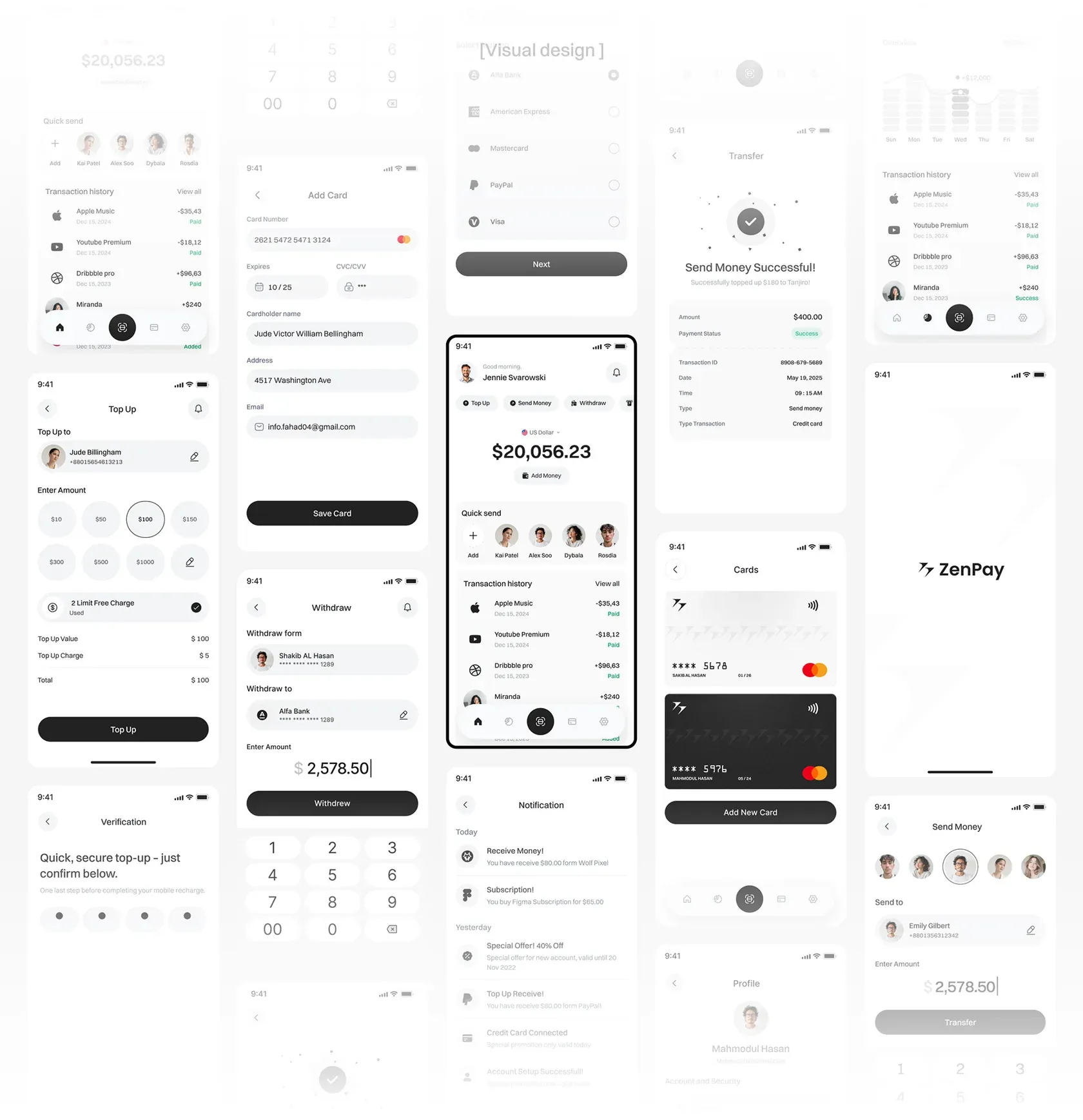
ZenPay is a published Wolfpixel wallet design showcase. Its balance, contact and payment screens provide a reference for evaluating repeat-recipient discovery and review states. The showcase is not evidence of transaction-volume splits or a verified production tap count.
Pattern to adapt: Separate recipient discovery from payment review.
Question to test: Does the contact row work beyond a handful of recipients?
11. WealthWise: a personal finance dashboard
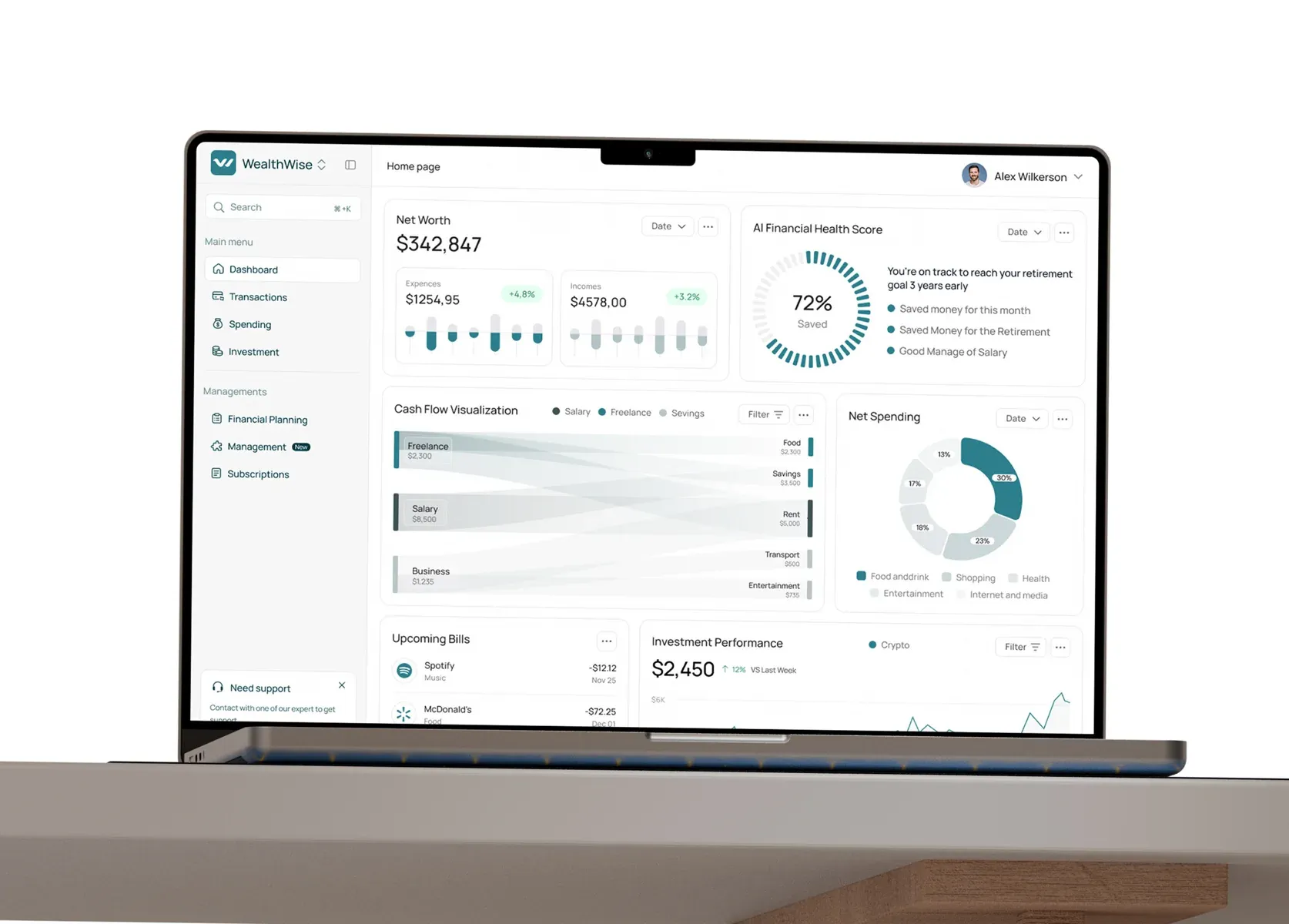
WealthWise appears in Wolfpixel’s personal finance dashboard showcase. Net worth, income, expenses and an AI financial-health concept are presented together. Treat such a score as a design concept; any real scoring method requires clear provenance, limitations and an appropriate explanation.
Pattern to adapt: Explain scores and show a relevant next action.
Question to test: Do users understand the score’s limits and supporting data?
12. Nexfolio: investment dashboard hierarchy
Nexfolio is a published Wolfpixel investment-platform showcase. It is a reference for investment information and dashboard hierarchy, rather than verified evidence of a business-spend operations product or its user behavior.
Pattern to adapt: Design density around expert tasks.
Question to test: Can people filter, inspect and export the information they need?
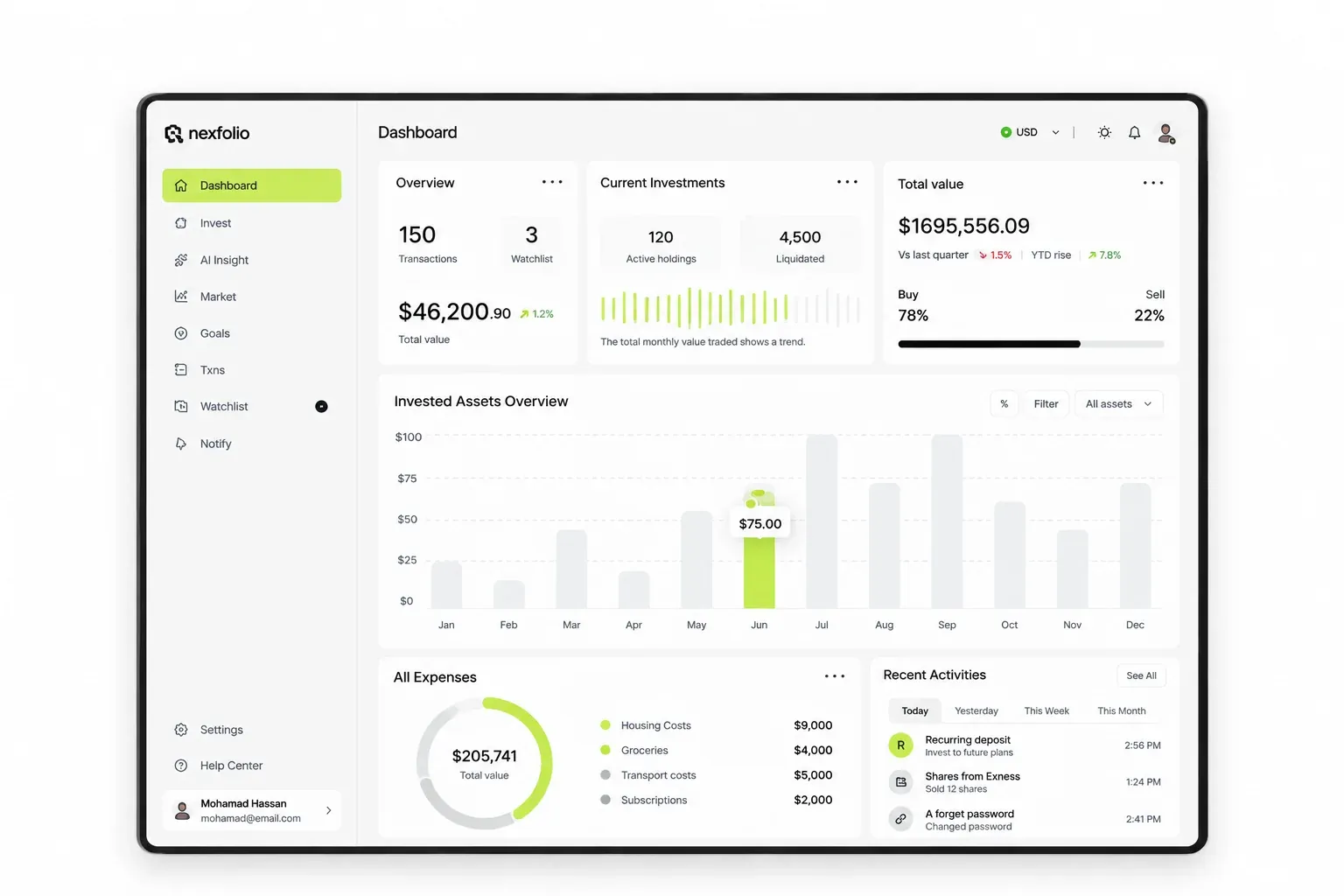
ZenPay, WealthWise and Nexfolio illustrate three different jobs: moving money, understanding personal finances and reviewing investments. When evaluating the Wolfpixel product design portfolio, compare the task, user role and information density behind each screen rather than treating every financial dashboard as the same product.
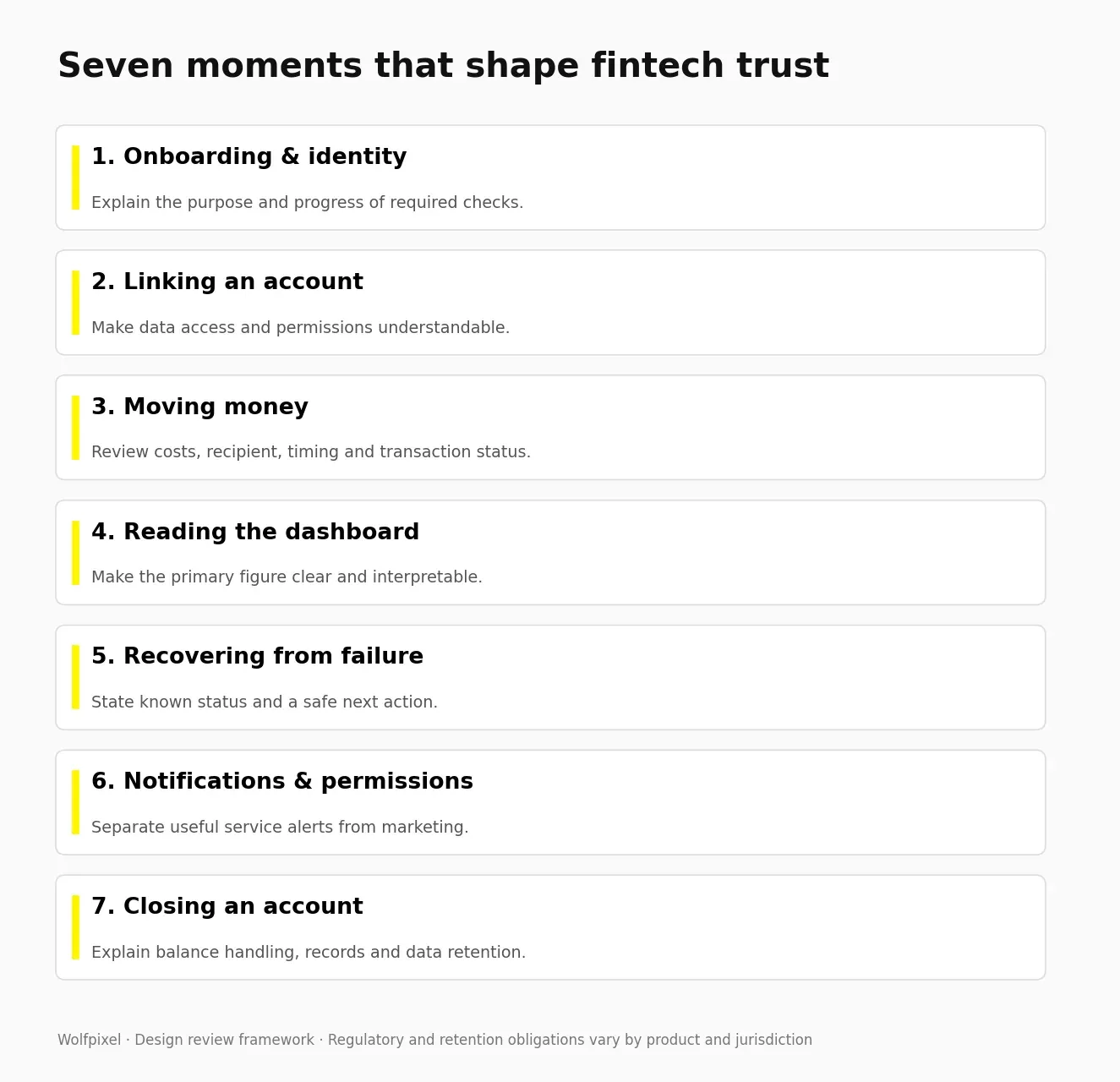
The 7 moments where fintech app design wins or loses trust
Review these seven moments when investigating user uncertainty or failure. Their relative importance depends on your product, users and transaction types.
1. Onboarding and KYC
In Signicat’s 2022 Battle to Onboard research, 68% of surveyed consumers reported abandoning a financial-service application during the preceding year. That is a historical survey result, not a universal current fintech funnel abandonment rate or a direct measure of one UX cause.
What works: use progressive onboarding patterns with clear next steps to show progress, explain each required item when it is requested, and guide document capture. Place identity checks according to approved regulatory and risk requirements; offer previews only where permitted. A shorter flow is useful only if people can still understand and complete the required checks.
2. Connecting a bank account
This is the single highest-anxiety screen in most fintech products. The user is granting access to their financial life to a company they met ten minutes ago.
What works: state exactly what you will read and what you will not, in one sentence each. Say that access can be revoked at any time, and mean it. Show the bank’s real logo. Use a trusted aggregator flow rather than asking for credentials directly.
3. Moving money
Show the cost before the confirm, never after. Unexpected charges can undermine confidence; test whether the cost is understandable before commitment.
What works: a review screen with amount, fee, rate, arrival time and recipient; an action label such as “Send $50 to James”; and an understandable pending state. W3C’s guidance on preventing financial transaction errors explains the importance of reversible submissions, input checking or review-and-correction mechanisms for the web transactions covered by that criterion. Make any available cancellation or recovery option explicit.
4. The dashboard
A dashboard should answer one question in under 3 seconds. Everything else is a level deeper.
What works: prioritize the account figure the user needs for the current task, group related amounts and distinguish available money from pending activity. Apply dashboard design principles for hierarchy and data clarity to choose charts, labels and grouping that support decisions rather than decoration.
5. When something breaks
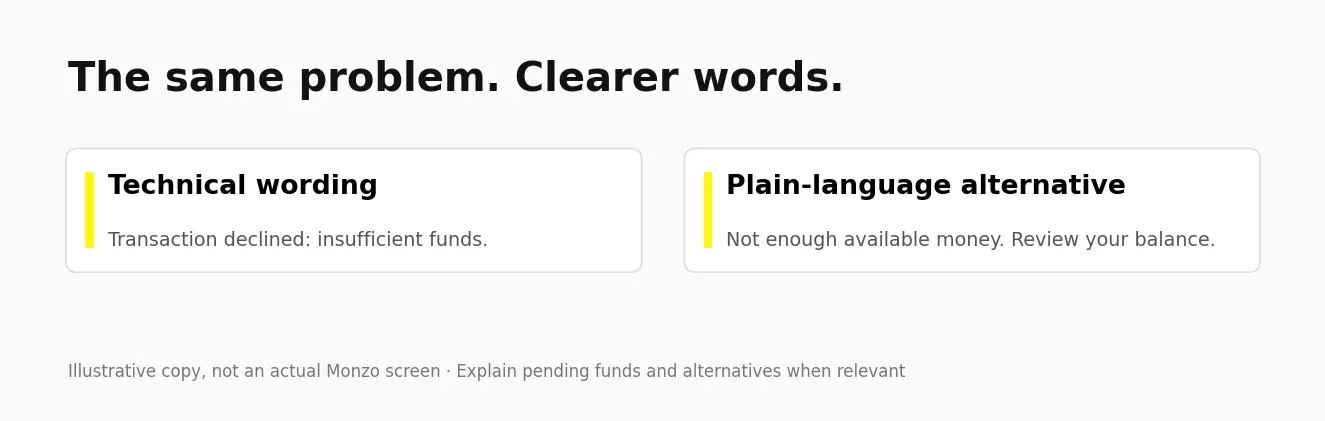
Lead with the transaction status you can verify, explain what happened and give one safe next action. Do not reassure someone that their money is safe unless the system can substantiate that statement.
Most apps do this backwards, starting with an error code. We rewrite failure states first on almost every fintech audit we run, because that screen decides whether someone contacts support or uninstalls.
6. Notifications and permissions
Notifications are the only part of your app that appears when the user did not ask for it. That makes them the fastest way to lose someone.
What works: one relevant, specific, actionable alert beats five generic ones. Tie every notification to something that actually happened in the user’s account. Give granular controls in settings, and put security alerts on a separate switch from marketing.
7. Leaving, closing, and deleting
Nobody designs this, and it is the reason some people never sign up in the first place. Users check whether they can get out before they commit.
What works: a findable account closure path, a plain statement of what happens to their data and their remaining balance, an exportable statement history, and a real deletion confirmation. Account closure, erasure and legally required retention are different processes. The UK ICO’s right-to-erasure guidance and exceptions explains why erasure is not absolute, including where processing is necessary to meet a legal obligation. Confirm the rules for your market and explain what can and cannot be deleted. Designing it well turns a compliance obligation into a trust signal.
Accessibility is essential to financial products. Evaluate the complete experience, including authentication and error recovery, against applicable standards and the requirements for your market. A short checklist does not establish legal compliance.
The non-negotiables:
- W3C’s WCAG text-contrast guidance generally specifies 4.5:1 for normal text and 3:1 for large text at Level AA. Meaningful non-text UI has a separate 3:1 criterion, with exceptions.
- Never colour alone. Color-vision differences can make red and green difficult to distinguish. Add a sign, an arrow, or a label.
- Use platform-appropriate target sizes. WCAG 2.2 AA’s web target-size criterion specifies 24×24 CSS pixels with exceptions; native iOS and Android guidance uses different units and recommendations. Transfer confirmations are not the place for a tight tap area.
- Screen reader labels on every amount. “£1,204.50, current balance” not “1204.50.”
- Text that scales to 200 percent without the layout collapsing. Older users are a large and growing share of fintech.
- Give warnings and extension options for time limits where required and feasible, accounting for the standard’s exceptions.
We run these checks during design, not after handoff. Catching access barriers during design reduces the risk of expensive structural rework later.
Read the complete WCAG 2.2 standard, including its criteria and exceptions.
Fintech design patterns to avoid
Avoid designs that hide material information, pressure a financial decision or make account choices difficult to understand. Applicable consumer-protection and privacy requirements vary by market and product.
Avoid these:
- Pre-ticked consent boxes, or opt-outs hidden behind a second screen
- Fee disclosure that appears only after the confirm action
- Cancellation flows that are meaningfully harder than the signup flow
- Countdown timers on financial decisions that are not genuinely time limited
- Confirmshaming on account closure, so “No thanks, I like paying more”
- Default settings that share more data than the user would choose
If a pattern only works because the user did not notice it, it will not survive a regulator or a review cycle.
Define pending, failed, completed and disputed states once in a token-based design system with documented component states. Shared status colors, amount formatting, error messages and confirmation controls help the same financial action remain understandable across screens and teams.
What fintech app design costs and how long it takes
The following ranges are planning estimates supplied for this guide, not a verified market benchmark or a fixed Wolfpixel quote. Use the scope breakdown in our mobile app design cost guide to inventory screens, roles, research and platform coverage. Then add the identity, payment, dispute and regulatory-review states specific to your fintech product before requesting a quote.
Illustrative planning estimates supplied for this guide; confirm a written quote for your scope.
| Scope | Typical range | Timeline |
|---|---|---|
| UX audit of an existing app | $1,500 to $4,000 | 1 week |
| MVP mobile app UI, 12 to 20 screens | $12,000 to $22,000 | 4 to 6 weeks |
| Full product UI plus design system | $25,000 to $45,000 | 8 to 12 weeks |
| Multi-platform, mobile plus web dashboard | $40,000 to $60,000+ | 10 to 14 weeks |
| Brand identity for a fintech product | From $2,900 | 14 to 30 days |
Wolfpixel’s published Bench Light subscription starts at $3,900/month as of October 20, 2026. A subscription’s capacity and a project’s total price are different measures. Review the current design subscription pricing and agree scope and timing in writing.
What moves the number: number of user roles, whether KYC is in scope, regulatory jurisdictions, whether you need a token-based design system, and how many states each flow needs, because pending, failed, disputed and partially settled states can add substantial design scope.
How we run a fintech design project
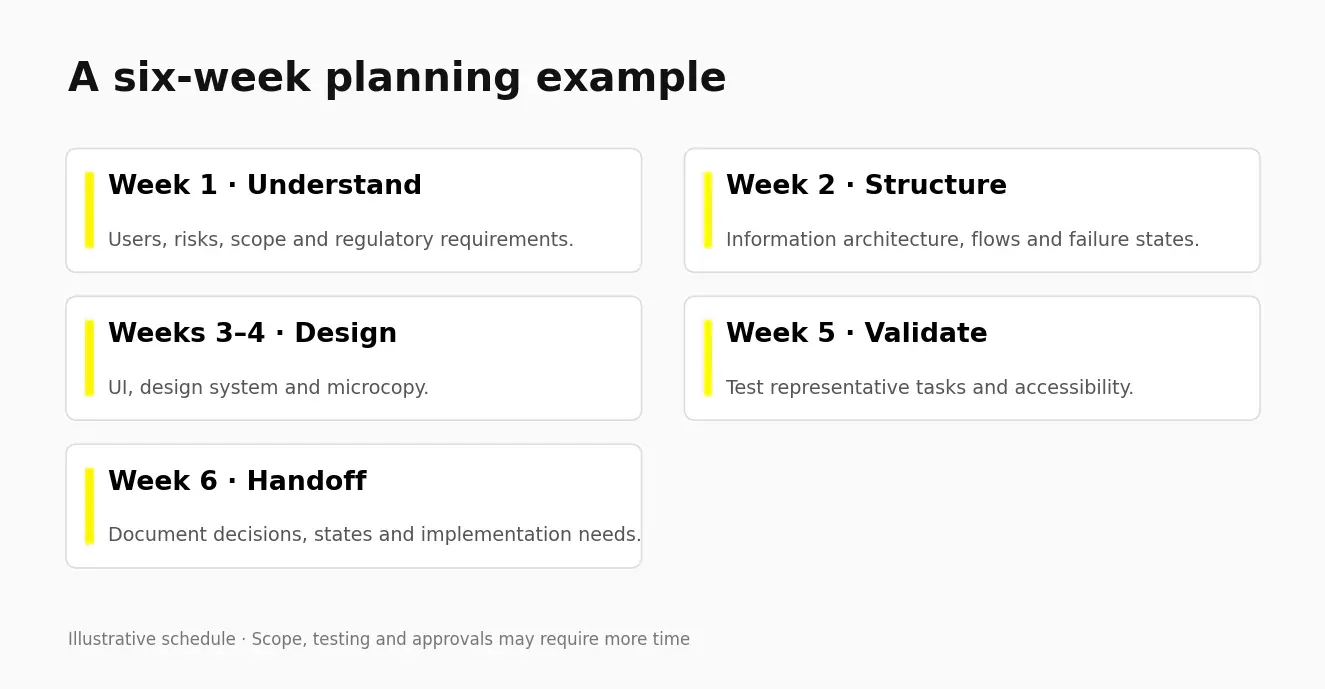
The six-week sequence below is an illustrative plan for a defined scope. It may need longer for research, product complexity, integration constraints or compliance approvals.
- Week 1, Understand. Stakeholder interviews, competitor teardown, the six-point scorecard on your current product, and a compliance map of every regulated step.
- Week 2, Structure. Information architecture, user flows for every state including the ugly ones, and the low-fidelity skeleton.
- Weeks 3 and 4, Design. High fidelity screens, a token-based design system, microcopy written alongside the UI rather than after it.
- Week 5, Prove. Clickable prototype, five to eight moderated sessions with real target users, focused on the seven trust moments.
- Week 6, Ship. Developer handoff with tokens and documentation, plus design QA, documented states and a realistic implementation plan.
Agree who will design the work, who will review regulatory and security requirements, and how design QA will happen with developers. Assess relevant portfolio work and independent references rather than relying on unsupported performance claims.
Use a research-to-handoff UI/UX design process to connect each stage with an explicit deliverable: evidence, flows, prototypes, tested decisions and implementation specifications. If you need delivery support, scope mobile app design for iOS and Android around those outputs, including authentication, transaction states and platform-specific behavior.
Design work that cannot be measured cannot be defended in a budget meeting. Track these six from day one:
- Onboarding completion rate, segmented by eligibility and acquisition source
- KYC step completion, separated from legitimate eligibility and fraud rejections
- Time to first successful transaction, compared with the product’s normal usage cycle
- Task success rate on your top three actions, with an agreed baseline and target
- Support tickets per thousand active users, tagged by screen
- Day 30 retention, segmented by acquisition channel
Set targets from your baseline and risk tolerance. Use cohort comparisons and appropriate experiments; do not call a redesign a failure solely because an arbitrary number of metrics did not improve. If customers finish onboarding but stop returning after their first transaction, connect feature adoption, repeat value and failure recovery with UX-led retention strategies for subscription products, adapting the framework to your fintech business model.
Where to go from here
Run the six-point scorecard on representative tasks, record the evidence and prioritize the most consequential trust barriers.
If you need a second view, share your product brief and the flows that need attention. Wolfpixel can discuss an appropriate scope and relevant portfolio examples.
Bring your primary transaction flow, current drop-off data and known constraints when you book a free 30-minute product design call. That context helps define whether the next step should be a focused audit, a flow redesign or a broader product engagement.
What is fintech app design?
Fintech app design is the design of digital financial products, covering interface, flows, microcopy, and compliance moments so that users can move money with confidence. It includes onboarding, identity verification, payments, dashboards, and error handling, and it is judged on trust and task completion rather than on visual style.
How much does it cost to design a fintech app?
The table above provides planning estimates from $12,000 to $60,000 or more for selected scopes, with smaller audits listed separately. These are not independently verified market rates or a fixed quote. Obtain a written scope covering roles, states, research, design systems and review requirements.
How long does it take to design a fintech app?
The planning ranges in this guide run from about four to fourteen weeks for different scopes. The six-week process is illustrative, not a promise for every product. Research, integrations, security and compliance approvals can change the schedule.
What makes a good fintech app UI?
A good fintech app UI answers what your money is doing in under three seconds, shows all costs before confirmation, and handles failure as carefully as success. Clarity, predictable navigation, plain language, and well-designed error states matter more than visual trends.
What colours are best for fintech apps?
Choose colors for legibility, brand identity and consistent meaning. Test normal text at the applicable contrast threshold, and never use color alone for gain, loss, error or transaction status. There is no universally best fintech palette.
What is the best font for a fintech app?
Choose a font with clearly distinguishable numerals and tabular figures, so columns of amounts align. Inter, SF Pro, Roboto, and IBM Plex Sans all handle financial data well. Avoid typefaces where 1, 7, and I look similar at small sizes.
What is the difference between fintech UX and fintech UI design?
Fintech UX design covers the structure, flows, and decisions a user moves through, while fintech UI design covers the visual layer they see and touch. In finance the two cannot be separated cleanly, because a visual choice like where a fee sits on screen is a UX decision with legal consequences.
Do fintech apps need to be accessible?
Yes. Evaluate applicable accessibility requirements and the full experience. WCAG 2.2 AA generally uses 4.5:1 for normal text and 3:1 for large text, and its web target-size criterion is 24×24 CSS pixels with exceptions. Screen-reader support, scaling, authentication and error handling also matter. Native platform guidance is separate.
How do you design KYC without losing users?
Place identity checks where your approved legal, risk and product requirements call for them. Where permitted, offer useful educational or preview content first. Explain each required item, show progress, guide document capture and support recovery without weakening verification.
Which fintech app has the best design?
There is no single winner. Wise’s public fee information, Monzo’s writing guidance, Cash App’s security controls and Stripe’s dashboard surfaces illustrate different design questions. Choose references relevant to your users and validate patterns in your own product.
How do I choose a fintech design agency?
Look for shipped financial products rather than concept work, named designers with verifiable profiles, published pricing and turnaround, and independent reviews on Clutch or similar. Ask how they handle error states and compliance flows, because that answer separates agencies that have shipped fintech from those that have only styled it.
Can AI design a fintech app?
AI can assist with exploration, drafts and implementation work. Human owners still need to validate user needs, security, regulatory requirements, accessibility and financial error states. Generated screens do not establish a safe or compliant product.
Build a financial product people can understand
Share your fintech brief with Wolfpixel to discuss trust, core flows, design scope and implementation needs.

Was this article helpful?

Written by
Maniruzzaman Jubayer
Co-founder & COO | Product Design Specialist at Wolfpixel
Maniruzzaman Jubayer is the Co-founder & COO of Wolfpixel and a product design specialist with 7 years of experience. He personally oversees website, app, dashboard and digital product design at Wolfpixel. In this article, he focuses on fintech interfaces, transaction clarity and trust throughout financial app journeys.
View all articles