

 18 min read
 Updated
To build a design system, start by auditing your existing UI and code, then define design tokens (color, typography, spacing), build a small set of high-use components in Figma and code, document how and when to use them, and set up a governance process so the system keeps evolving. Start small with the components your team uses most, align designers and developers on shared naming from day one, and treat the system as a product with owners and users, not a one-time project.
Most teams don’t decide to build a design system on a quiet afternoon. They get pushed into it. There are fourteen slightly different blue buttons in production. Engineers rebuild the same modal for the third time. A rebrand turns into months of manual cleanup. New designers take weeks to learn “how we do things here.”
I’m Maniruzzaman Jubayer, Co-founder & COO and Product Design Specialist at Wolfpixel, with 7 years of experience. I personally oversee website, app, dashboard and digital product design. This guide focuses on reusable UI components, interface consistency and product design systems.
This guide is written for founders, product leaders, heads of growth, and design teams deciding whether and how to invest. You’ll learn what a design system actually is (and how it differs from a style guide), when your company needs one, how to build the business case, a step-by-step process for building one, how design tokens and a Figma design system work together, how to document and govern it, and the mistakes that quietly kill most systems.
What Is a Design System? Design System vs Style Guide vs Component Library
A design system is a shared set of design decisions, reusable components, and usage guidelines that helps a team build consistent products faster. It combines three things:
- Foundations: design tokens such as color, typography, spacing, radius, elevation, and motion
- Components and patterns: reusable UI building blocks (buttons, inputs, cards, navigation) and the recurring layouts built from them (forms, empty states, onboarding flows)
- Guidance and governance: documentation, principles, accessibility rules, content guidelines, and the process for changing the system
A design system connects decisions in design and production. Shared naming, token pipelines, reusable components and release processes help a primary-action decision flow consistently to its consumers; updates still need implementation and adoption.
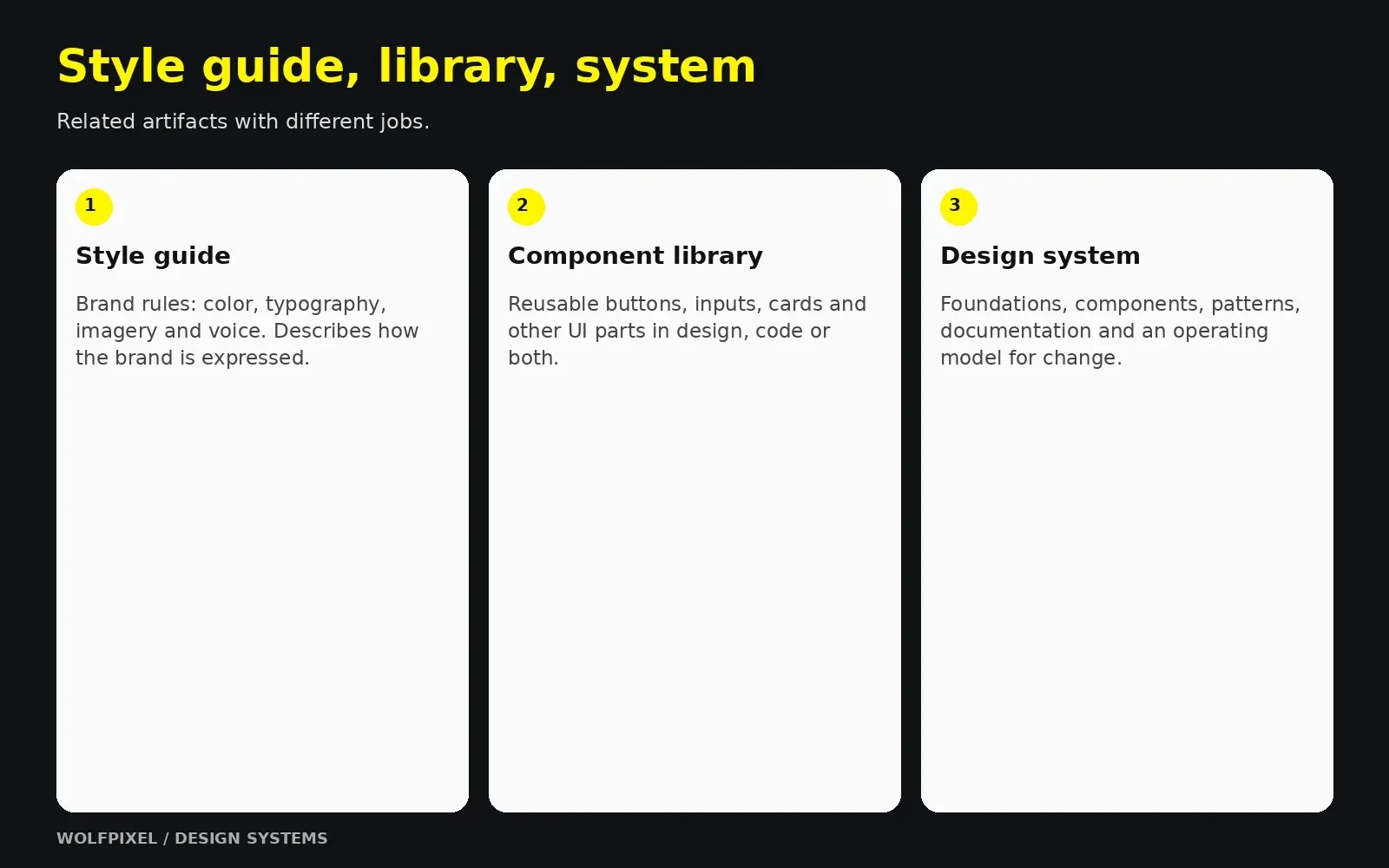
Design system vs style guide
This is one of the most common points of confusion. A style guide is one part of a design system, not a substitute for it.
Style guide, component library and design system compared
| Aspect | Style guide | Component library | Design system |
|---|---|---|---|
| What it is | Visual and brand rules (logo, colors, fonts, tone) | Reusable UI elements in design and/or code | Tokens + components + patterns + documentation + governance |
| Format | Usually a PDF or static page | Figma library, code package, or both | Living product with owners, versions, and a roadmap |
| Answers | “What does our brand look like?” | “What pieces can I reuse?” | “How do we build, decide, and change things consistently?” |
| Connected to code? | Rarely | Sometimes | By design |
| Maintained by | Brand or marketing team | Designers or engineers | Cross-functional owners |
A simple way to explain it to stakeholders: a style guide describes the brand, a component library provides the parts, and a design system is the operating model that keeps both in sync with the product.
Where brand fits
A design system should express your brand identity, not replace it. In my experience, the strongest systems start from clear brand foundations, including personality, voice, and visual principles, and translate them into product-ready decisions. If your brand itself is still undefined, fix that first. Systematizing an unclear brand only produces consistent confusion.
“
KEY TAKEAWAY
A system connects reusable parts with the decisions and process behind them.
For the brand foundation, see our brand identity design guide.
Does Your Company Need a Design System Yet?
Not every company needs a full design system on day one. Building too much too early is a real risk, as is waiting until inconsistency becomes expensive.
Signals that it’s time
- The same components are designed or coded differently across screens or teams
- Design QA keeps catching the same spacing, color, and state issues
- Engineers ask “which version is correct?” during handoff
- Adding a new designer or developer takes a long time because conventions live in people’s heads
- You’re planning a rebrand, redesign, dark mode, or a second product
- Marketing site and product look like two different companies
What to build at each stage
Scope a system around team and product needs
| Company stage | Typical situation | What to build |
|---|---|---|
| Early stage (1–2 designers) | Speed matters most; product still changing | A lightweight token foundation plus a small set of high-use components selected from the audit. |
| Growth stage (multiple squads) | Inconsistency spreading; handoff friction rising | A shared Figma library connected to a coded component library, with basic documentation |
| Scale stage (multiple products or brands) | Duplicate work across teams; theming needs | A full system with token pipeline, theming, contribution model, versioning, and dedicated ownership |
From what I’ve seen, the most successful early-stage teams build a minimum viable design system: just enough foundations and components to remove the most painful inconsistencies, with room to grow. You don’t need a documentation website with 60 components to get value. You need the ten components your team rebuilds every week, done properly.
“
KEY TAKEAWAY
Start with the repeated problems your team needs to solve.
Design System ROI: How to Build the Business Case
Design systems need ongoing investment, so leadership will reasonably ask what the return is. The strongest business cases avoid vague promises and instead connect the system to problems the company already feels.
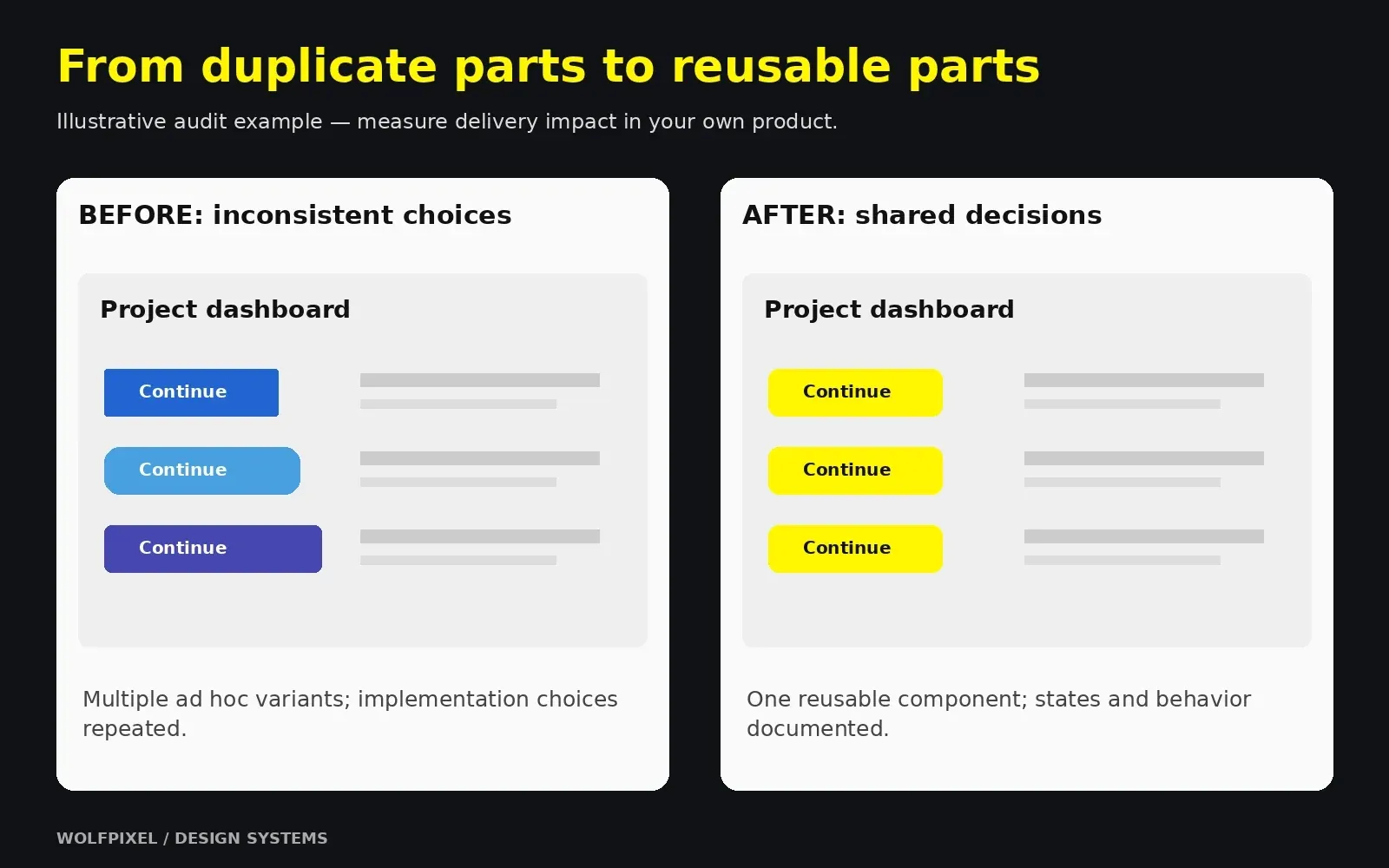
Where design system ROI comes from
- Faster delivery: designers and engineers reuse tested components instead of rebuilding them
- Fewer defects: components with built-in states, accessibility, and responsive behavior reduce QA issues
- Consistency and trust: a coherent product experience supports brand perception and usability
- Accessibility at scale: shared fixes can reach many consumers, but custom overrides, component use and actual user flows still require testing.
- Faster onboarding: new team members learn one documented system instead of scattered files
- More manageable change: token-based themes can reduce repeated edits, while component overrides, layout and content still need migration checks.
How to measure it (without inventing numbers)
Measure your own baseline before you start, then track the same metrics after launch:
Metrics for evaluating a design system
| Metric | How to measure |
|---|---|
| Design and build time | Time to design and ship a typical screen or feature, before vs after |
| UI inconsistency | Count variants of core elements (buttons, inputs, colors) in the audit |
| Design QA defects | Number of UI-related bugs or review comments per release |
| Adoption | Percentage of screens or code using system components |
| Onboarding time | Time for a new designer or engineer to ship their first feature |
| Change cost | Effort needed for a global change (e.g., updating a primary color) |
A simple ROI framing
Use a transparent formula leadership can check:
Estimated annual capacity value ≈ hours saved per person per week × people affected × loaded hourly cost × working weeks. Estimated first-year net value = capacity value + separately evidenced avoided rework − initial build cost − annual maintenance and tooling cost.
Illustrative example only: eight people saving two hours each per week represents sixteen hours of released capacity per week. Capacity is not automatically a cash saving. Replace assumptions with your own observations and avoid counting the same saved effort again as avoided rework.
One insight from my own work: the business case lands best when you show the audit itself. Put every button variant from production on one slide. That single visual usually does more persuading than any spreadsheet.
“
KEY TAKEAWAY
Measure your own baseline and distinguish released capacity from cash savings.
How to Build a Design System: The 8-Step Process
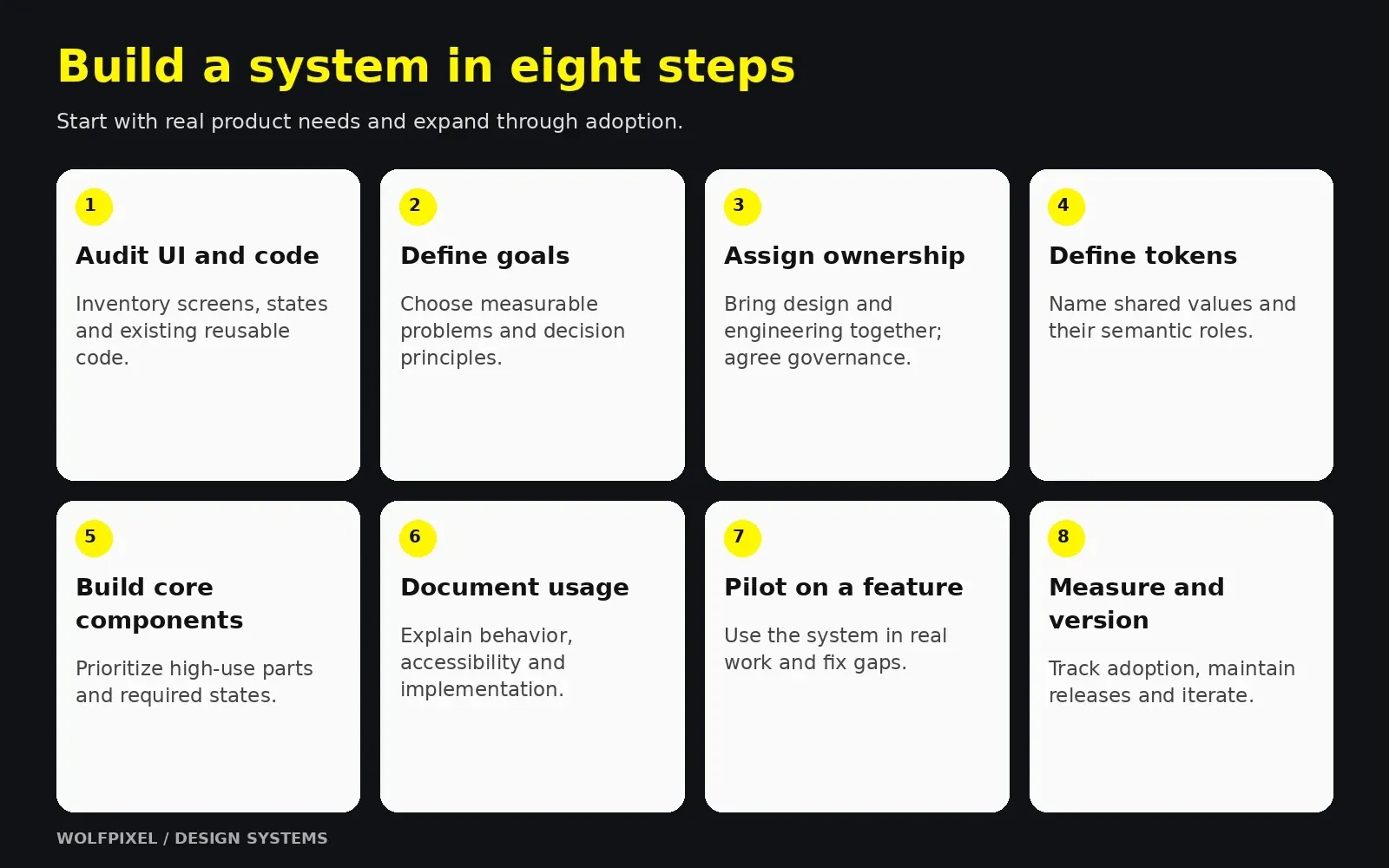
This is the process I recommend for most product teams. Sections 5–7 go deeper into the most technical steps.
Step 1: Audit your UI and your code
Screenshot every screen and state in your product and marketing site, then group similar elements: buttons, inputs, colors, type styles, icons, and modals. Audit the codebase too. Engineers have often already built reusable components or CSS variables that aren’t reflected in design files. Build on what exists rather than creating a parallel system.
Step 2: Define goals and principles
Write down why you’re building the system and how you’ll know it’s working. Examples: “reduce UI inconsistency in checkout,” “support dark mode,” or “cut handoff friction between design and engineering.” Then define three to five design principles that guide decisions, such as “clarity over decoration” or “accessible by default.”
Step 3: Assemble a cross-functional team and choose a governance model
Include at least one designer and one front-end engineer from the start. A design system owned only by designers becomes a Figma library nobody implements. Decide how the system will be run. Common models include a single dedicated team (centralized), contributors spread across product teams (federated), or one person maintaining it (solitary), which is common in early-stage startups.
Step 4: Define foundations and design tokens
Consolidate your audit into a controlled set of colors, a type scale, a spacing scale, radii, shadows, and motion values. Store them as design tokens so design and code share one source of truth. (See Section 5.)
Step 5: Build high-impact components first
Prioritize components that are used most often and are most inconsistent today. For most products, that means buttons, inputs, selects, checkboxes, cards, modals, navigation, alerts, and tables. Build each one in Figma and in code, with all states and variants. (See Section 6.)
Step 6: Document usage, not just appearance
Every component needs guidance on when to use it, when not to, its states, accessibility requirements, and code references. (See Section 7.)
Step 7: Pilot on a real project
Before rolling out company-wide, use the system on one live feature or page. Real work exposes gaps faster than any review meeting. Collect feedback, fix what breaks, and use the pilot’s results as proof for broader adoption.
Step 8: Measure, iterate, and version
Track the metrics from Section 3, release updates with version numbers and changelogs, and review the roadmap regularly. A design system is never finished. It evolves with your product.
Build from scratch or adapt an existing framework?
You don’t always have to start from zero. Adapting an established open-source foundation can speed things up, while a fully custom system gives you more control over brand expression.
Custom, adapted and hybrid system approaches
| Approach | Best for | Trade-off |
|---|---|---|
| Build custom | Distinctive brands, complex products, long-term scale | More time and investment up front |
| Adapt an open-source system or UI framework | Early-stage teams, internal tools, speed | Risk of generic look; customization debt later |
| Hybrid | Teams combining established foundations with product-specific patterns | Requires clear rules about what’s customized |
“
KEY TAKEAWAY
Pilot the system on a real feature before expanding it.
For product rollout, review our SaaS redesign process.
Use our structured UX audit process.
Design Tokens: The Foundation That Connects Design and Code
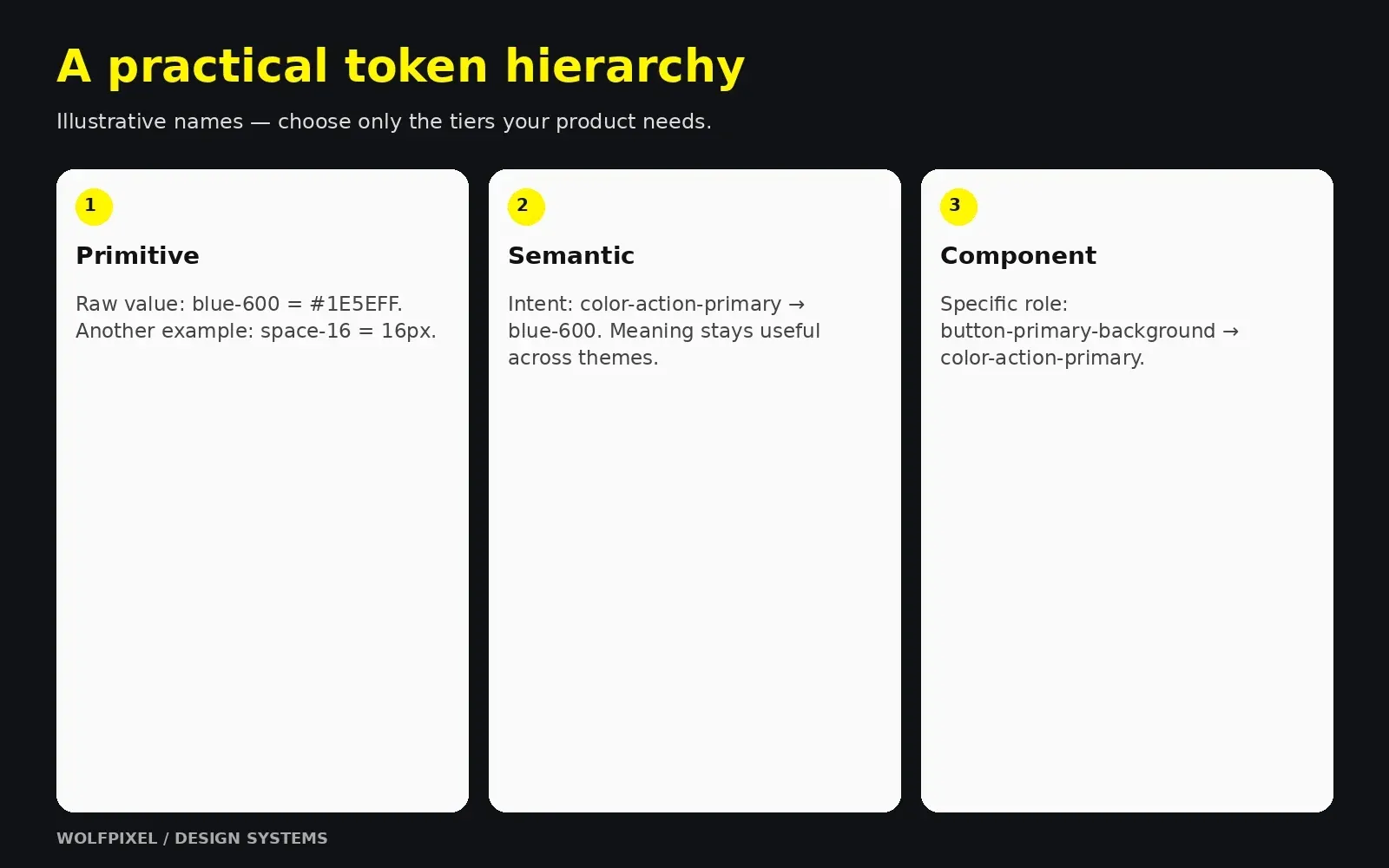
Design tokens name design decisions such as colors, dimensions, spacing and motion values. Instead of repeating a hex value, use a meaningful token. Changes can propagate through token references and generated outputs after the pipeline is run and consumers adopt the release.
Tokens are what turn a style guide into a system. They give designers and developers the same language.
The three token tiers
A practical three-tier token architecture
| Tier | Purpose | Example |
|---|---|---|
| Primitive (global) | Raw values in your palette and scales | blue-600, space-16, font-size-300 |
| Semantic (alias) | Meaning and intent; what the value is for | color-action-primary, color-text-danger, space-inset-md |
| Component | Values scoped to a specific component | button-primary-background, card-padding |
For theme-sensitive component values, referencing semantic roles rather than raw palette values can make changes easier to manage. Use component-specific tokens where they provide useful control; you do not need three tiers for every value.
Naming conventions that scale
Good token names describe purpose, not appearance. color-text-danger stays correct even if the brand changes the danger color from red to crimson. red-text doesn’t. A practical naming structure is:
category – property – concept/variant – state Example: color-background-button-primary-hover
Agree on naming conventions with engineering early, including casing (kebab-case for CSS variables, camelCase for JavaScript), so tokens translate cleanly into code.
Theming, dark mode, and multi-brand systems
With semantic tokens, a theme is simply a different mapping. color-background-surface might point to white in light mode and gray-950 in dark mode. The same approach supports multiple brands, high-contrast accessibility modes, and white-label products.
The design tokens standard
The Design Tokens Community Group published the stable 2025.10 specification in October 2025. Its modules define an interoperable token format, color representation and resolution. It is a Community Group specification, not a W3C Standard. Evaluate the format against the tools and transformation pipeline you actually use.
See the DTCG 2025.10 technical reports and specification status and FAQ.
Tokens in practice
In Figma, variables can hold reusable values and modes for different contexts such as themes. Styles can group properties such as typography and effects. On the code side, a tool such as Style Dictionary can transform token sources for different platforms. Define how imports, exports and releases are reviewed instead of assuming tools stay synchronized automatically.
Use Figma’s variable modes documentation and Style Dictionary’s token transformation documentation when defining your pipeline.
“
KEY TAKEAWAY
Use meaningful token roles and a reviewed release pipeline.
For platform conventions, review our human interface guidelines for mobile apps.
Building a Figma Design System and Component Library
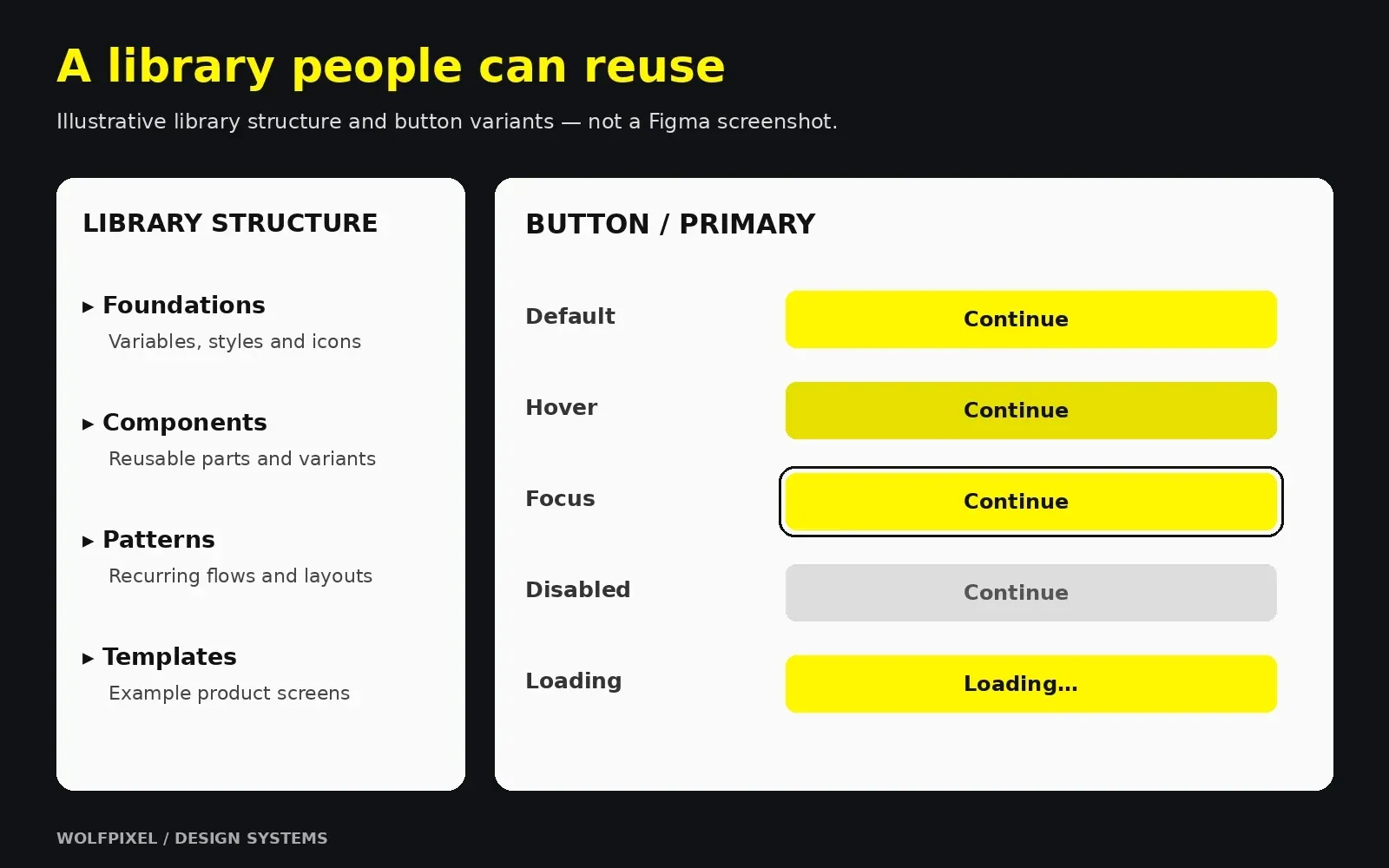
A Figma design system is where most teams make their system visible first. The goal is not a beautiful sticker sheet. It’s a library that designers use by default because it’s faster than drawing from scratch.
Structure your Figma library
A structure that scales well for most teams:
- Foundations file: variables (tokens), text styles, effect styles, grids, and icons
- Components file: core UI components, published as a shared library
- Patterns file: larger compositions such as forms, headers, empty states, and pricing tables
- Templates or examples: real page layouts that show components working together
Larger organizations often split libraries further, for example by platform (web, iOS, Android) or by product area, so teams only enable what they need.
Component library design principles
Good component library design follows a few consistent rules:
- Use auto layout to define intended resizing and spacing, then verify the implemented component at relevant sizes.
- Use variants and component properties for size, hierarchy, state, and toggles (icon on/off, label text) instead of duplicating components
- Include the states that apply to each component: default, hover, focus, active, disabled, loading or error, as relevant. Empty states usually belong to larger patterns rather than every control.
- Bind supported token-driven properties to variables, and document styles or properties that need separate handling. Test each theme rather than assuming binding alone makes it correct.
- Mirror code structure: match property names to the props engineers use, so handoff doesn’t need translation
- Design for accessibility: visible focus states, sufficient contrast, adequate touch targets, and clear labels
Many teams organize components using atomic design thinking, a methodology popularized by Brad Frost, which moves from small elements (atoms) to combinations (molecules and organisms) to full layouts. You don’t need to follow it rigidly, but the idea of building upward from small, reliable parts is sound.
Read Brad Frost’s explanation of atomic design for the underlying method.
Prioritize which components to build first
Use a simple matrix: how often is it used vs how inconsistent is it today. High usage plus high inconsistency means build first. In most products I’ve worked on, buttons, form inputs, and modals land in that top-right corner almost immediately.
Connect Figma to code
Map your Figma components to implemented components and keep their APIs aligned. Figma Code Connect can show mapped code snippets in Dev Mode; it does not replace implementation, release management or drift checks. Storybook provides a way to develop and document component variations in isolation.
See Figma Code Connect and Storybook’s component workflow.
A component “definition of done”
Before a component is published, check that it has:
- All variants and states in Figma, bound to tokens
- A matching coded component with the same props and names
- Accessibility review (keyboard, focus, contrast, screen reader labels)
- Responsive behavior defined
- Usage documentation with do’s and don’ts
- A version number and changelog entry
“
KEY TAKEAWAY
Keep design variants and implemented behavior aligned.
For platform-specific components, use our mobile app design guide.
Design System Documentation, Governance, and Adoption
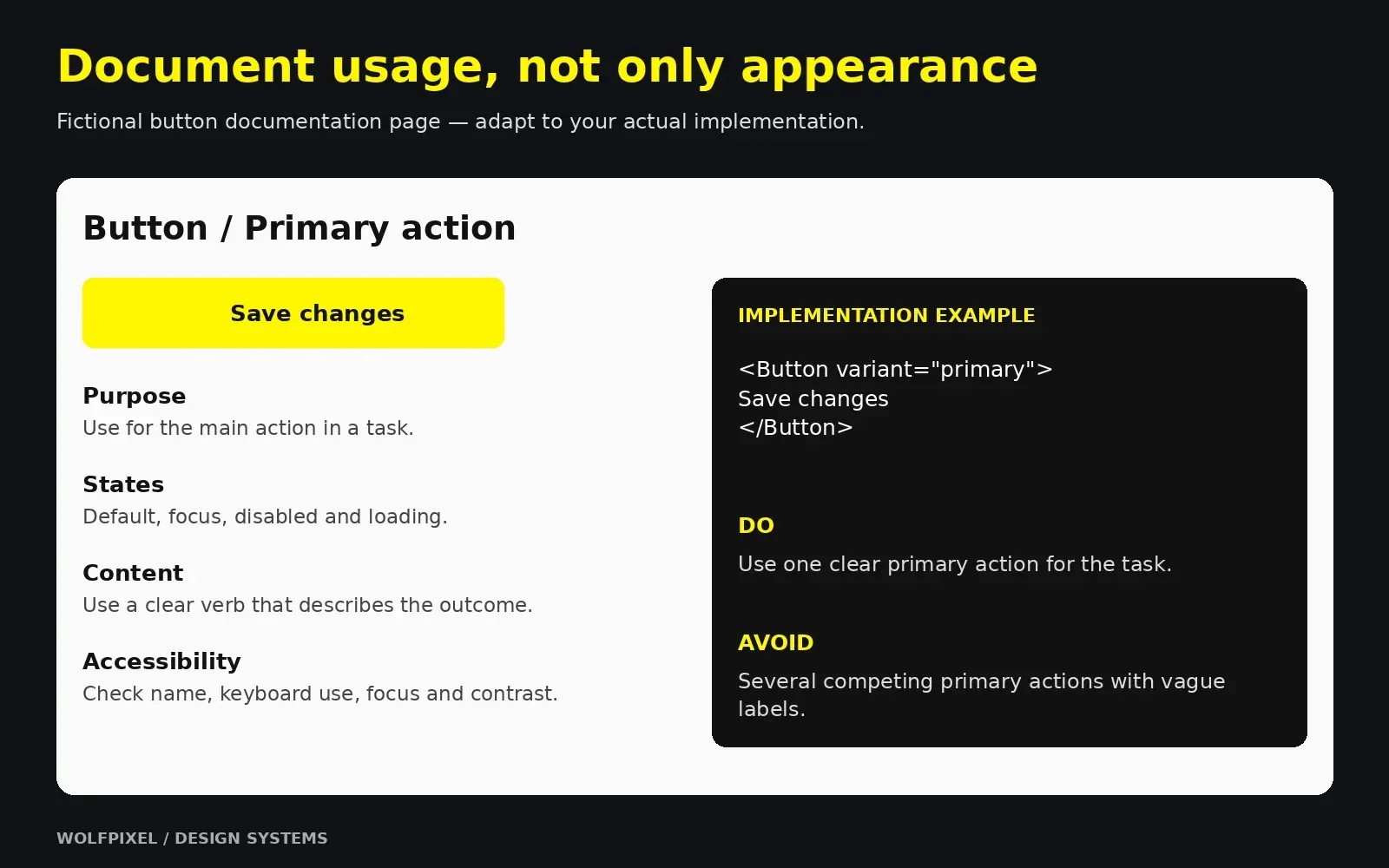
A design system that isn’t documented or adopted is just a nicely organized file. This is where most systems succeed or fail.
What good design system documentation includes
What component documentation should include
| Documentation element | Why it matters |
|---|---|
| Purpose and when to use | Prevents misuse (e.g., using a modal where inline feedback works better) |
| When not to use | Points people to the right alternative component |
| Anatomy and variants | Explains each part and option |
| States and behavior | Defines interaction, loading, and error handling |
| Accessibility guidance | Keyboard support, ARIA requirements, contrast rules |
| Content guidelines | Label length, tone, capitalization |
| Do’s and don’ts | Visual examples that make rules concrete |
| Code reference | Props, import paths, and live examples |
| Changelog | Shows what changed and when |
Keep documentation where people already work. Some teams document directly inside Figma; others use a dedicated documentation platform such as Zeroheight or Supernova, or a Storybook-based site. The best tool is the one your team actually opens.
Governance: how the system changes
Governance answers practical questions: Who approves a new component? How do product teams request changes? What happens when a team needs something the system doesn’t have?
A lightweight contribution process works for most teams:
- Request: a team proposes a new component or change with real use cases
- Review: system owners check whether an existing component already solves it
- Build: design and code are created together, following the definition of done
- Release: published with a version number (semantic versioning is common) and changelog
- Communicate: announce changes in the channels teams already use
How to drive adoption
In my experience, adoption is a product problem, not a policy problem. Mandates alone don’t work. What works:
- Make the system the fastest path: if using a component is slower than detaching it, people will detach it
- Find champions in each product team who give feedback and advocate for the system
- Run office hours and short onboarding sessions for new designers and engineers
- Celebrate wins by sharing features shipped faster or bugs avoided because of the system
- Track detaches and overrides in Figma to learn where components don’t meet real needs
Design system examples worth studying
Public design system examples are the best free education available. Study them for structure and documentation, not to copy their look.
Public design systems to study
| Design system | Organization | What to learn from it |
|---|---|---|
| Material Design | Token-based theming and comprehensive foundations | |
| Carbon | IBM | Thorough documentation and open-source code |
| Polaris | Shopify | Current merchant-facing components and usage guidance |
| Atlassian Design System | Atlassian | Well-organized foundations and content guidelines |
| Fluent | Microsoft | Cross-platform consistency and iconography |
| GOV.UK Design System | UK Government | Research-backed patterns and accessibility-first thinking |
| Lightning Design System | Salesforce | Semantic token roles and enterprise component guidance |
A useful exercise: pick one component, such as a text input, and compare how three of these systems document it. You’ll quickly see what good documentation looks like and what your own system is missing.
“
KEY TAKEAWAY
Documentation and ownership are part of the product.
Common Mistakes, Risks, and When to Bring in Professional Support
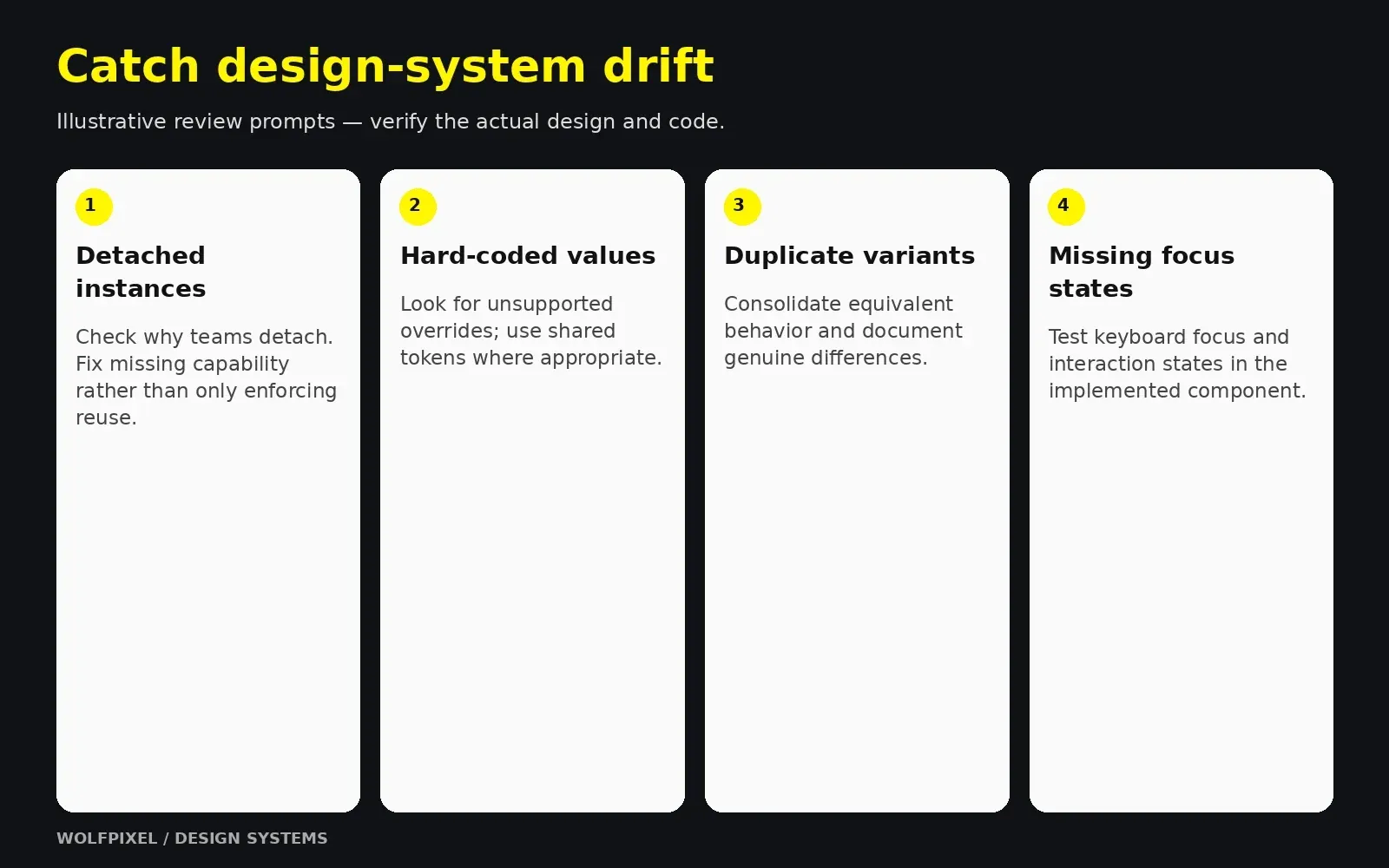
Common mistakes when building a design system
- Starting with components instead of an audit. You end up systematizing guesses instead of real needs.
- Building only in Figma. Without matching code, the system becomes a design-only artifact and drift begins immediately.
- Naming by appearance. Tokens like light-blue break the moment the brand evolves.
- Trying to build everything at once. A 60-component launch delays value and overwhelms maintainers.
- Skipping documentation. People can’t use what they don’t understand.
- No owner. Systems without clear ownership slowly decay into another inconsistent library.
- Treating accessibility as a later phase. Retrofitting accessibility into dozens of components costs far more than building it in.
- Over-restricting creativity. A system should remove repetitive decisions, not every decision. Leave room for campaign pages and experiments.
Key risks and how to reduce them
Design-system risks and mitigations
| Risk | What it looks like | Mitigation |
|---|---|---|
| Low adoption | Teams detach components or build their own | Involve product teams early; make the system the easiest path |
| Design–code drift | Figma and production components diverge | Shared naming, Code Connect or similar, joint reviews |
| Maintenance burden | Backlog of requests nobody handles | Clear ownership and a contribution model |
| Over-engineering | Complex token structures nobody understands | Start simple; add tiers only when needed |
| Losing leadership support | Budget cut after launch | Track and share ROI metrics regularly |
Investment considerations
Plan for three kinds of cost:
- Build cost: audit, foundations, initial components, documentation, and tooling setup
- Ongoing cost: maintenance, new components, updates, and support for product teams
- Tooling cost: design tools, documentation platforms, and any token or code pipeline tools
Budget for maintenance as well as launch. Without owners and ongoing capacity, requests and changes can accumulate while consumers drift.
Benefits of professional design and branding support
Many companies have talented designers but no one with the time or experience to set up a system from scratch. Experienced external support can help you:
- Run a structured UI and code audit with an outside perspective
- Translate brand identity into a scalable token architecture
- Build a production-ready Figma design system aligned with your codebase
- Set up documentation and governance your team can maintain
- Train your team so the system survives after the engagement ends
How to evaluate a design system partner
- Can they show real systems they’ve built, including documentation, not just polished screens?
- Do they work closely with engineers, or only in Figma?
- Do they plan for handoff and training, or create dependency on them?
- Do they start with an audit and goals, or jump straight into components?
- Do they understand accessibility standards like WCAG?
“
KEY TAKEAWAY
Fund maintenance and adoption alongside the initial build.
Explore our UI/UX design and system capabilities, review Wolfpixel’s product design case studies, or discuss your design-system scope.
When the system supports a brand transition, see our rebranding strategy and rollout guide.
For a growing software product, our SaaS product design services connect reusable foundations with the real workflows your customers use.
How long does it take to build a design system?
Timing depends on scope, team availability, code readiness and documentation. Plan a focused initial release and a real pilot, then expand in phases. A mature multi-platform system remains an ongoing product rather than a project with a permanent finish date.
Can one designer build a design system for a startup?
Yes. Many systems start with a single designer working closely with one engineer. Focus on foundations and the most-used components, document as you go, and expand as the team grows.
How many components should a design system start with?
Start with the components causing the most repeated work and inconsistency. Buttons, inputs, selects, cards, dialogs, alerts and navigation are common candidates. Set the initial component count from your audit and capacity; quality and adoption matter more than a universal target.
Does a design system limit creativity?
A good one does the opposite. By standardizing repetitive decisions like button styles and spacing, it frees designers to focus on user problems, flows, and moments that genuinely need custom treatment.
How is AI changing design systems?
AI can assist with documentation drafts, code exploration and consistency checks when it has clear tokens, component APIs and usage guidance. Review generated work for correctness, accessibility and alignment with the implemented system; clear documentation is useful context, not a guarantee of correct output.
Build a design system your team will actually use
Share your product and current library. We can discuss a practical first step: an audit, token foundation, component library or a plan for stronger adoption.

Was this article helpful?

Written by
Maniruzzaman Jubayer
Co-founder & COO | Product Design Specialist at Wolfpixel
Maniruzzaman Jubayer is the Co-founder & COO of Wolfpixel and a product design specialist with 7 years of experience. He personally oversees website, app, dashboard and digital product design at Wolfpixel. In this article, he focuses on reusable UI components, interface consistency and product design systems.
View all articles